9. SPECIAL FUNCTIONS
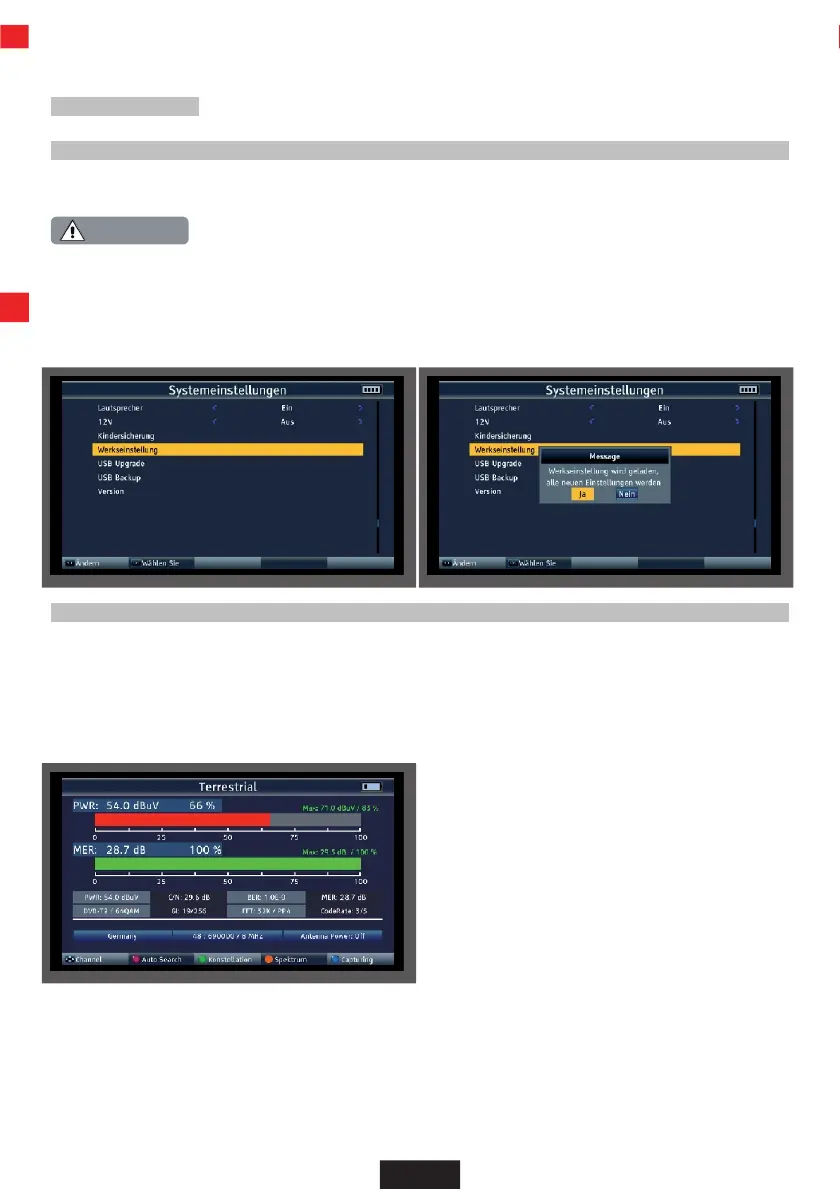
9.2 Factory settings
You can reset the device to the factory settings.
Please note that all settings and program list changes will be lost with this procedure.
>
Select the System settings menu item in the main menu using the arrow button and
confirm with OK.
>
Select the Factory settings menu item and confirm with OK.
>
Confirm the prompt with Yes if you want to carry out a factory setting.
9.3 Screenshot function
The screenshot function allows you to save measured values displayed on the device as an image file.
This illustration can be used as documentation for the customer.
To be able to save images, a USB data carrier must be connected to the device.
To save the currently displayed measurement or display as an image, press the blue (SYS) catpuring button.
The measurement image is saved as a .bmp file on the USB data carrier.
EN


 To Next Page