7. DVB-T/T2 - DVB-C MEASURING RANGE
7.2 DVB-T/T2 /DVB-C spectrum
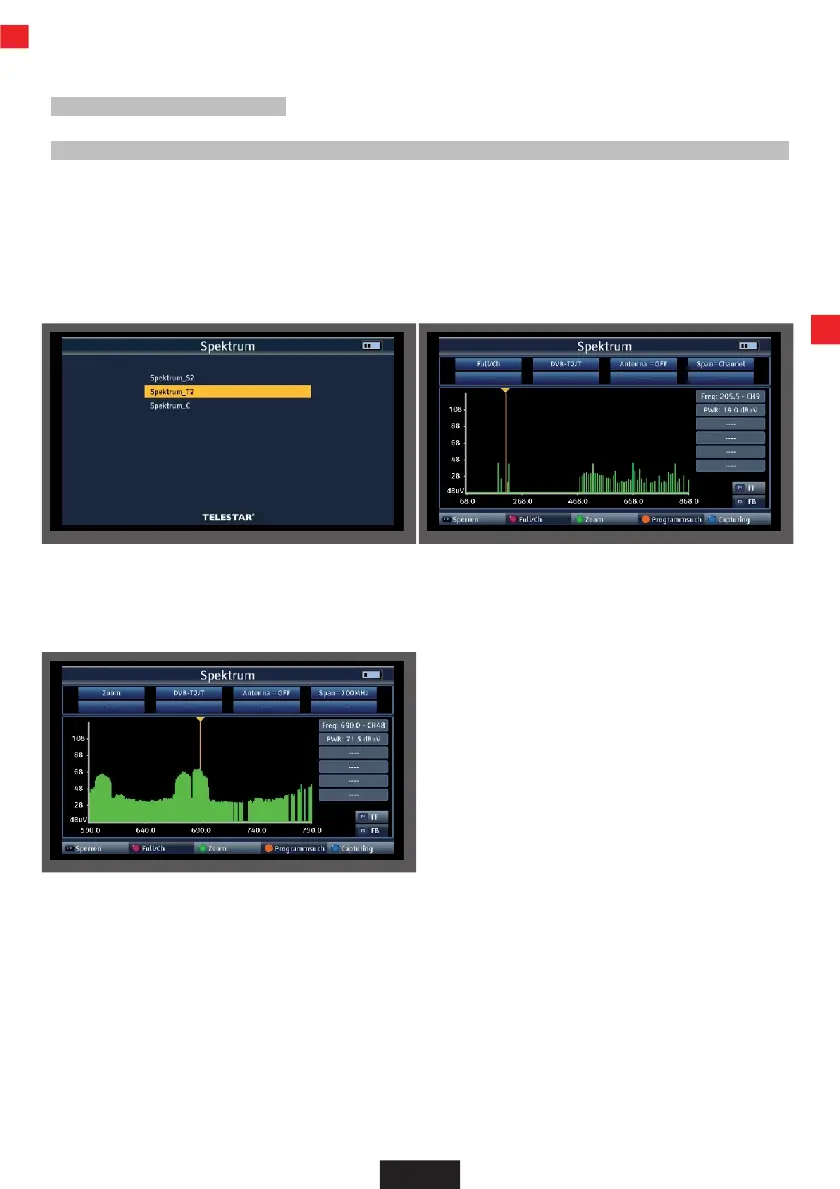
In addition to the measured values, you can also call up the spectrum of a defined frequency range.
>
If you are in DVB-T/T2 or DVB-C measurement, press the orange button (SAT) to activate the
display of the frequency spectrum.
or
>
In the main menu, switch to the Spectrum item, confirm with OK and select the reception
path on which you want to display the spectrum.
You will now see the entire frequency spectrum of the reception area.
The frequency section can be changed using the green button (TV/R).
You can use the navigation cross to move the cursor to any position. A level measurement
(PWR) is carried out at the current position of the cursor.
EN


 To Next Page