EN
6. SAT MEASURING RANGE
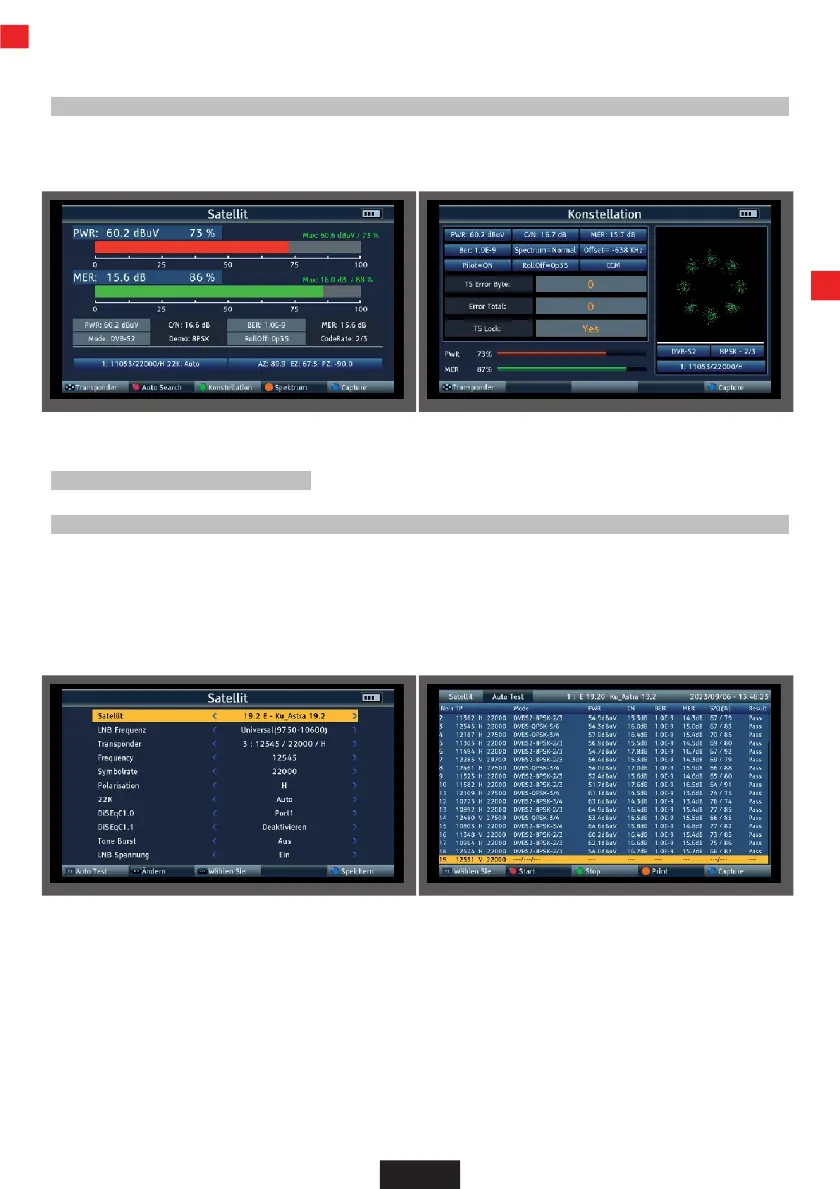
6.4 Constellation
>
Press the green button (TVR) during satellite measurement
You can select the stored transponders using the navigation cross.
6.5 Transponder Auto Test function
The device can carry out an evaluation of all transponders of a satellite position.
This gives you an overview and a check of all available transponders for a satellite position.
>
Select "Satellite" in the main menu.
>
Press the F1 button (Auto Test)
The device checks all stored Trasnponders for the set satellite position and displays the corresponding
reception parameters.


 To Next Page