ECLIPSE 8/16/32/99 Series – User Operation Manual
14
• LCD Keyboards
The status of the used areas is viewed with pressing of ENTER button. Note that the
“padlock” LED lights up in red only when all the used areas are armed. The “padlock” LED
lights up in green if at least one of the used areas is disarmed.
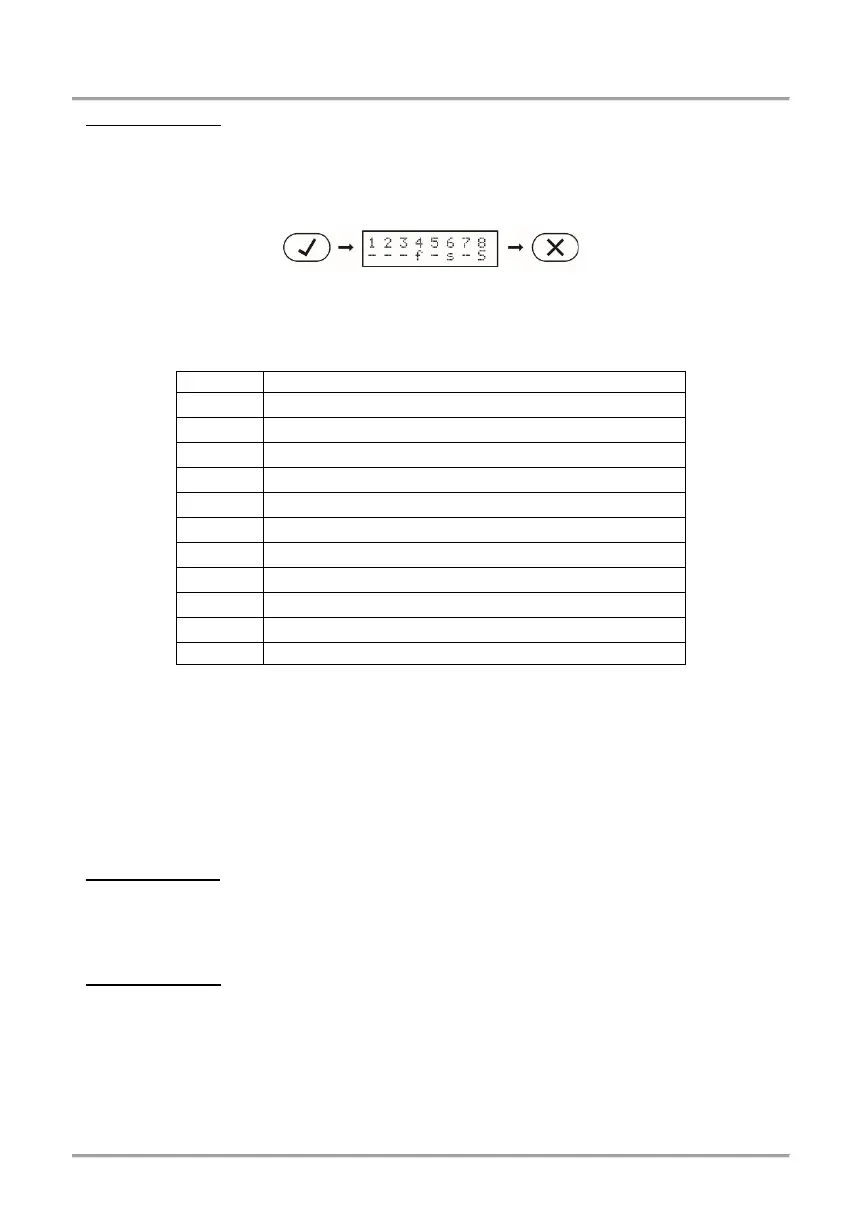
To check-up the areas status simple press the ENTER button (Eclipse 32 in the example):
The screen displays the area numbers with the current status for every one of them.
The description of the area status is as follows:
The area is disarmed and ready to be armed.
The area is disarmed and not ready to be armed.
The area is armed in FULL Arming Mode.
The area is armed in STAY Arming Mode.
The area is armed in SLEEP Arming Mode.
Entry/Exit time is running for the area.
Memory event in still armed area.
Memory event in disarmed area.
The area is not used in the system.
3.1.6 Reviewing the Open Zones
In normal operation mode the numbers of all open zones in the system are displayed one-
by-one on the LCD screen or are blinking on the LED display.
Attention: Areas with currently open zones cannot be armed!
The User can filter the displayed information and to review only those zone numbers
which are associated to the area that has to be armed. The User can review only those
areas for which he has assigned rights to operate!
• LED Keyboards
The numbers of all open zones in the system are blinking. To review (filter) the zone
numbers associated to an area the User has to enter a valid code and area number. Only
the open zones for that area will proceed to blink and the area number is lighting on.
• LCD Keyboards
The numbers of all open zones in the system are displayed one-by-one on the LCD
screen. To review (filter) the zone numbers associated to an area the User has to enter a
valid code and area number. Only the open zones for that area will proceed to be
displayed as text messages.
The exit from the open zones review mode is with pressing CANCEL button or
automatically after 30 sec.
under the area number














 To Next Page