ECLIPSE 8/16/32/99 Series – User Operation Manual
6
2. SUPPORTED KEYBOARDS
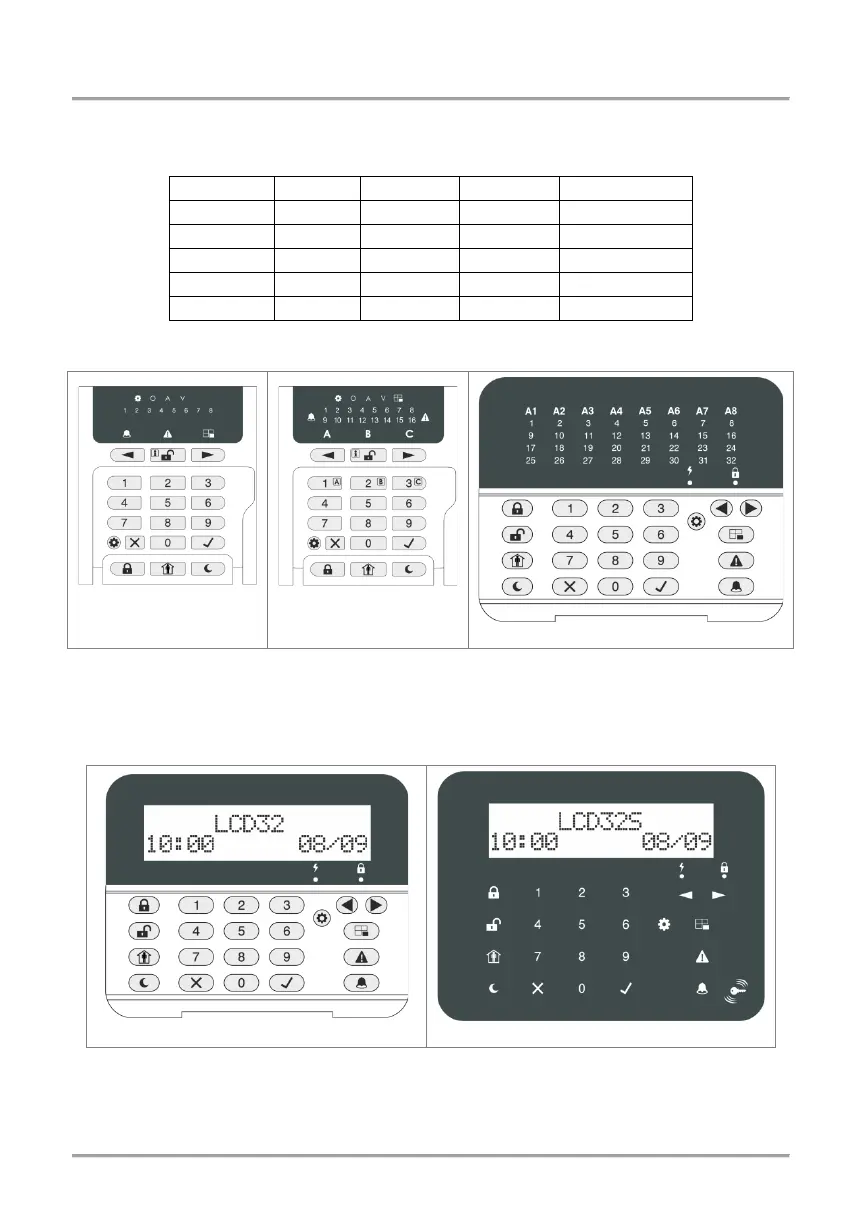
According your system configuration, you may use one of the following keyboard models:
2.1 LED Keyboards
LED 8
LED 16A
Front view of ECLIPSE LED keyboards with open protective cover. The keyboards are
equipped with LED information display and rubber keypads for operation.
2.2 LCD Keyboards
Front view of ECLIPSE LCD keyboards, where LCD 32 is with open protective cover. The
keyboards are equipped with LCD text display. LCD 32S is with sensitive buttons and
built-in card reader.














 To Next Page