ECLIPSE 8/16/32/99 Series – User Operation Manual
16
3.2.2 Arming via Stand-alone Proxy Reader PR IT and Eclipse PR
The User can arm the system via stand-alone proxy reader in one of the following arming
modes, which are programmed in advance from the system engineer:
- “Full ARM” – of all available areas in the system
- “MODE А” – a specific combination of arming modes for the used areas
- “MODE В” – a specific combination of arming modes for the used areas
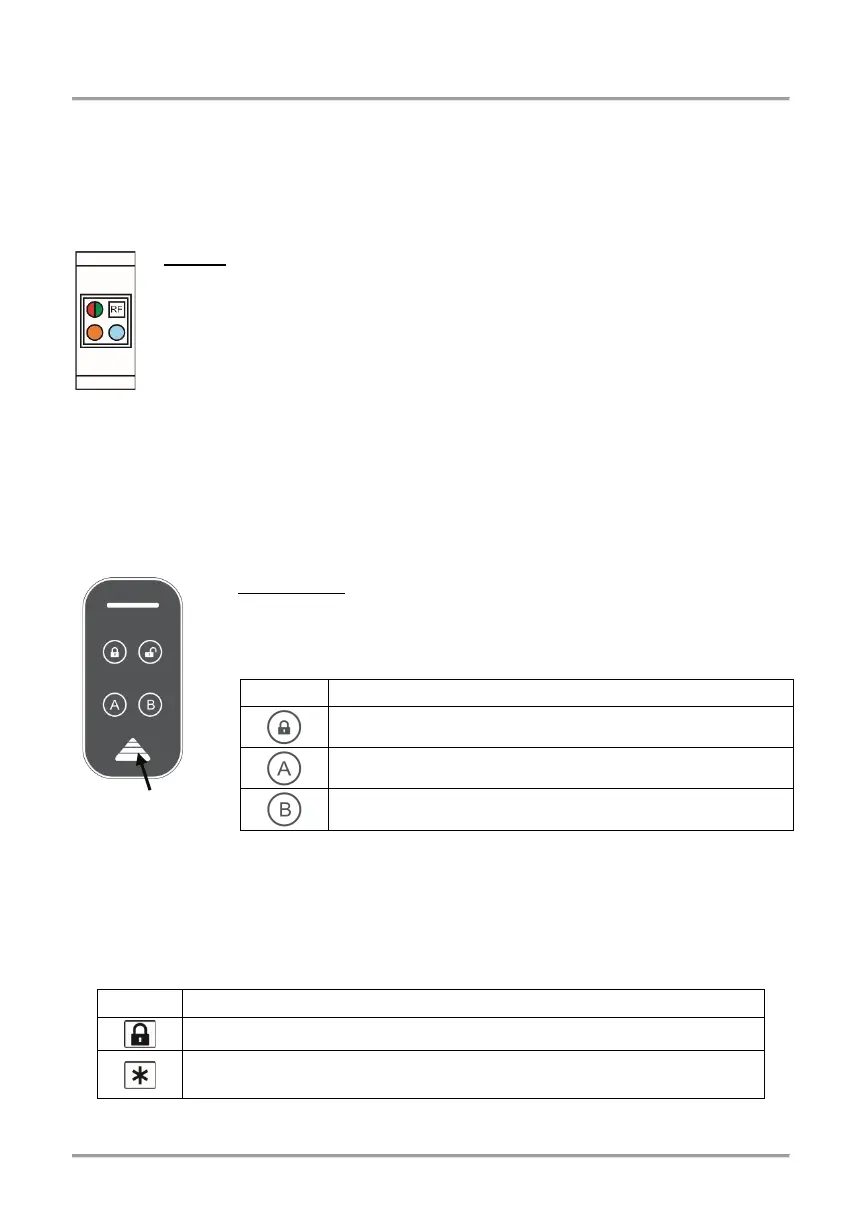
• PR IT: To arm the system in one of the listed above arming modes, the User
has to place and hold the proxy card (or tag) in front of the stand-alone reader
(RF) and to follow the sound and LED indication. When the system is disarmed
the green LED is lighting on permanently.
- To arm the system in “Full ARM” mode, place the proxy card in front the
reader and wait for one sound signal and then remove the card. The RED LED
is lighting on - the system is in “Full ARM” mode.
- To arm the system in “MODE А”, place the card in front of the reader and wait for one
confirmation signal. Hold the card for 2 more seconds until a second sound signal is heard
and remove it. Wait the YELLOW LED to light on and place the card in front of the reader
again. After a confirmation sound signal remove the card. The YELLOW LED is lighting on
- the system is armed in “MODE A”.
- To arm the system in “MODE B”, follow the same steps described above. Wait the
BLUE LED to light on and place the card in front of the reader. After a confirmation signal
remove the card. The BLUE LED is lighting on - the system is armed in “MODE B”.
• Eclipse PR: To arm the system in one of the listed above arming
modes, the User has to place the card in the area and wait until a
confirmation signal is heard. Remove the card and in a 5 seconds
interval press a button for arming:
“Full Arming” – Lights on into red.
“Arming MODE А” – Lights on into yellow.
“Arming MODE B” – Lights on into yellow.
After the exit time is over the LED of the used arming mode is lighting on.
3.2.3 Arming via BRAVO RC Remote Key Fob
Attention: The Arming with BRAVO RC is available when an Eclipse WL wireless
expander is added to the system configuration.
Hold the button for 2-3 seconds to activate “Full Arming” for all areas.
According the programmed in manager’s menu
“1. USERS - xx. USER - 09. RC(A)Func.” (Address 21).
Note: Ask you installer for details about the arming modes set for your system.
placing the














 To Next Page