ECLIPSE 8/16/32/99 Series – User Operation Manual
29
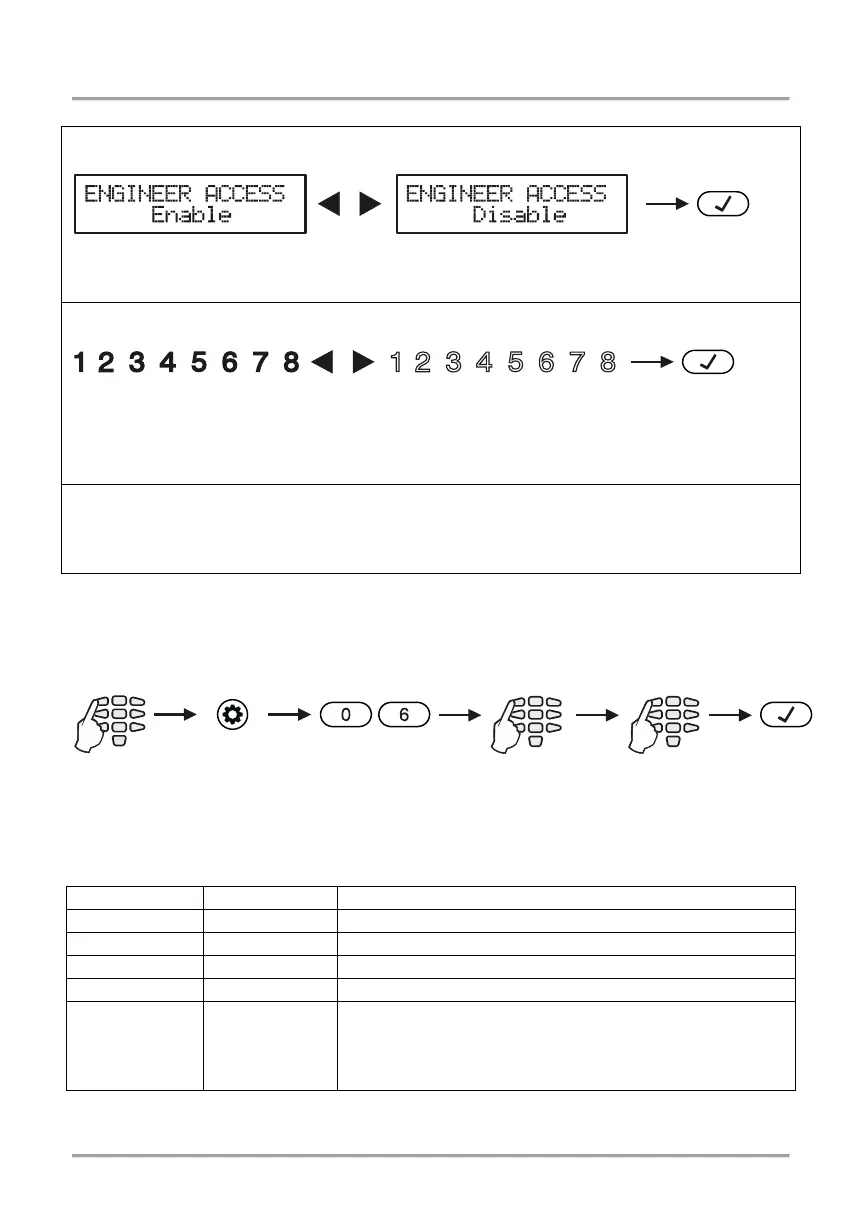
Depending on the keyboard used, the visualization on screen is as follows:
LCD 32 and LCD 32 Sensitive (address menus)
Press the digit buttons or arrow buttons to change alternatively the state of the parameter.
Press the digit buttons or arrow buttons to change alternatively the state of the parameter.
The engineer access is allowed when all digits from 1 to 8 are lit.
After entering the address 05, the digit buttons 1 to 9 are lighting on in red – the Engineer
access is enabled. Press a random digit button or arrows to disable. The Engineer access
is disabled when the buttons from 1 to 9 are off.
The choice is confirmed by pushing the ENTER button.
5.7 Assigning User attributes
Assigning attributes to users is done in menu “1. USERS – xx. User – 02. Options” or
Address 06, after entering manager code:
Attention:
User code 01 is Chief Manager and always has full access and assigned attributes which
cannot be changed or deleted! Option “MANAGER ENB” is available for ECLIPSE 32/99!
Function of the user attributes:
The user code can disarm the system.
The user code can arm the system in STAY and SLEEP mode.
The user code can bypass zones in the protected site.
The user code has access to the user programming menus.
MANAGER ENB 8
The user code has manager attributes in the system and has
access to the Manager programming menus.
Note:
When this attribute is set, attribute 4 for programming
Engineer access is disabled
Engineer access is
enabled
Engineer access is
disabled
Engineer access is enabled
1. USERS - xx. User -














 To Next Page