ECLIPSE 8/16/32/99 Series – User Operation Manual
36
The manager can set one of the following functions:
No function of the button. This is the default set function.
MEDICAL panic alarm signal.
POLICE panic alarm signal.
Controlling a PGM output of the panel.
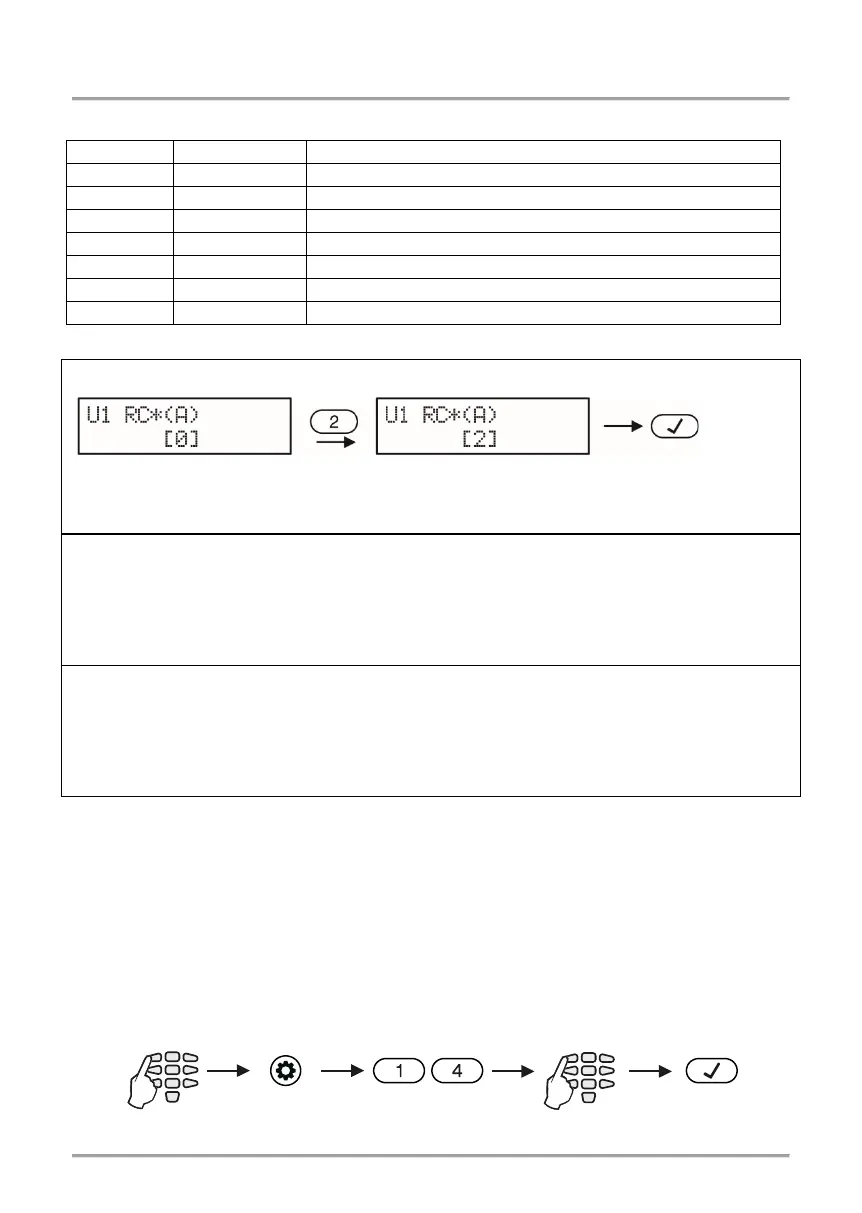
According to the used keyboard the visualization is as follows:
LCD 32/LCD 32 Sensitive (address menus)
Enter a number of function and confirm with ENTER button.
After entering at address 21 the digit 15 on the display is blinking, and 16 is permanently
lit
– the system indicates, that waits for entering of user number. Enter a user number – a
lighting zone LED shows the number of the function which is currently set (lighting on
number 10 means function “UNUSED”). Enter a new number of a function and confirm
After entering at address 21 the digit 1 in blinking on the display, and 2 is lighting on – the
system indicates, that waits for entering of user number. Enter a user number – the zone
number 1 is blinking on the display, and lighting on in red digit button shows the number
of the function which is currently set.
Enter a new number of a function and confirm with
5.16 Setting a function for “B” button of BRAVO Key Fob
In menu “1. USERS – xx. User – 10. RC (B)Func.” or Address 22, the Manager can set a
function for operation of “B” button of BRAVO RC-41 key fob (Eclipse WL wireless
expander should be added to the system).
The settings in this menu are the same as described in 5.15.
5.17 Setting the Time
Setting the time is done in menu “4. SETTINGS – 1. TIME” or Address 14, after entering
manager code:
button “
” or “A”
“Stay ARM” Arming is performed
with button “
” or “A”
Address /
4. SETTINGS – 1. TIME














 To Next Page