ECLIPSE 8/16/32/99 Series – User Operation Manual
7
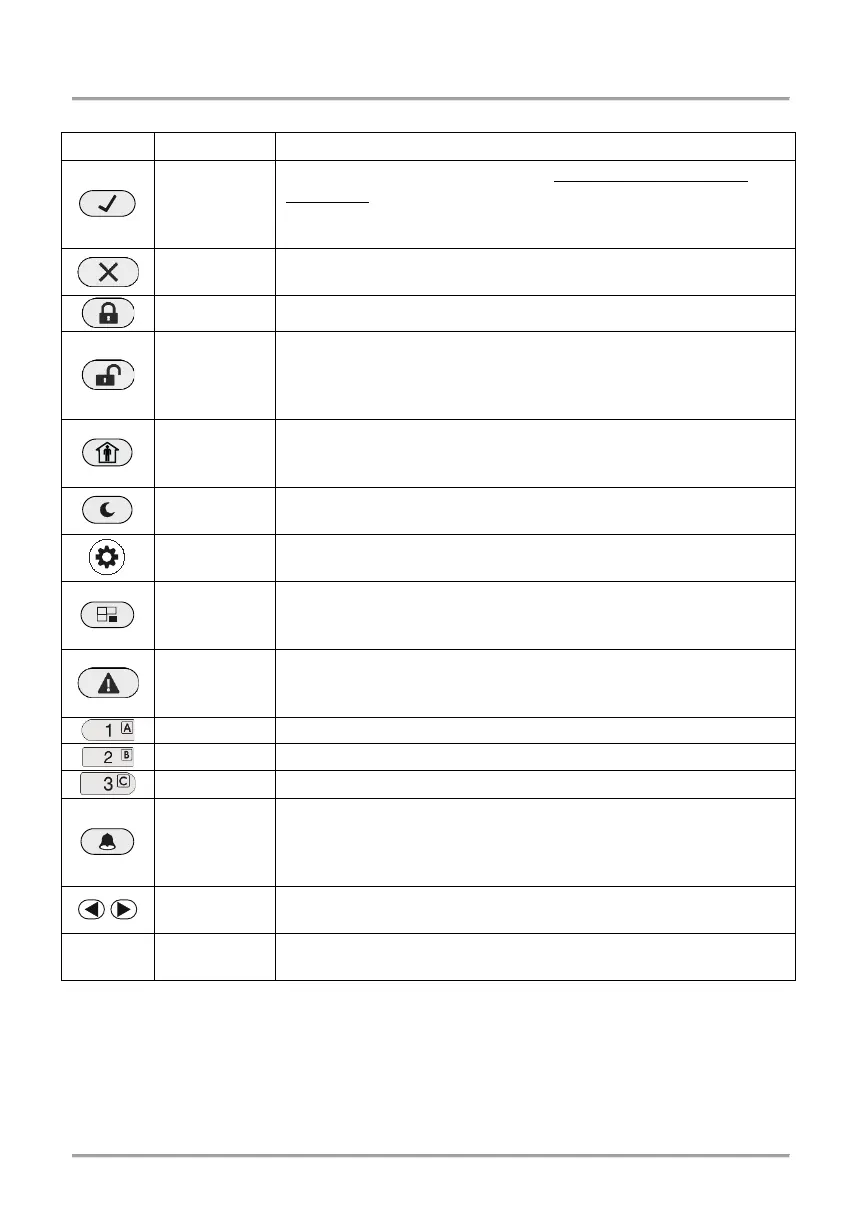
2.3 Buttons Functionality
ENTER
Confirmation of the entered data. For LED 8 and LED 16A
keyboards: Use the button to review the memory log file, the
system troubles and the bypassed zones – the respective
system LED is blinking during the review.
CANCEL
Canceling the entered parameters; exit from a programming
mode.
FULL ARM Quick button for Full Arming Mode.
DISARM
Disarming the system. The button has a special function in
text entering mode – deletes the current symbol and moves
the cursor on one position to the left (like Backspace button on
STAY ARM
Quick button for Stay Arming Mode. The button has a special
function in text entering mode – shifting between small and
Quick button for Sleep Arming Mode.
PRG Entry in Manager and User programming modes.
BYPASS*
Bypassing zones. The button lights on permanently if there
are bypassed zones in the system. The button is blinking
during the bypassed zones review.
TROUBLE*
Reviewing the system troubles. The button lights on
permanently if there are system problems. The button is
blinking during the system troubles review.
LED 16A: The button performs arming/disarming of AREA А.
LED 16A: The button performs arming/disarming of AREA В.
LED 16A: The button performs arming/disarming of AREA С.
MEMORY*
Reviewing the memory events log file. The button lights on
permanently if there are memory events. The button is blinking
during the memory events review. The button has a special
function in text entering mode – entering of special symbols.
Arrows for moving the cursor on the left and on the right in
programming mode.
0 - 9
Digital buttons for entering parameters, codes, etc.
* Note: The functionality of BYPASS, TROUBLE and MEMORY buttons for LED8 and
LED16A keyboards is accessible through the manager and user menus only with the
same LED indication on the display.














 To Next Page