ECLIPSE 8/16/32/99 Series – User Operation Manual
38
5.19 Blocking Remote Access via UDL
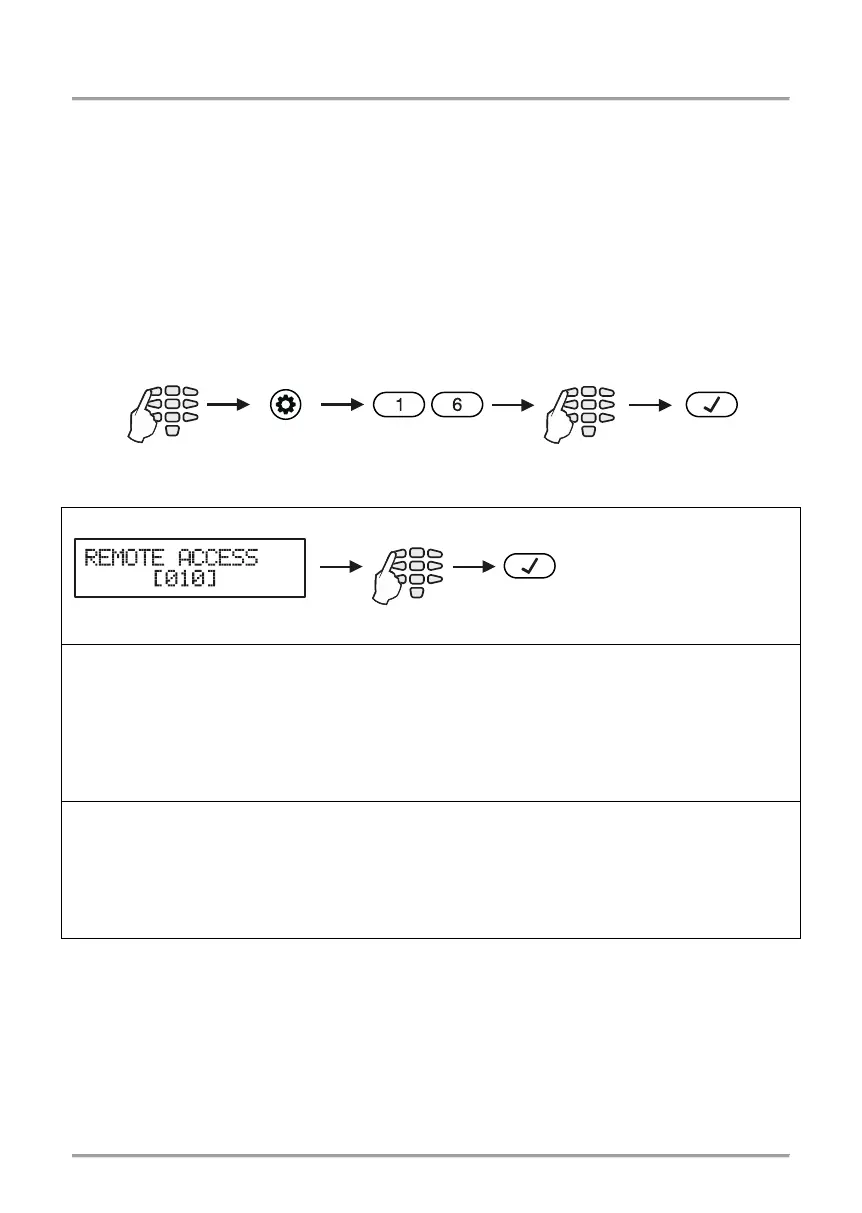
In menu “4. SETTINGS – 5. REMOTE ACCESS” or Address 16 the Manager can enter
the number of allowed incorrect code (ARM / DISARM/BYPASS/PC ID) via UDL for a
period of 24 hours.
A number from 000 to 255 can be entered, while the default number of attempts is 10.
When the set number of incorrect codes is reached the system will be blocked –
communication via UDL will be impossible. Setting of number 000 means that the blocking
of the remote accesses via UDL will be disabled.
The system will be unblocked at 00:00h on the following day and communication via UDL
will be possible again.
In order to set the number of allowed incorrect codes, the Manager needs to enter his/her
code:
Depending on the keyboard used, the visualization on screen is as follows:
LCD 32 and LCD 32 Sensitive
With the help of the digit
buttons enter the number
of allowed incorrect
codes.
After entering address 16, on the display 14 blinks, while 15 and 16 are lit permanently –
the system indicates that it expects entering a number for allowed incorrect codes from
000 to 255. After entering the first digit, on the display “14” and “16” zone numbers are lit
permanently, while “1” is blinking. After entering the second digit, on the display “14” and
“15” zone numbers are lit permanently, while “16” is blinking.
All 3 digits need to be
After entering address 16, on the display 1 blinks, while 2 and 3 are lit permanently – the
system indicates that it expects entering a number for allowed incorrect codes from 000 to
255.
After entering the first digit on the display 1 and 3 are lit permanently, while 2 is
blinking. After entering the second digit on the display 1 and 2 are lit permanently, while 3
is blinking. All 3digits need to be entered.
5.20 Assigning Rights for Remote Access
In menu “4. SETTINGS – 6. REMOTE ACCESS ATTRIBUTES” or Address 17, the
Manager assigns rights for remote access of the system. The setting is common for all
managers.
In text menus the attributes are previewed as a list. To enable an attribute, press button
“1” – a symbol “” is assigned in front of the option. To disable an attribute, press button
“0”. To scroll over the available attributes, use the arrow buttons.
4. SETTINGS –














 To Next Page