iRIS8 - Addressable Fire Alarm Panel – User & Maintenance Manual
14
3. USER OPERATION
In Operation section (see the screen in item 2), the User can perform different actions, according set Access Level –
see the table in item 1.4.
IMPORTANT NOTES for iRIS8 operation in a network:
• The iRIS8 panel can perform SILENCE BUZZER, SILENCE ALARM, RESET and EVACUATE actions to
other panels in the network only when it is programmed (enabled) to send commands to them.
• The iRIS8 panel can receive and display messages for events from other panels in the network only
when it is programmed (enabled) to receive commands from them.
• Only panels enabled for receiving commands from other panels in the network will perform the sent
command.
• The settings for Receiving and Sending commands are programmed at Installer’s Access Level 3.
3.1. Access Level 1
At Access Level 1 the users can perform:
- Review events for the panel and the network – see the details in item 2.3.2.
- Silence Buzzer of the panel or other fire panels in the network – see the details in item 3.1.1.
- Evacuation Fire Alarm of the protected sites to all connected fire panels or some of them, when there is active
fire alarm signal received from a loop device – see the details in item 3.1.2.
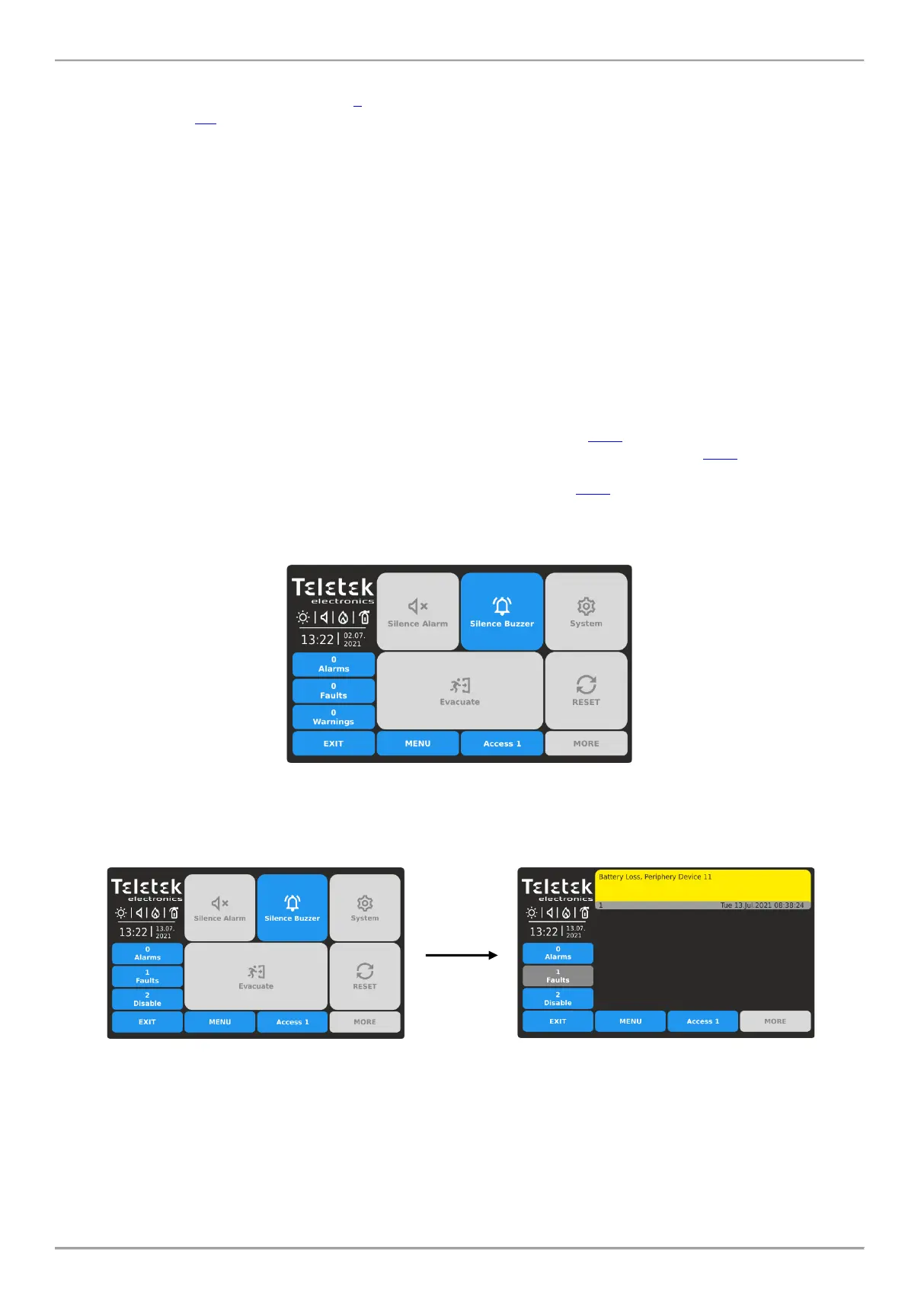
The Main Screen at Access Level 1 and no active messages for events:
At Access Level 1 and active messages for Faults and/or Disablement events, the panel will always automatically
switch on from Main Screen to events list after 20 seconds.














 To Next Page