iRIS8 - Addressable Fire Alarm Panel – User & Maintenance Manual
18
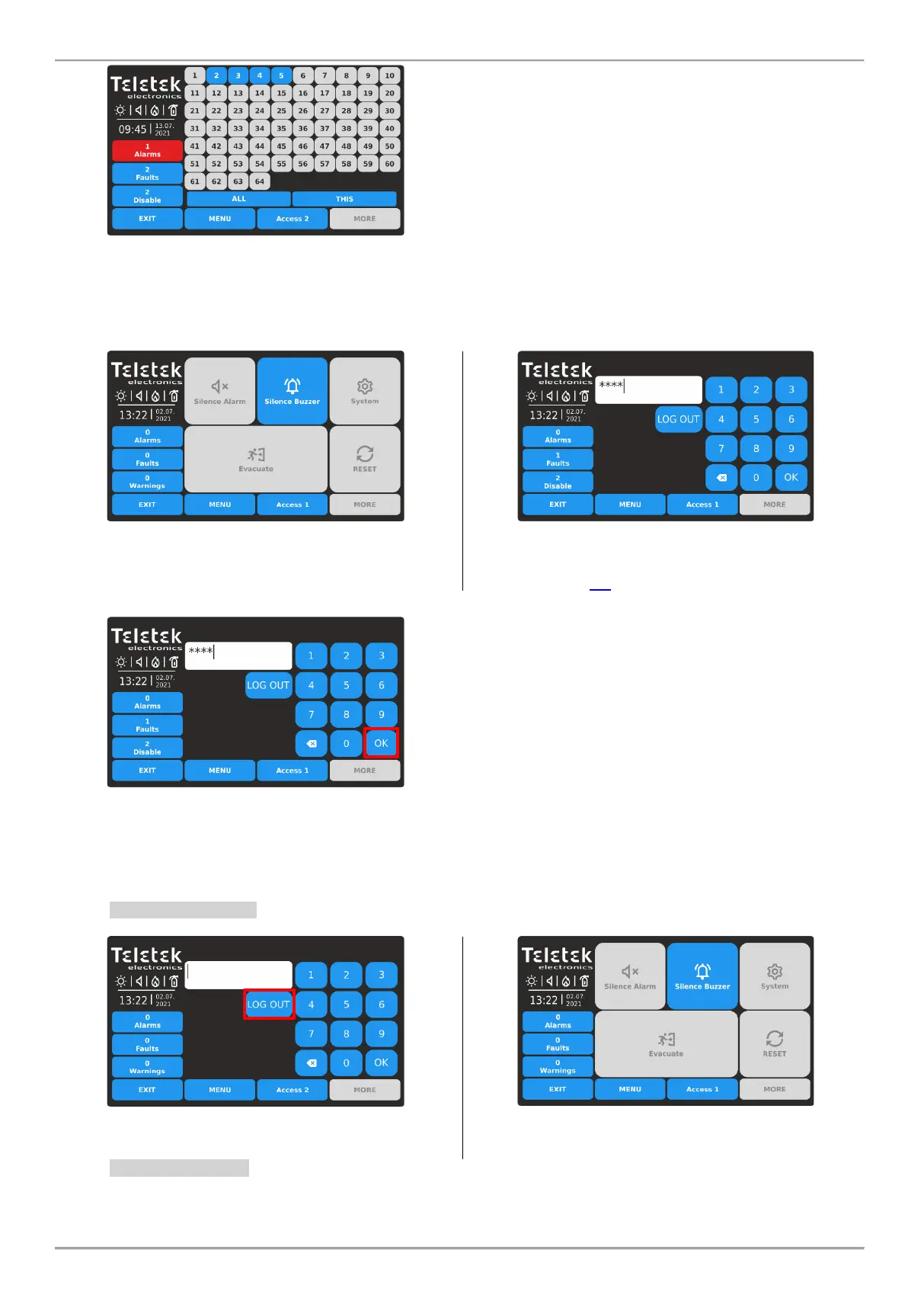
The available panel numbers in the network (1-64) are
presented with active buttons in blue. The number of the
panel (from which the evacuation is introduced) is
presented as unavailable (number 1 in the example).
The user can start immediate Evacuation in some exact
panels as pressing the button with the respective number.
Or, can use the quick buttons: ALL for Evacuation in all
panels in the network at the same time; or THIS – just for
iRIS8.
3.3. Changing the Access Level
The Access Level is changed from the Main Screen, pressing the ACCESS Button.
Press ACCESS button to change the Access Level.
Use the digit buttons to enter in the text field a valid
access code. The default code combinations are
described in item 1.4.
The entered code is visualized with asterisks. Confirm the
code with OK button. Use the backspace button to delete
entered digits and edit the code.
In case the entered code is invalid, the panel will return to
Main Screen without changing the Access Level.
3.4. Logging Out
There are two ways for logging out from Access Levels 2/3 to the lower User Level 1 without need of entering a code
combination.
3.4.1. Quick Log Out
Press ACCESS button for changing the user Level.
Press LOG OUT button for quick logging out.
Access Level 1 is set for operation.
3.4.2. Auto Log Out
According the programmed parameters of iRIS8 fire alarm panel, it is possible automatic logging out from the current
set Access Level 2 or 3 after a time period and no operation with the panel. The time period for automation log out is














 To Next Page