iRIS8 - Addressable Fire Alarm Panel – User & Maintenance Manual
19
programmed at Installer’s Access Level 3 only. If the automatic log out is enabled, the panel will log out to Access Level
1 when the programmed time is over.
Note: Ask your Installer or Support Engineer if Auto Log Out option is programmed for the used iRIS8 fire alarm panel.
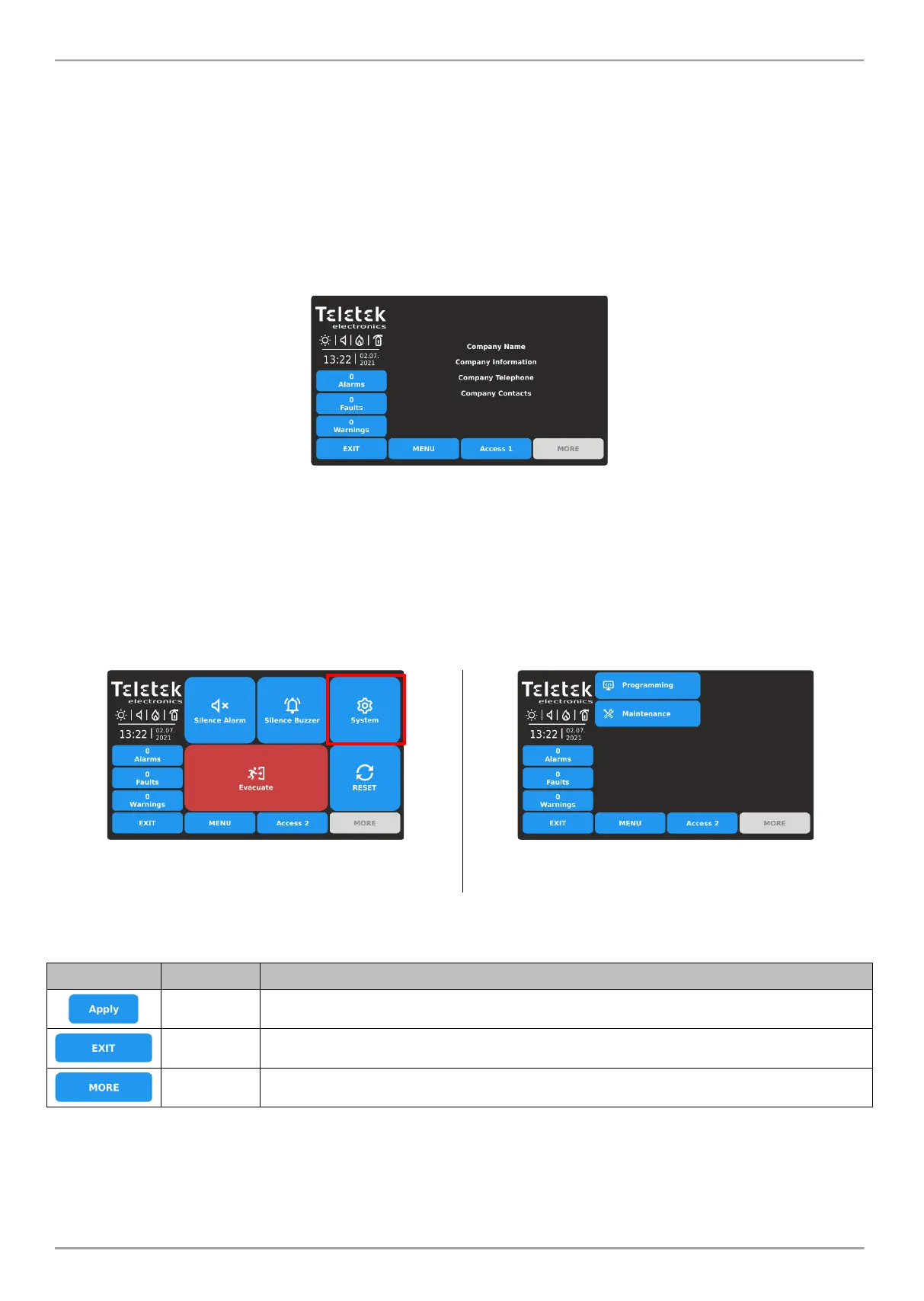
3.5. “Screen saver” – Company Information
This is an option for turning off the Main Screen and displaying some company information while the panel is in normal
operation mode. The option is programmed at Installer’s Access Level 3 only. In case of missing active messages for
events and there is no pressed button, the panel will switch on to “Screen saver” with company information after 60
seconds.
Note: Ask your Installer or Support Engineer if Company Information option is programmed for the used iRIS8 fire alarm
panel.
To return to Main Screen press EXIT or MENU button.
4. SYSTEM MENUS Access Level 2
At Access Level 2 are available for programming some system menus for daily maintenance of iRIS8. The user can
perform some limited actions for loop devices and zones.
To enter the Programming menus, press SYSTEM button from Main Screen:














 To Next Page