iRIS8 - Addressable Fire Alarm Panel – User & Maintenance Manual
20
4.1. Programming Menus
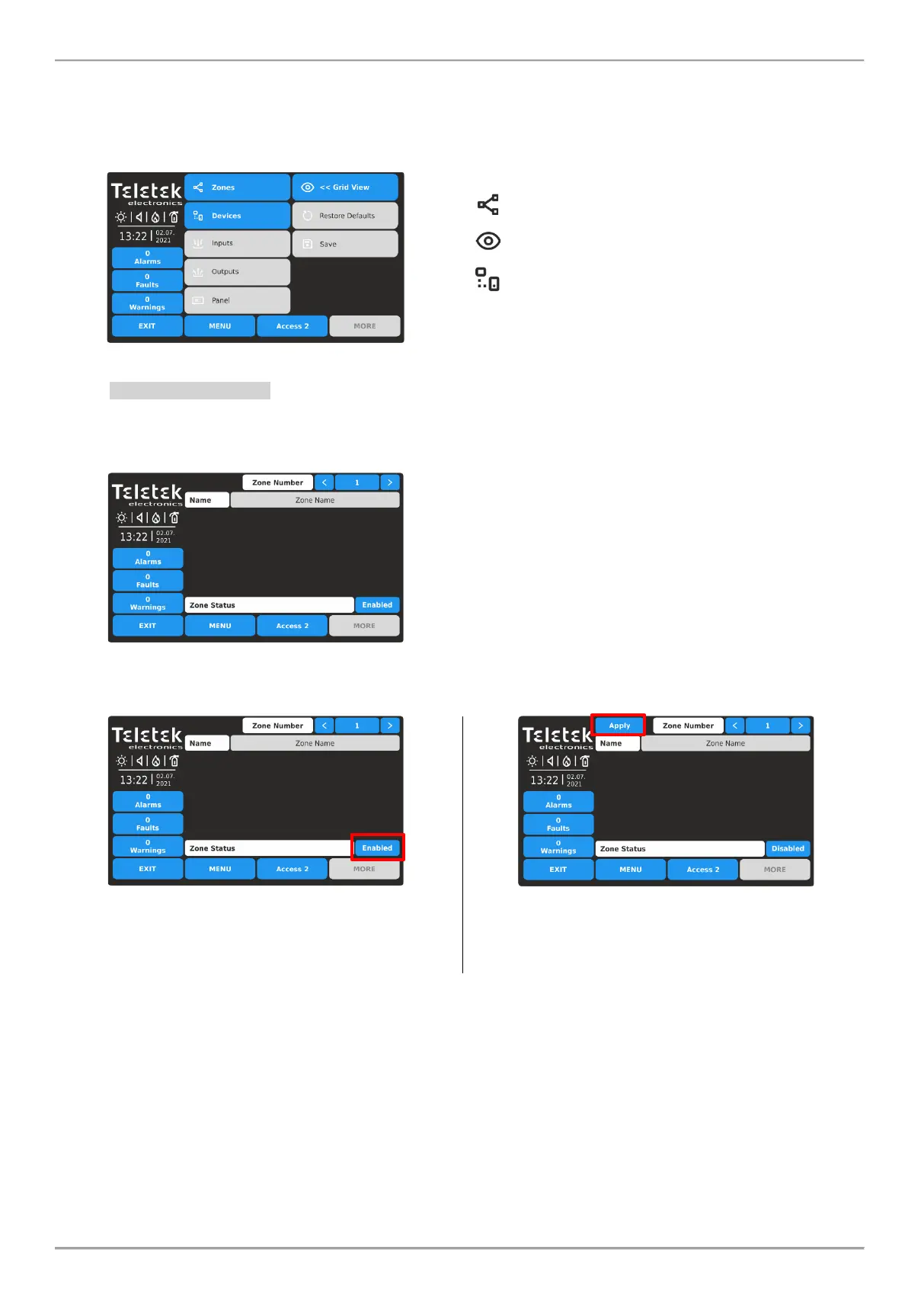
In Programming menus, at Access Level 2 the user can perform limited actions for zones and loop devices available for
operation with the panel.
Enter PROGRAMMING menu. The available for operation submenus are performed with active buttons in blue.
Quick summery of the submenus:
- Quick review of the zones’ status (by zone
number)
- Settings for loop devices
4.1.1. Zones - Settings
At Access Level 2, the user can review the zone number, name and change the zone operation status.
Enter SYSTEM – PROGRAMMING - ZONES menu.
Fields description:
• Zone Number – Use the left/right buttons to change
the zone number. You can also directly enter the
number using the keyboard after selecting the digit
button in the middle.
• Name – Inactive field with the set name for the
selected zone number. The name is set at Access
Level 3 from engineer.
• Zone Status – Active button for changing operation
status of the zone.
To change the zone operation status, press the active button next to the field. Every pressing of the button changes the
operation status Enabled/Disabled.
The zone is Enabled for operation. To disable the zone,
press the button.
The operation status is changed to Disabled and must be
confirmed with the APPLY button on the upper left corner.
To reject the change, press EXIT button to move back
without save.
Note: After disablement of a zone, the system status LED DISABLE will light on at the front panel and also will be
generated message for that event.
To exit from the ZONES submenu press EXIT button.














 To Next Page