iRIS8 - Addressable Fire Alarm Panel – User & Maintenance Manual
9
2.3. TFT Screen
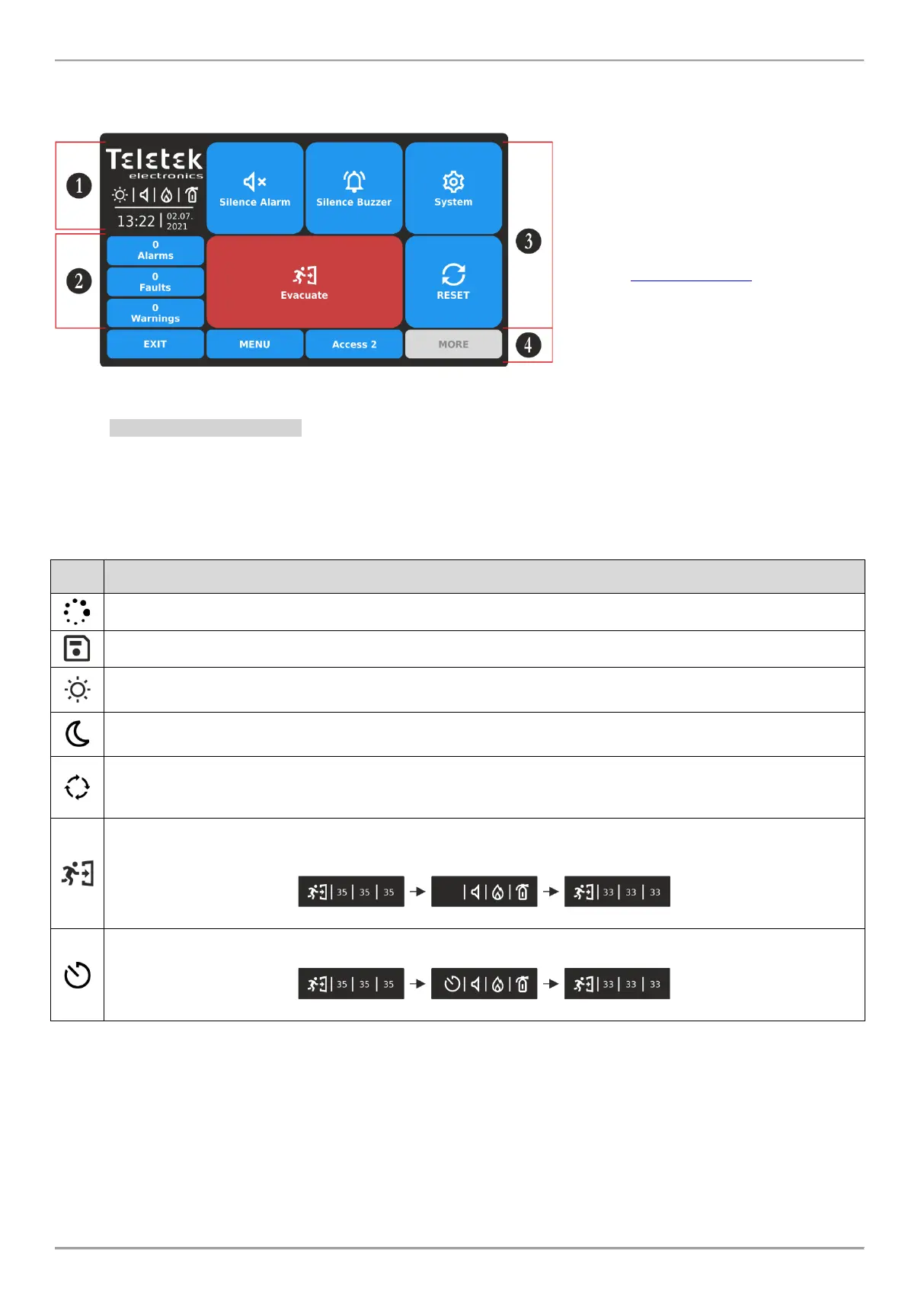
There are different active sections on the iRIS8 screen, according the current set Access Level for operation. The
available interface elements have the following meaning.
1 – Status Icons Section.
2 – Section for reviewing the current active
events for iRIS8 panel and the other
connected fire panels in the network.
3 – Section with Operation buttons.
See item 3. User Operation.
4 – Section with Functional buttons.
2.3.1. Status Icons Section
In the status section are presented the current time and date, and a dynamic field with icons showing the current status
of iRIS8 fire alarm panel. The icons are changing according the status for Alarm, Fault, Disable or Reset active events.
The Alarm indication is with the highest priority.
The icons for current status of the iRIS8 or Alarm situation are displayed at the left side of the section and have the
following meaning:
Addressing Mode is running on. The panel is in operating mode for setting or changing device addresses, self-
or auto-addressing procedure; the panel does not follow the status of the devices and is idle for other kind of
operations till the end of the addressing procedure.
Evacuation time for leaving the premises is running on. The icon is flashing together with the other active icons
and back counting time for leaving the premises before panel outputs* activation.
* Outputs type Sounder, Fire Brigade and Fire Protection (Extinguishing) of the iRIS8 fire alarm panel, or from other fire panel in the
network from which the fire alarm event is received.














 To Next Page