iRIS8 - Addressable Fire Alarm Panel – User & Maintenance Manual
29
4.2.7.3. Zones Devices
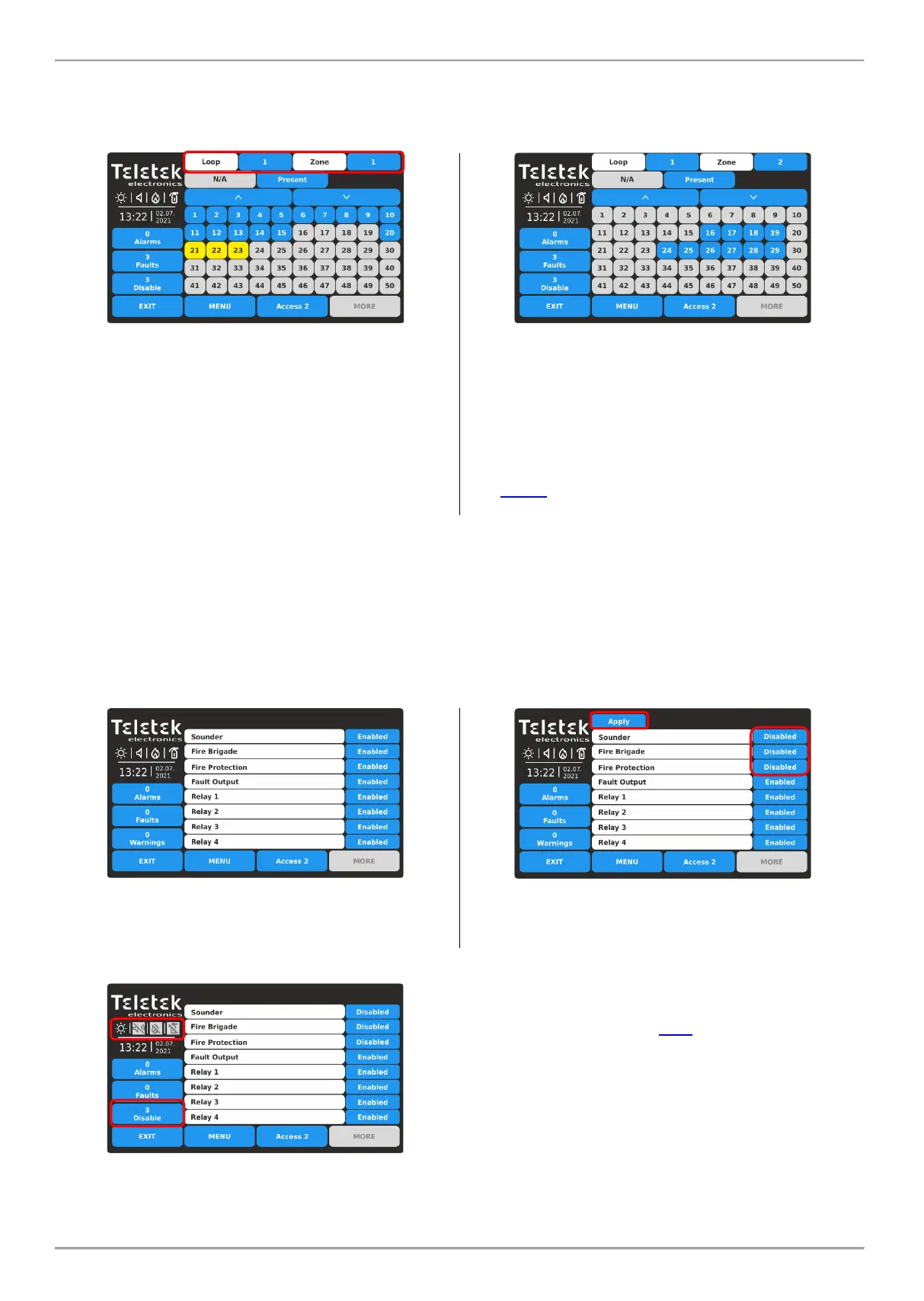
Press the ZONE DEVICES button. This is a special grid view menu presenting the attached devices to zone and loop
number. The devices are reviewed at several screens, as 50 address numbers are displayed at the same time. The
user sets the loop and zone number to review the attached devices.
Enter loop number (1-8) and zone number (1-200).
The screen displays the attached devices to the set loop
and zone number. The present attached devices are
displayed with active blue buttons. The devices not
attached to the set loop and zone are displayed with
inactive grey buttons.
The devices in fault are presented with active yellow
button.
For quick entry into the programming menu of a device
press the active button.
Press active button next to Zones field and set other zone
number to review the attached to it devices.
The device address numbers from 51 to 250 are reviewed
using the arrow buttons.
Note: The disabled devices are not presented in ZONE
DEVICES grid view menu. The disabled devices can be
reviewed only in LOOP DEVICES grid view menu – see
item 4.2.7.2.
Press EXIT button to return back to DISABLE menu.
4.2.7.4. Outputs
Press the OUTPUTS button. This is a menu for disabling/enabling the operation of the panel’s outputs, physically based
on the main control PCB. The user can change the operation status of Sounder, Fire Brigade, Fault and Fire Protection
outputs, and also the Relay outputs 1-4 located on the relay PCB.
All introduced changes must be confirmed with APPLY button.
By default, the operation of all panel’s outputs is Enabled.
Every pressing of the button changes the operation status
Enabled/Disabled. All changes must be confirmed with
Apply button.
The disabled for operation panel’s outputs Sounder, Fire
Brigade and Fire Protection are displayed with special
status icons – see also item 2.3.1.
In case of a disabled output, the panel generates a
message in the events list and the DISABLE LED is
lighting on the front panel.
A disabled output will not react to system/activation
events.
Press EXIT button to return back to DISABLE menu. Use MENU button for returning back to Main Screen.














 To Next Page