INSTRUMENT MANUAL
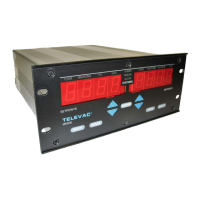
VACUUM GAUGE MODEL MM200
160Phone:(215) 947-2500 fax:(215) 947-7464 e-mail:sales@televac.com web site:www.televac.com
MM-200_im REV M
Page 125 of 160
COMMAND RESPONSE
Annn<cr> Output each marked station value every nnn cycles, where nnn is any value
between 1 and 255. (in Torr or microns).
AR<cr> Outputs relay configuration.
CA<cr> Cancel the automatic output.
DI<cr> Modular unit performs internal diagnostics. Faults will be reported as "P5L0...". If
no faults "NO ERRORS".
DLx<cr> Station x is displayed on the left side.
DRx<cr> Station x is displayed on the right side.
ED<cr> End Leak Rate data stream (but not test).
EL<cr> Ends Leak Rate test.
FA<cr> Inhibits most front panel functions.
FE<cr> Enables certain front panel functions, unless inhibited by
the rear panel switch.
FI<cr> Inhibits certain front panel functions.
GNx<cr> Sets Station x for gas operation.
GFx<cr> Clears Station x from gas operation.
LR<cr> Starts Leak Rate test. Time = 0.
Mx<cr> Mark station x, where x is any number between 1 and 9, or A for Station 10.
RL<cr> Read Leak Rate value periodically. "LR-nnnn" where nnnn is the leak rate in
microns/hr.
Rx<cr> One shot reading of station x.
SB11<cr> Set baud rate. (See Table).
SE<cr> Store entries.
Sx<cr> Returns processor type installed in Station x.
SAxSy Assign set-point x to station y.
SPx<cr> Send the station assignment of set-point x.
SPxN<cr> Send the set-point "ON" setting of set-point x.
SPxF<cr> Send the set-point "OFF" setting of set-point x.
SSxNyyyyL<cr> Set set-point #x "ON" at yyyy - Low range. **
SSxNyyyyH<cr> Set set-point #x "ON" at yyyy - High range. **
SSxFyyyyL<cr> Set set-point #x "OFF" at yyyy - Low range. **
SSxFyyyyH<cr> Set set-point #x "OFF" at yyyy - High range. **
SV<cr> Send software version.
UM<cr> Causes Stations to be displayed in millibars.*
UP<cr> Causes Stations to be displayed in Pascals.*
UT<cr> Causes stations to display in traditional units.
Ux<cr> Unmark station #x form automatic output.


 To Next Page