TELINDUS 1132/1133 Web Interface User’s Guide
Version 2.0 Page 46/57 December 2004
4.7 Wireless Access Point
4.7.1 Setup
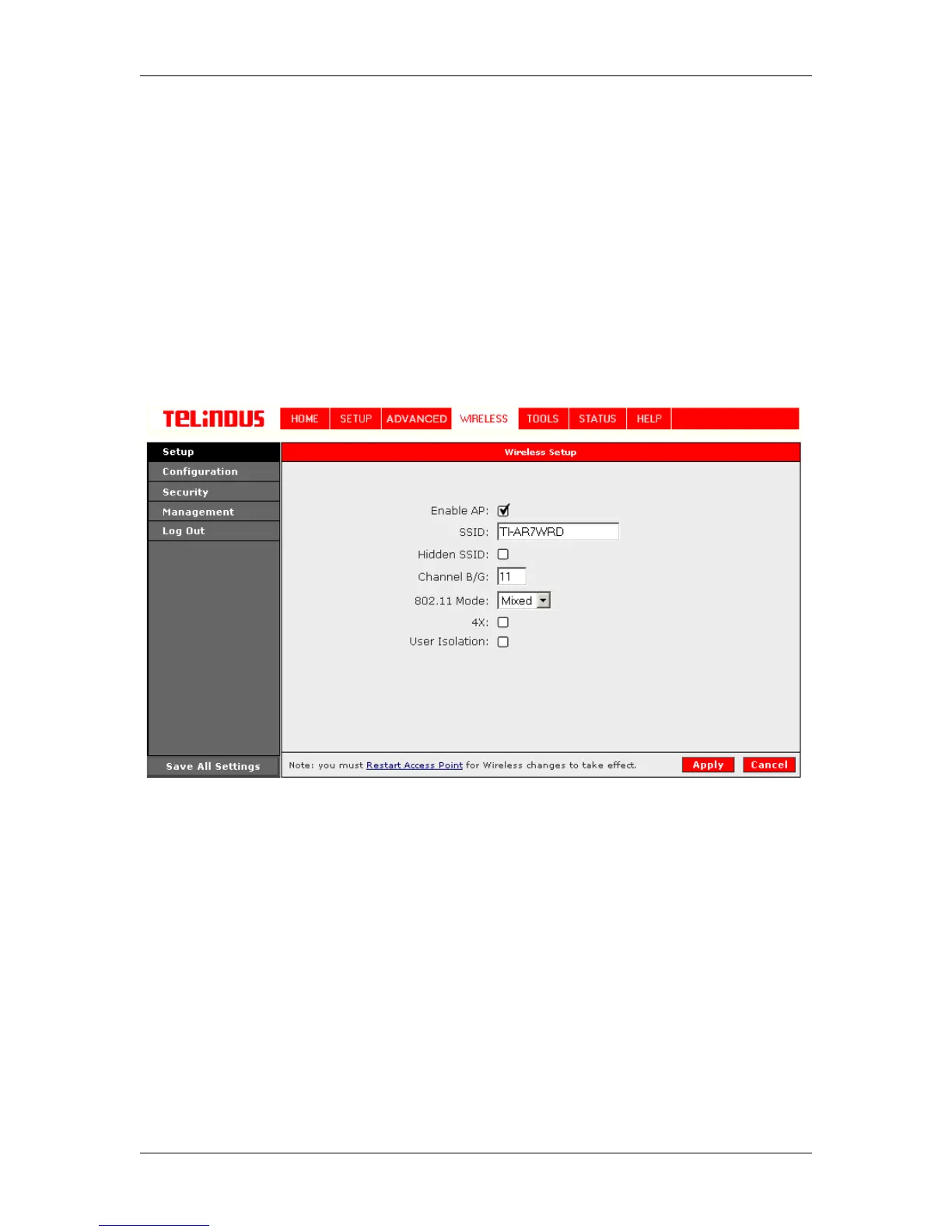
SSID is wireless network name for the Wireless Router, your wireless client will need this name to
establish a wireless connection.
The wireless setup allows the user to enable or disable the AP (Access Point for the wireless
feature). Disabling of the AP will prevent the wireless router from emitting any wireless signal.
Channel 6 is used as default but can be changed by the user. It is possible to use the AP in either
b or g mode, or both.
After any changes to the Wireless Setup, please click on “Restart Access Point” to allow the
Wireless features to apply the changes.
Figure 34 (Wireless Setup)
The Apply button will temporarily save these settings. To make the change permanent, you need
to click on Save All Settings. At the System Commands page under the TOOLS, click on Save
All.



 To Next Page