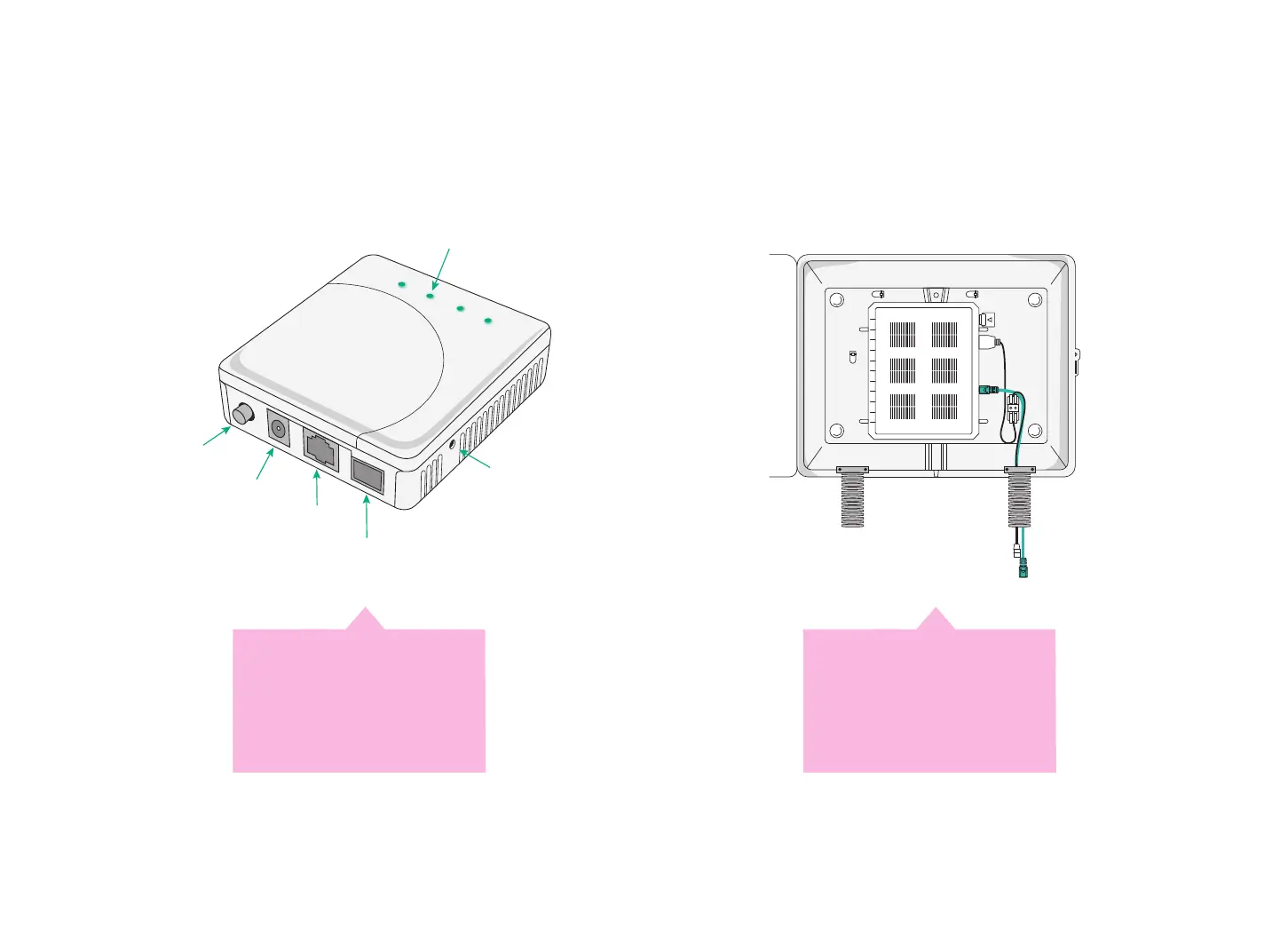
Note:You’ll either have an Indoor device or Outdoor device installed in your premises.
The Indoor device (on the left) will be a stand-alone unit on the oor or attached to the wall. The Outdoor device (on the
right) will be located outside your premises. It will connect to the wall socket or connection point inside your premises.
Power on your device, locate the port and continue to the set-up steps.
LED indicators
On/O˜
button
Power
Alarm
PON
LAN
ON/OFF
PWR
SC/APC
RESET
Power
connection
Ethernet
connection
(RJ-45)
SC/APC
ÿbre optic
connection
Reset
button
Ethernet
cable
Indoor device
Locate the yellow
connection port on
the device.
Outdoor device
Locate the wall socket or
connection point inside
your premises.
11












 To Next Page