11
You can choose to place your handset anywhere in your home – depending on whether or
not you want to “dock” it together with your base station.
The advantage of docking your handset with your base station is that you only need one
power supply (which saves on clutter).
If you want to locate your handset separately to your base station – simply choose a
location for your handset dock near a power point in your preferred room, and plug it in.
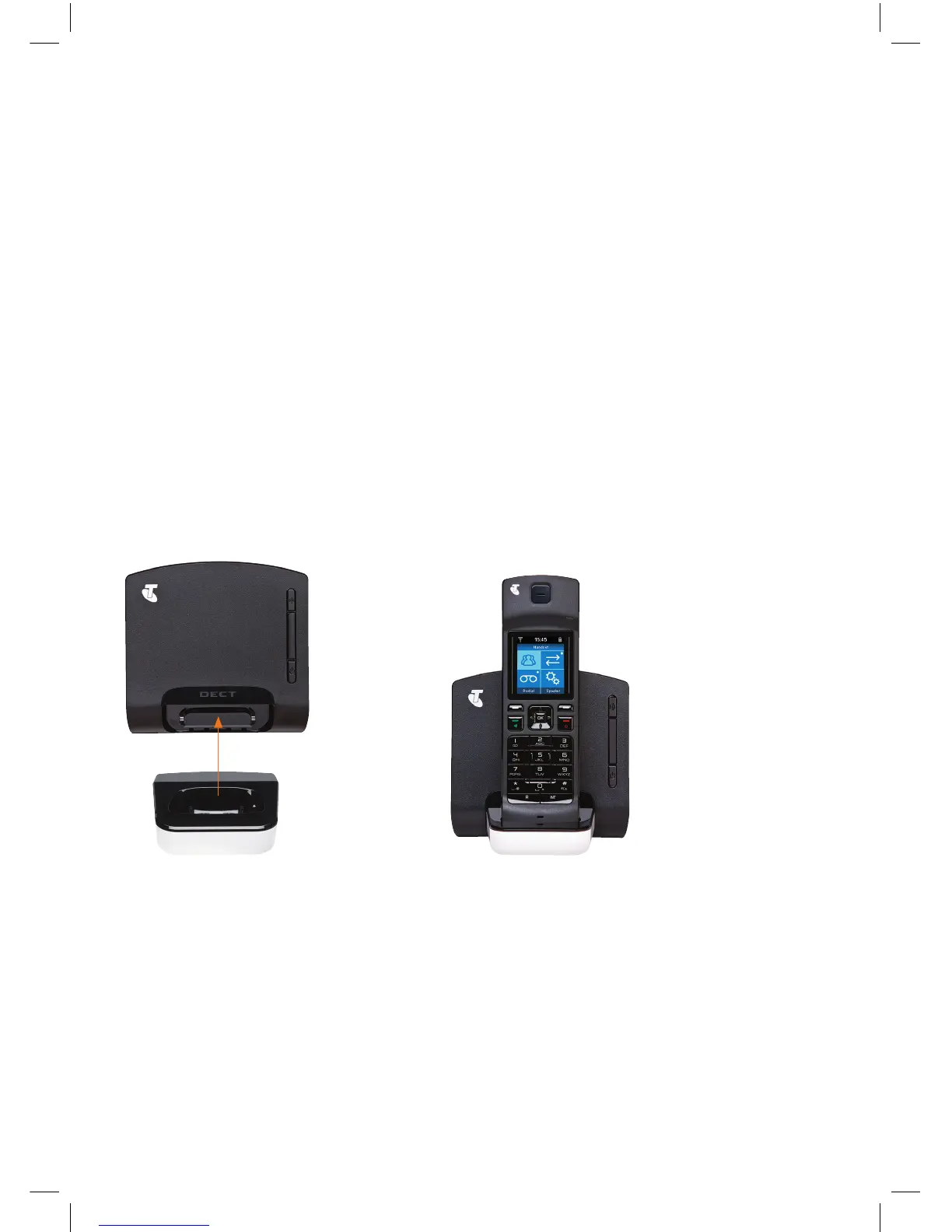
If you want to locate your handset together with your base station, follow these simple
steps to “dock” your handset:
• Remove the plastic cover from the bottom of the base station by pulling it towards you.
• Push the handset dock into the cavity at the bottom of the base station – it should click
into place.
• To remove, press down on the lever under the handset dock and pull it away from
the base station.
3. DECIDING WHERE TO PLACE YOUR HANDSET


 To Next Page
 Loading...