16
3) Press the “Register” button at the bottom of the tablet screen to start registration –
this may take up to 60 seconds to complete.
4) Continue stepping through the Installation Wizard screens to complete setup.
5. CHECK ALL ITEMS ARE SET UP CORRECTLY
OPTION (1):
CUSTOMERS WITHOUT A T-GATEWAY™
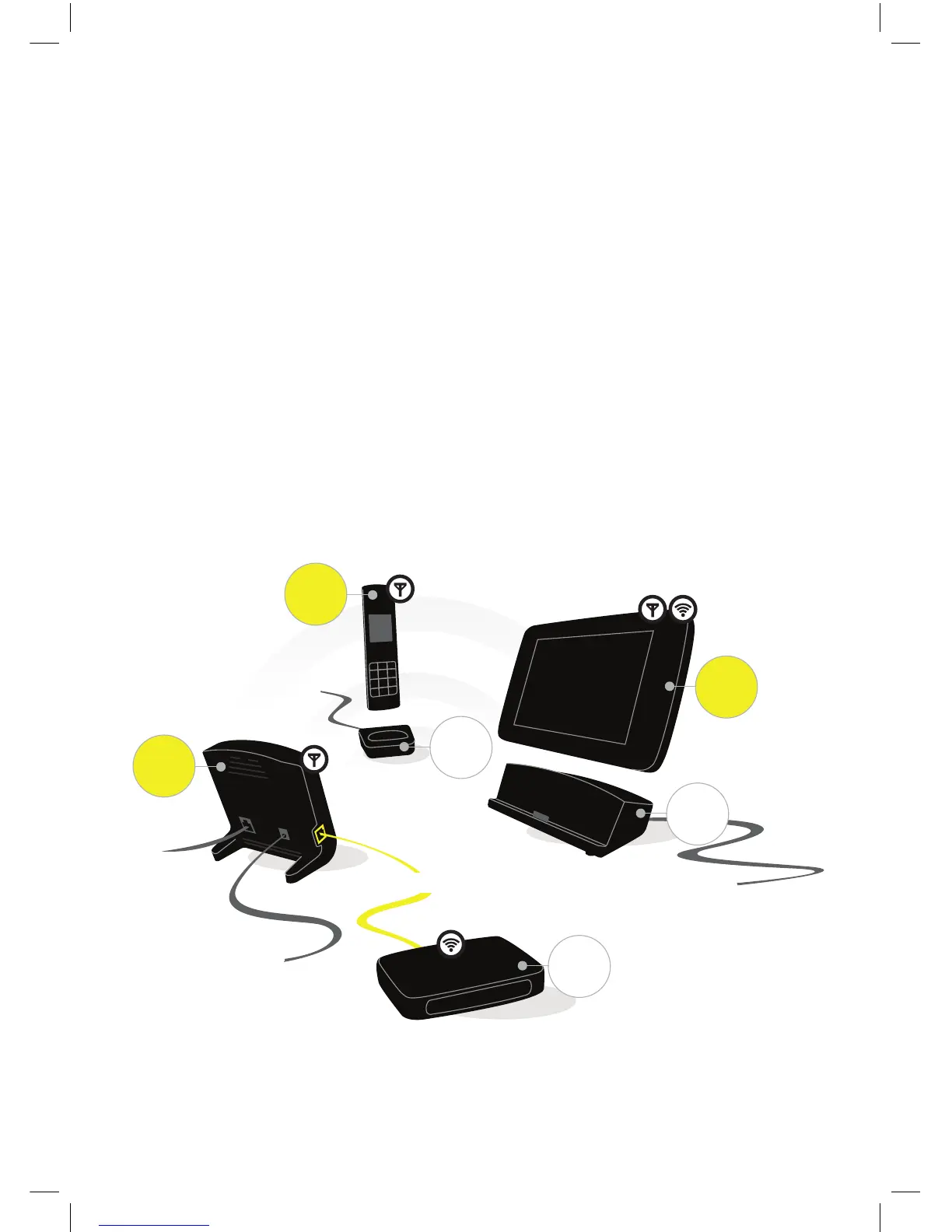
• Once everything is connected, all the power supplies and cables should be correctly
installed and the tablet, handset and base station turned on.
Ethernet
Telephone
Line
Wi-Fi
DECT
Small power
adapter
Small power
adapter
Large power
adapter
Base
Station
Handset
Tablet
Tablet
Dock
Handset
Dock
Wi-Fi
Gateway
DECT
DECT & Wi-Fi


 To Next Page