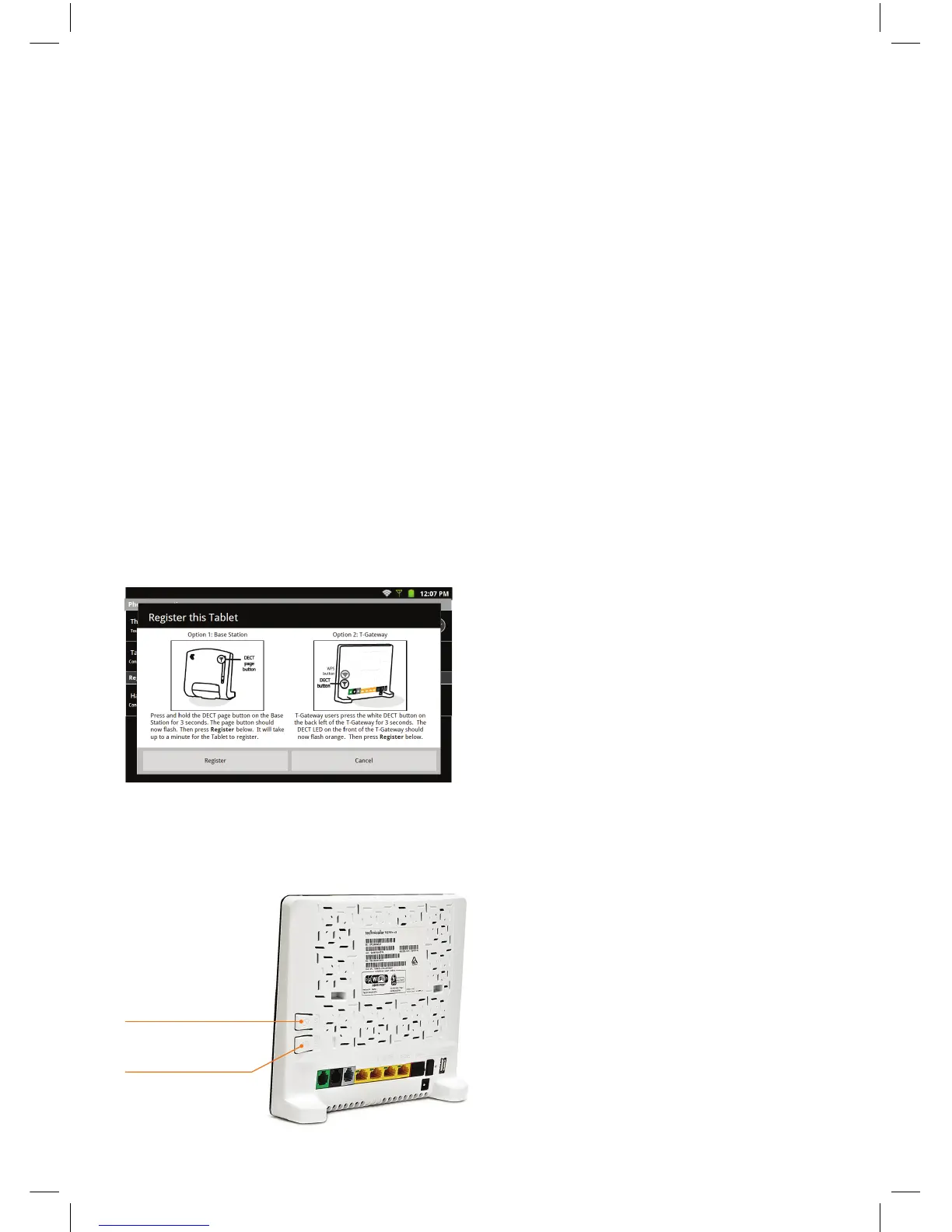
WPS button
DECT button
15
OPTION (1):
CUSTOMERS WITHOUT A T-GATEWAY™
Your tablet should already be “registered” or “paired” with your base station – so you will not
normally need to register your tablet as you step through the Installation Wizard screens.
OPTION (2):
CUSTOMERS WITH A T-GATEWAY™
Your tablet will need to be “registered” or “paired” with your T-Gateway™ using the
following steps:
1) As you step through the Installation Wizard screens, you will arrive at a screen labelled
“1. Phone setup”. Touch the text that says “Tablet (Not Connected)”, and you will be presented
with the following screen:
2) Follow the instructions for Option 2: T-Gateway
On the rear of the T-Gateway™, press the white DECT button for 3 seconds.
The DECT LED on the front of the T-Gateway™ should now flash orange.


 To Next Page