7
3.2. FMB1YX CAN-CONTROL Configuration
Because FMB1YX have CAN-CONTROL RX and TX in its own pinout, device configuration can be
performed via Micro-USB or Blue-tooth connection via Configurator when CAN adapter is
connected to the vehicle.
When FMB1YX is connected to CAN-CONTROL, user can see all information that is received from
the vehicle in Configurator → CAN Adapter (Figure 2), all data are highlighted by green
background color. Information in this section is automatically refreshed. CAN bus data which
can be read from your car is provided in "CAN-CONTROL supported vehicle list" document.
The CAN-CONTROL I/O element can be configured like any other I/O element in FMB1YX
Configurator.
When using offline configuration method user can select which CAN data will be read from CAN-
CONTROL and sent directly to the server without connection to adapter. Please note that
parameters depend on vehicle manufacturer and vehicle model. For further information check
"CAN-CONTROL supported vehicle list” document.
3.3. FM11YX/FMA1YX CAN-CONTROL Configuration
FM11YX/FMA1YX devices shares the same USB port for connecting CAN-CONTROL adapter and
configuring device with PC. FM11YX/FMA1YX can be configured using “SCAN” function or
“Offline Configuration”. SCAN function – is in use when FM11YX/FMA1YX is connected to CAN
adapter, see (Figure 4).
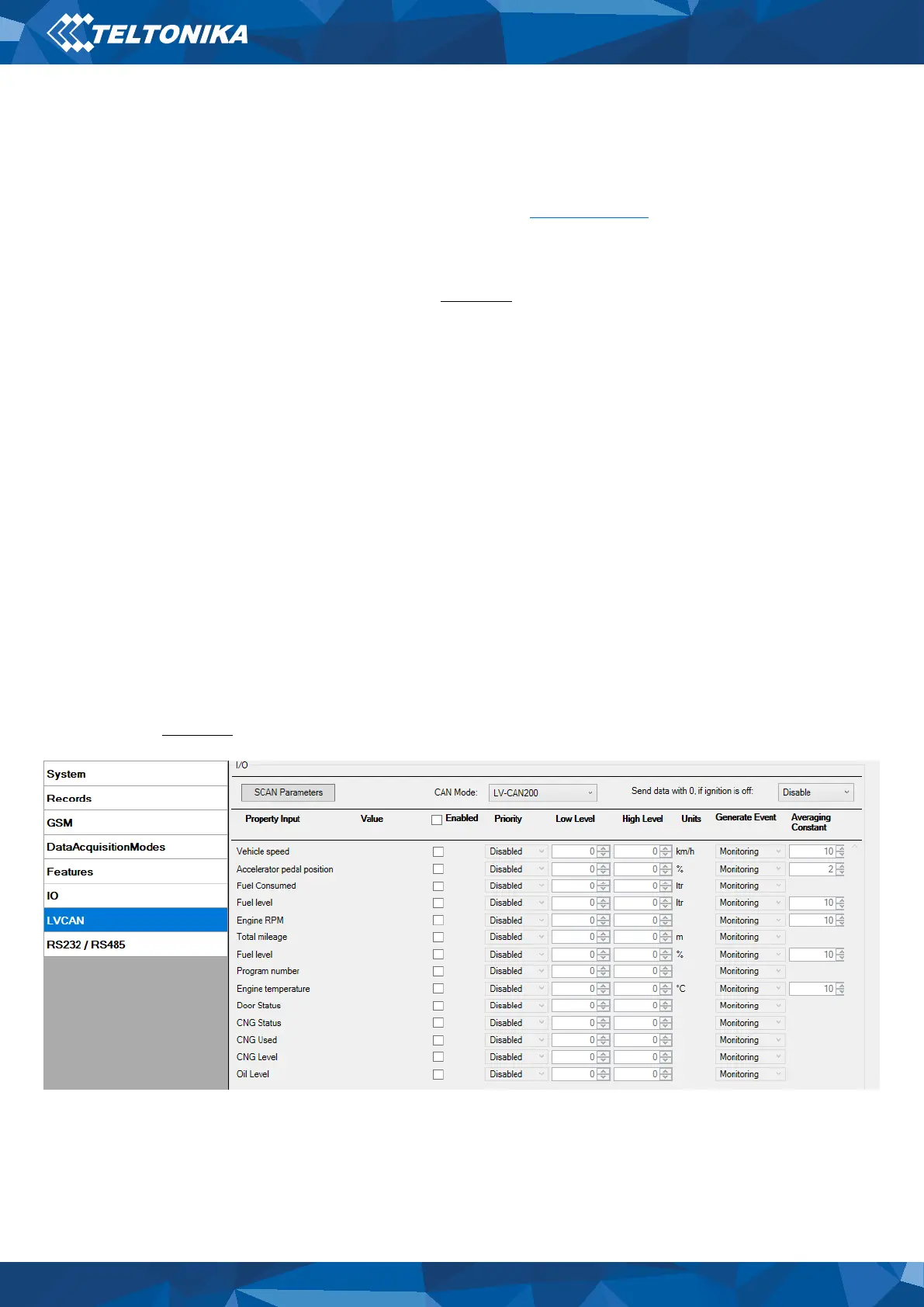
Figure 4 LVCAN settings in FM11YX/FMA1YX Configurator


 To Next Page