EasyManua.ls Logo

Teltonika CAN-CONTROL - User Manual

Teltonika CAN-CONTROL
16 pages
Print Icon
To Next Page IconTo Next Page
Loading...
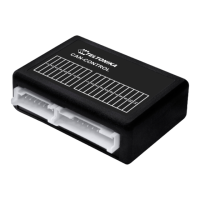
CAN adapter CAN-CONTROL
manual v0.1
Question and Answer IconNeed help?

Do you have a question about the Teltonika CAN-CONTROL and is the answer not in the manual?

Summary

Purpose of Can Adapter CAN-CONTROL

Connecting FM Device with CAN-CONTROL

Connecting FMB1 YX with CAN-CONTROL

Details on connecting the CAN-CONTROL adapter to FMB1YX devices.

Connecting FMA1 YX;FM11 YX with CAN-CONTROL

Details on connecting the CAN-CONTROL adapter to FMA1YX/FM11YX devices.

CAN-CONTROL Configuration

CAN-CONTROL Program Number Selection

Explains how to select the correct program number for the CAN-CONTROL adapter based on vehicle model.

Program Number Configuration via SMS Command

Describes configuring the program number using SMS commands for remote setting.

Program Number Configuration via Configurator

Details configuring the program number using the Configurator software and saving to the device.

Manual Program Number Selection

Provides steps for manually setting the program number via the device's switch and LED indicators.

FMB1 YX CAN-CONTROL Configuration

Explains CAN-CONTROL configuration for FMB1YX devices using Micro-USB or Bluetooth connection.

FM11 YX;FMA1 YX CAN-CONTROL Configuration

Details CAN-CONTROL configuration for FM11YX/FMA1YX devices via USB connection.

SMS Configuration

Covers remote configuration of CAN-CONTROL IO elements via SMS commands.

SMS;GPRS Commands

Explains the structure and case sensitivity of SMS/GPRS commands for CAN-CONTROL.

SMS;GPRS Command List

Lists available SMS/GPRS commands for CAN-CONTROL configuration and their functions.

FMA1 YX;FM11 YX IO Elements

Details SMS configuration IDs for CAN-CONTROL IO elements on FMA1YX/FM11YX devices.

FMB1 YX IO Elements Configuration

Describes FMB1YX IO element settings, including CAN adapter mode, ignition status, and program number.

LVCAN Property Parameter Configurations

Details high/low levels, event triggers, averaging, and SMS settings for LVCAN properties.

All CAN I;O Elements Parameter IDs

Provides a comprehensive list of CAN I/O element parameter IDs and their properties.

AVL Parameters ID

Summary

Purpose of Can Adapter CAN-CONTROL

Connecting FM Device with CAN-CONTROL

Connecting FMB1 YX with CAN-CONTROL

Details on connecting the CAN-CONTROL adapter to FMB1YX devices.

Connecting FMA1 YX;FM11 YX with CAN-CONTROL

Details on connecting the CAN-CONTROL adapter to FMA1YX/FM11YX devices.

CAN-CONTROL Configuration

CAN-CONTROL Program Number Selection

Explains how to select the correct program number for the CAN-CONTROL adapter based on vehicle model.

Program Number Configuration via SMS Command

Describes configuring the program number using SMS commands for remote setting.

Program Number Configuration via Configurator

Details configuring the program number using the Configurator software and saving to the device.

Manual Program Number Selection

Provides steps for manually setting the program number via the device's switch and LED indicators.

FMB1 YX CAN-CONTROL Configuration

Explains CAN-CONTROL configuration for FMB1YX devices using Micro-USB or Bluetooth connection.

FM11 YX;FMA1 YX CAN-CONTROL Configuration

Details CAN-CONTROL configuration for FM11YX/FMA1YX devices via USB connection.

SMS Configuration

Covers remote configuration of CAN-CONTROL IO elements via SMS commands.

SMS;GPRS Commands

Explains the structure and case sensitivity of SMS/GPRS commands for CAN-CONTROL.

SMS;GPRS Command List

Lists available SMS/GPRS commands for CAN-CONTROL configuration and their functions.

FMA1 YX;FM11 YX IO Elements

Details SMS configuration IDs for CAN-CONTROL IO elements on FMA1YX/FM11YX devices.

FMB1 YX IO Elements Configuration

Describes FMB1YX IO element settings, including CAN adapter mode, ignition status, and program number.

LVCAN Property Parameter Configurations

Details high/low levels, event triggers, averaging, and SMS settings for LVCAN properties.

All CAN I;O Elements Parameter IDs

Provides a comprehensive list of CAN I/O element parameter IDs and their properties.

AVL Parameters ID

Overview

The CAN adapter CAN-CONTROL is a device designed to interface with light vehicles, enabling control over various functions and the collection of vehicle data. It acts as a bridge between Teltonika's FMB1YX, FMA1XY, and FM11XY series devices and the vehicle's CAN bus system. This adapter allows for functionalities such as locking/unlocking doors, opening/closing windows, and controlling turning lights. Beyond control, it also facilitates the collection of crucial vehicle data, which can then be transmitted by the connected Teltonika FM device.

Function Description

The primary function of the CAN-CONTROL adapter is to translate commands from Teltonika FM devices into signals understandable by a vehicle's CAN bus, and vice versa. This bidirectional communication allows for both active control of vehicle features and passive data acquisition. For instance, it can be used to remotely lock or unlock vehicle doors, activate or deactivate turning lights, and manage window operations. On the data acquisition side, it can read various parameters from the vehicle's CAN bus, such as speed, fuel level, engine RPM, total mileage, and more. This data is then processed and sent to a server via the connected FM device, providing valuable insights for fleet management, vehicle diagnostics, and security. The adapter supports different CAN modes, including Auto Detect, LV-CAN200, ALL-CAN300, and CAN-CONTROL, ensuring compatibility with a wide range of vehicles.

Usage Features

The CAN-CONTROL adapter offers flexible usage options depending on the connected Teltonika FM device.

Connecting the Device:

  • FMB1YX Series: For FMB1YX devices, the CAN-CONTROL adapter connects via dedicated pins (Input 5 and Input 6) on the FMB1YX. Power supply lines (Pin 11 positive, Pin 10 negative) from the car are also connected to the adapter. The pinout is typically indicated on a sticker on the CAN adapter itself.
  • FMA1YX/FM11YX Series: With FMA1YX and FM11YX devices, the connection is made using a Mini-USB cable, where the CAN-CONTROL adapter plugs into the USB port of the FM device. Similar to FMB1YX, power supply lines (Pin 11 positive, Pin 10 negative) from the car are connected to the adapter, and the pinout is available on the adapter's sticker.

Configuration:

The CAN-CONTROL adapter requires a specific "program number" to function correctly with a particular vehicle model. This program number is crucial for the adapter to understand the vehicle's unique CAN bus communication protocols.

  • Via SMS Command: The program number can be set remotely using an SMS command. This is particularly useful for configuring devices already installed in vehicles. The command format is Ivcansetprog X or login pass Ivcansetprog X, where X is the desired program number.
  • Via Configurator Software: For local configuration, the Teltonika Configurator software can be used. When the CAN-CONTROL adapter is connected to the FM device (and the FM device to a PC), users can navigate to the "CAN Adapter" settings, enter the program number, and save the configuration to the device. This method provides a graphical interface for easier management.
  • Manual Selection: In situations where remote or software configuration is not feasible, the program number can be set manually using a physical switch and LED on the CAN adapter. This involves a sequence of holding and releasing the switch while observing LED blinks, where each blink corresponds to a digit of the program number. This method provides a fallback for field technicians.

Data Acquisition and Control:

Once configured, the CAN-CONTROL adapter enables the connected FM device to read various CAN bus data parameters. In the Configurator, this data is often highlighted with a green background, indicating active reception. These parameters can be configured as I/O elements, allowing them to be sent to a server as part of AVL packets. Users can define priorities, generation types (e.g., on event, on change, monitoring), low and high thresholds, and averaging constants for these parameters. This granular control ensures that only relevant data is transmitted, optimizing data usage and server load.

SMS/GPRS Commands for Control:

The CAN-CONTROL adapter supports a range of SMS/GPRS commands for remote control of vehicle functions. These commands are case-sensitive and typically require a login and password if set. Examples include:

  • Ivcanopenalldoors: To unlock all doors.
  • Ivcanclosealldoors: To lock all doors.
  • Ivcanopentrunk: To unlock the trunk.
  • Ivcanturninglights: To flash all turn lights.
  • Ivcanwindowsopen:#: To open windows for a specified number of seconds.
  • Ivcanwindowsclose:#: To close windows for a specified number of seconds. These commands provide a powerful way to interact with the vehicle remotely, enhancing security and convenience.

Maintenance Features

The CAN-CONTROL adapter is designed for straightforward installation and minimal ongoing maintenance.

  • Installation Guidance: Detailed connection diagrams are crucial for proper installation. Users are advised to contact Teltonika sales representatives, providing vehicle manufacturer, model, and year information to obtain specific diagrams. This ensures correct wiring and avoids potential damage.
  • Wiring Precautions: Important warnings are provided regarding wiring, such as not swapping CAN L and CAN H lines, and not swapping power supply lines. It is also emphasized that the power supply voltage should not exceed 30V and that power supply lines should be connected last during installation. These precautions are vital for the longevity and safe operation of the device and the vehicle's electrical system.
  • Firmware Updates: While not explicitly detailed as a maintenance feature for the adapter itself, the connected Teltonika FM devices often support firmware updates, which can include improvements or new functionalities related to CAN-CONTROL integration.
  • Troubleshooting: The Configurator software provides a visual indication of received CAN data (green background), which can be helpful for troubleshooting connection issues. If data is not being received, checking the physical connections and program number configuration is the first step.
  • Supported Vehicle List: Teltonika maintains a "CAN-CONTROL supported vehicle list" document, which is a key resource for maintenance. This document provides information on which CAN data can be read from specific car models, helping users verify expected functionalities and troubleshoot data acquisition issues.
  • Offline Configuration: The ability to configure CAN data parameters offline (without a live connection to the adapter) allows for pre-configuration or adjustments without needing the vehicle present, streamlining deployment and maintenance processes.

In summary, the CAN adapter CAN-CONTROL is a versatile and essential component for integrating Teltonika FM devices with vehicle CAN bus systems, offering robust control and data acquisition capabilities with user-friendly configuration and clear maintenance guidelines.

Teltonika CAN-CONTROL Specifications

General IconGeneral
Device TypeCAN Adapter
Weight150 g
Operating Temperature-40°C to +85°C
Supported VehiclesVarious vehicles with CAN bus
CAN Data ReadingYes
CAN ControlYes
Communication InterfacesCAN, RS232