EasyManua.ls Logo

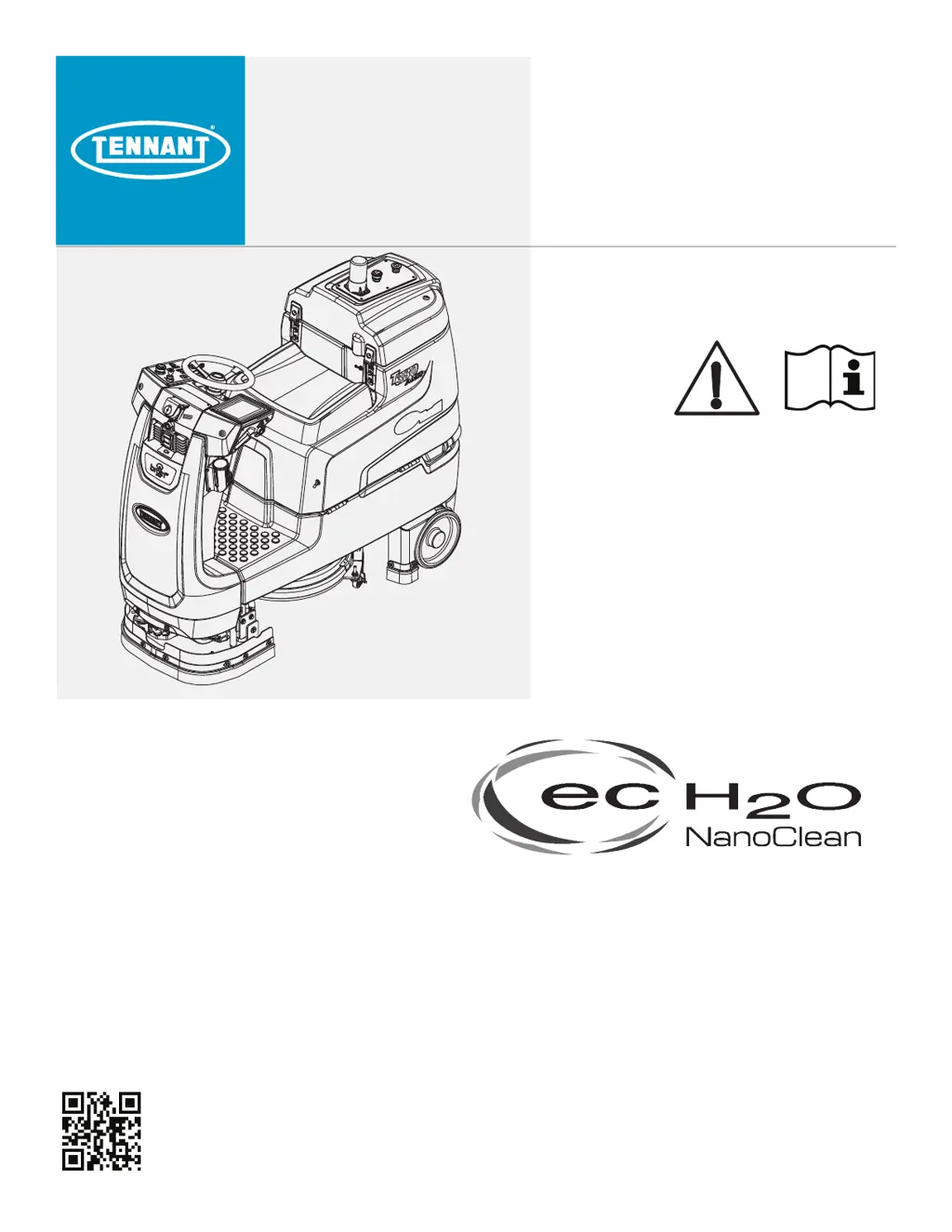
Tennant T380AMR - User Manual

Tennant T380AMR
88 pages
Print Icon
To Next Page IconTo Next Page
Loading...
T380AMR
(Battery)
Rider-Scrubber
Operator Manual
9020999
Rev. 00 (08-2020)
*9020999*
North America / International
For the latest Parts Manuals and other
language Operator Manuals, visit:
www.tennantco.com/manuals
Hygenic Fully
®
Cleanable Tanks
TennantTrue
®
Parts
Insta-Click™ Magnetic Disk
R

Table of Contents

Questions and Answers

  • D
    Dana GibsonAug 5, 2025
    What to do if my Tennant T380AMR has poor scrubbing performance?
    • B
      brownshirleyAug 5, 2025
      Several factors can impact the scrubbing performance of your Tennant Scrubber. Make sure the 1-Step button is on. Check if the recovery tank is full and empty it if necessary. Also, ensure the solution tank isn't empty and fill it if needed. Debris caught on the scrub brushes or pads can hinder performance, so remove any debris. If the scrub brush is worn, replace it. Increasing the brush pressure might also improve scrubbing. Finally, ensure the battery is fully charged.
  • B
    Brent VillaAug 10, 2025
    Why is there trailing water behind my Tennant T380AMR?
    • K
      Kelsey PetersonAug 10, 2025
      If you are experiencing poor or no water pickup with your Tennant Scrubber, several factors could be the cause. The vacuum fan might be turned off, so ensure it is on. The squeegee might be in the raised double scrub position; lower it. Check for worn squeegee blades and rotate or replace them if necessary. The squeegee may also be out of adjustment, so adjust it accordingly. Other potential causes include a clogged vacuum hose (flush it), a dirty vacuum fan filter (clean it), worn vacuum fan cover seals (replace them), debris caught on the squeegee (remove it), a disconnected or damaged vacuum hose (reconnect or replace it), or a recovery tank cover that is not completely closed (check for obstructions and ensure it is closed).
  • M
    Mrs. Kimberly JenkinsAug 16, 2025
    Why is there little or no solution flow to the floor from my Tennant T380AMR Scrubber?
    • S
      swansonbrandyAug 17, 2025
      If you're experiencing little to no solution flow to the floor in conventional scrubbing mode with your Tennant Scrubber, there are several possible reasons. The solution tank might be empty, so fill it. The solution flow could be turned off, so ensure it's on. Solution supply lines might be plugged, requiring you to flush them. Additionally, the solution tank filter could be clogged; drain the solution tank, remove the filter, clean it, and reinstall it.
  • A
    Amanda FosterAug 23, 2025
    What to do if the vacuum fan won't turn on in my Tennant Scrubber?
    • D
      domingueztannerAug 23, 2025
      If the vacuum fan on your Tennant Scrubber isn't turning on, start by checking if the vacuum fan switch is turned off and turn it on. The recovery tank might be full, so drain it. Foam filling the recovery tank can also cause this issue, so empty the tank. You may also need to use less detergent. Lastly, the recovery tank sensor might be dirty or stuck; try cleaning or replacing it.
  • B
    Beverly FloresAug 28, 2025
    Why is the ec-H2O system indicator light blinking green/red on my Tennant Scrubber?
    • R
      Ryan HardyAug 28, 2025
      The water conditioning cartridge has expired.

Summary

Machine Components

Controls and Instruments

Cameras and Sensors

Machine Setup

Attaching Squeegee Assembly

Guides the installation of the squeegee assembly to the machine.

Installing Brushes; Pads

Instructions for fitting brushes or pads onto the machine's drive hubs.

Attaching Front Perimeter Guard

Explains how to mount the front perimeter guard to the machine.

Filling the Solution Tank

ec-H2 O Water Conditioning Cartridge Replacement

Procedures for replacing the ec-H2O system's water conditioning cartridge.

Operation of Controls

Directional Switch

How to control the machine's forward and reverse movement.

Setting Scrub Modes

Adjusting brush pressure and solution flow for different cleaning needs.

Setting ec-H2 O Button

Activating the ec-H2O cleaning system.

Brush Pressure and Solution Flow Settings

Adjusting brush pressure and solution flow for optimal cleaning performance.

Emergency Stop Buttons

Machine Hour Meter

ec-H2 O System Indicator Light

Blue Start;Pause Button

User Interface (UI) Touchscreen

Battery Discharge Bar

ROC: Robot Operations Center

BrainOS Software Updates

How the Machine Works

Conventional Scrubbing

Describes the process of cleaning with water and detergent.

ec-H2 O Scrubbing System (Option)

Details how the ec-H2O technology converts water into a cleaning solution.

Brush Information

Machine Operation

Pre-Operation Checklist

Essential checks to perform before operating the machine for safe and effective use.

While Operating the Machine (Robotic Mode;Manual Mode)

While Operating the Machine (Robotic Mode Only)

Scrubbing - Manual Mode

Double Scrubbing

Water Pickup Mode (No Scrubbing)

Scrubbing - Robotic Mode

Establish Home Location Codes

Instructions for installing unique identifiers for robotic navigation.

Logging into BrainOS

Changing Region; Language

Positioning the Machine at the Home Location Code

Teaching a New Route

Pairing a Phone with the ROC

Running a Robotic Cleaning Route

Autonomous Route History

Learning Center

Assist Messages During Robotic Operation

Edit;Deleting Routes

Draining and Cleaning the Tanks

Alerts - Manual Mode

Assists - Robotic Mode

System Errors

System Errors (Robotic Mode; Manual Mode)

General procedures for addressing system error codes.

LIDAR Sensor; Camera Errors

Specific errors related to LIDAR sensors and cameras, and how to resolve them.

Machine Troubleshooting

Maintenance Chart

Batteries

Checking the Electrolyte Level

Checking Connections; Cleaning

Charging the Batteries

Battery Charging Status

Hydrolink Battery Watering System

Circuit Breakers and Fuses

Circuit Breakers

Information on resetting electrical circuit protection devices.

Fuses

Guidance on replacing blown fuses to protect machine components.

Electric Motors

Cameras and Sensors

Front and Side 2 D and 3 D Cameras

Care and cleaning instructions for the machine's visual sensing systems.

Upper and Lower LIDAR Sensors

Maintenance guidelines for LIDAR sensors, crucial for robotic navigation.

Scrub Brushes and Pads

Replacing the Brush or Pad Driver

Steps to replace the component that holds brushes or pads.

Replacing the Disk Pad

Instructions for changing the disk pad on the machine's driver.

ec-H2 O System

ec-H2 O Water Conditioning Cartridge Replacement

Steps for replacing the cartridge that conditions water for the ec-H2O system.

Lubrication

Steering Gear Chain

How to lubricate the steering gear chain for smooth operation.

Steering U-Joint

Guide for lubricating the steering U-joint.

Squeegee Blades

Replacing (or Rotating) the Squeegee Blades

Detailed steps for removing, rotating, or replacing the squeegee blades.

Skirts and Seals

Recovery Tank Seal

Inspecting the seal on the recovery tank cover for damage and wear.

Vacuum Fan Seal

Checking the vacuum fan seal for wear and damage.

Squeegee Seal

Inspecting the seal on the squeegee for damage and wear.

Perimeter Guards

Tires

Pushing, Towing, and Transporting the Machine

Pushing or Towing the Machine

How to safely push or tow a disabled machine.

Transporting the Machine

Procedures for safely loading and securing the machine onto a trailer or truck.

Jacking Up the Machine

Storage Information

Freeze Protection

Procedures to protect the machine from freezing temperatures.

ec-H2 O Models

Specific freeze protection steps for machines equipped with the ec-H2O system.

General Machine Dimensions; Capabilities

General Machine Performance

Power Type

Tires

Conventional Scrubbing

ec-H2 O System

Machine Dimensions

Tennant T380AMR Specifications

General IconGeneral
BrandTennant
ModelT380AMR
CategoryScrubber
LanguageEnglish

Related product manuals