EasyManua.ls Logo

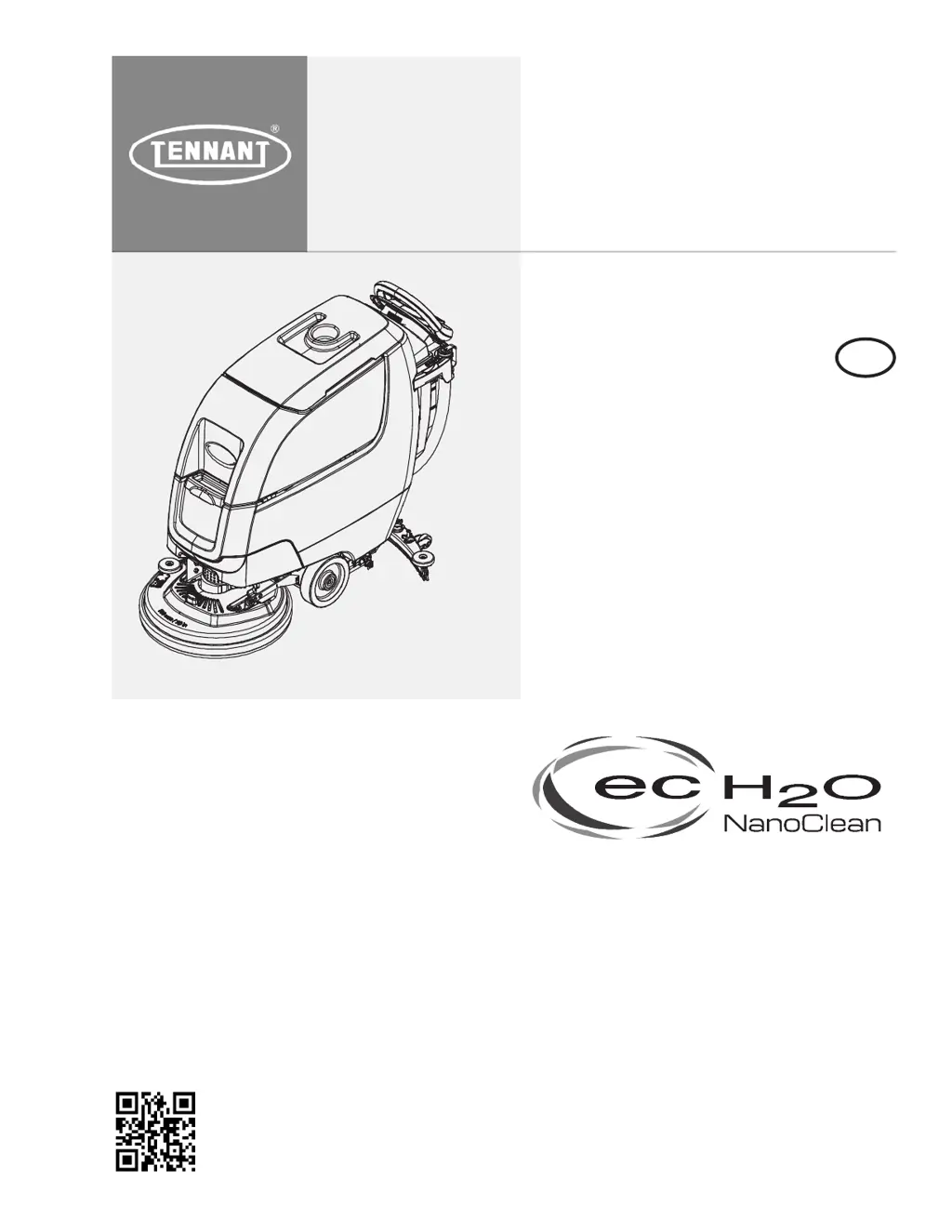
Tennant T300e - Service Manual

Tennant T300e
195 pages
Print Icon
To Next Page IconTo Next Page
Loading...
T300
T300e
Automatic Floor Scrubber
English EN
Service Manual
9014510
Rev. 02 (10-2023)
*9014510*
For the latest Parts Manuals and other
language Operator Manuals, visit:
www.tennantco.com/manuals
R
Hygenic
®
Fully cleanable
Recovery Tank
TennantTrue
®
Parts
IRIS
®
a Tennant Technology

Table of Contents

Other manuals for Tennant T300e

Questions and Answers

  • E
    Erin WolfeSep 23, 2025
    Why does my Tennant Scrubber show a Scrub Motor Open Warning?
    • A
      Angelica JonesSep 23, 2025
      If the Tennant Scrubber shows a Scrub Motor Open Warning, check the connections. The board receives power from the key switch and battery. If the connections are in good condition, replace the control board. Possible causes include wiring, connector, or control board issues on the scrub motor; the J10 connector on the scrub controller board being unplugged; the scrub controller board power being disconnected; a defective or blown scrub controller inline power fuse; or a problem with the scrub controller board.
  • T
    twadeAug 25, 2025
    Why is my Tennant T300e not cleaning well?
    • R
      reedaliciaAug 25, 2025
      If your Tennant Scrubber's scrubbing performance is poor, consider these potential causes: * Debris caught in the brush/pad: Remove any debris. * Worn brush/pad: Replace the brushes/pad. * Incorrect brush pressure: Adjust the brush pressure. * Wrong brush/pad type: Use the correct brush/pad for the application. * Low battery charge: Recharge the batteries.
  • F
    fwarrenAug 25, 2025
    Why is my Tennant T300e Scrubber trailing water?
    • V
      Veronica BrownAug 26, 2025
      If your Tennant Scrubber is leaving water behind, it could be due to several reasons. The recovery tank might be full or have excessive foam buildup, so drain the tank. Check if the drain hose cap is loose or the flow control valve is open; if so, replace the cap or close the valve. Worn squeegee blades can also cause this issue; rotate or replace them. Other potential causes include a clogged drip trap or squeegee assembly (clean them), a loose or clogged vacuum hose (secure or flush it), a damaged vacuum hose (replace it), a clogged float shut-off screen in the recovery tank (clean it), a recovery tank lid not completely closed (check for obstructions), or defective seals on the recovery tank lid (replace the seal).
  • M
    Michelle MooreAug 27, 2025
    Why is my Tennant T300e not dispensing solution?
    • G
      Gabriella ClarkAug 27, 2025
      If your Tennant Scrubber isn't dispensing solution, the solution tank might be empty; refill it. The solution flow rate might be set too low; increase it. Also, the solution tank filter or supply line could be clogged; clean the filter or flush the supply line.
  • K
    Kenneth LongAug 27, 2025
    Why is my Tennant T300e Scrubber's battery life so short?
    • J
      Jason AveryAug 27, 2025
      A short run time for your Tennant Scrubber could be due to several factors: The batteries may have a low charge, so charge them. If the battery is defective, consider replacing it. If the brush pressure is set too high, lower it.
  • E
    Edward BridgesSep 15, 2025
    Why is there little to no solution flow in my Tennant T300e?
    • T
      Tammy DeanSep 16, 2025
      If your Tennant Scrubber has little to no solution flow: * Refill the solution tank if it is empty. * Increase the solution flow rate if it is set too low. * Clean the filter if the solution tank filter is clogged. * Flush the solution supply line if it is plugged.
  • S
    Stacy LeeSep 12, 2025
    What to do if my Tennant T300e displays an actuator open warning?
    • S
      sandygibbsSep 12, 2025
      If the Tennant Scrubber displays an actuator open warning, check the connectors and connector pins. This issue is usually caused by wiring, connector, or control board problems related to the actuator.
  • J
    John MillerSep 14, 2025
    How to fix short run time on my Tennant T300e Scrubber?
    • L
      Lisa TurnerSep 14, 2025
      If your Tennant Scrubber has a short run time, here are a few things to check: * Charge the batteries if the battery charge is low. * Replace batteries if they are defective or at the end of their life. * Lower brush pressure if it is set too high.
  • S
    Scott ByrdSep 5, 2025
    Why Tennant Scrubber machine will not propel (Drive Model)?
    • J
      Johnathan LesterSep 5, 2025
      If your Tennant Scrubber (Drive Model) isn't propelling, reset the circuit breaker if it has tripped.
  • C
    cohencarlaSep 2, 2025
    What to do if Tennant Scrubber machine will not operate?
    • A
      Ashley JacksonSep 2, 2025
      If your Tennant Scrubber isn't starting, check these potential causes: Ensure the emergency stop button isn't activated by turning the button to reset it. Make sure the batteries are charged by recharging them. Check for loose battery cables and tighten them. Replace faulty batteries if needed. Also, reset the circuit breaker if it has tripped.

Summary

Introduction to the T300;T300 e

Intended Use of the Floor Scrubber

Defines the machine's commercial use and intended environment for scrubbing floors.

Safety Precautions and Warnings

Important Safety Instructions

Crucial warnings and guidelines for safe operation and maintenance of the machine.

Safety Labels Overview

Identifies and locates key safety warning labels on the machine for hazard awareness.

General Information and Specifications

Machine Components Identification

Illustrates and identifies the main components of the floor scrubber.

Electrical Schematics and Symbols

Explains standard symbols used in electrical diagrams for system understanding.

Machine Specifications

Provides detailed physical dimensions, capacities, and performance data.

Maintenance Procedures

Maintenance Schedule

Outlines scheduled maintenance tasks by interval and responsible party.

Routine Maintenance Tasks

Covers daily, weekly, 50-hour, and 100-hour maintenance procedures.

Battery Maintenance and Charging

Guidelines for maintaining batteries and safe charging procedures.

ec-H2 O System Maintenance

Procedure for replacing the ec-H2O water conditioning cartridge.

Machine Storage and Transport

Instructions for storing the machine and loading/unloading for transport.

Troubleshooting Common Issues

Fault and Error Codes

Lists and explains fault codes, conditions, reasons, and corrections.

Propel System Troubleshooting

Diagnoses issues related to the propel subsystem for T300 and T300e models.

Motor and Fan Troubleshooting

Addresses issues with scrub motors and vacuum fans.

Solution Control Troubleshooting

Troubleshoots conventional and ec-H2O solution control systems.

CAN Network Troubleshooting

Guides for investigating issues with the CAN open network.

Service Procedures and Diagnostics

Service Diagnostics Tool and Updates

Using the tool for diagnostics, firmware updates, and module programming.

Component Replacement and Service

Detailed procedures for replacing major mechanical and electrical components.

Control System Service

Service procedures for control modules, handles, and switches.

ec-H2 O and Severe Environment Service

Procedures for servicing ec-H2O and Severe Environment system components.

Tennant T300e Specifications

General IconGeneral
Power SourceBattery
Machine TypeWalk-Behind
Battery Voltage24 V
Cleaning Path17 in / 430 mm or 20 in / 500 mm
Solution Tank Capacity11 gal / 42 L
Sound Level68 dB
Battery TypeLead Acid or Lithium-Ion
Brush Deck Width17-20 inches
Charging TimeVaries by battery type

Related product manuals