EasyManua.ls Logo

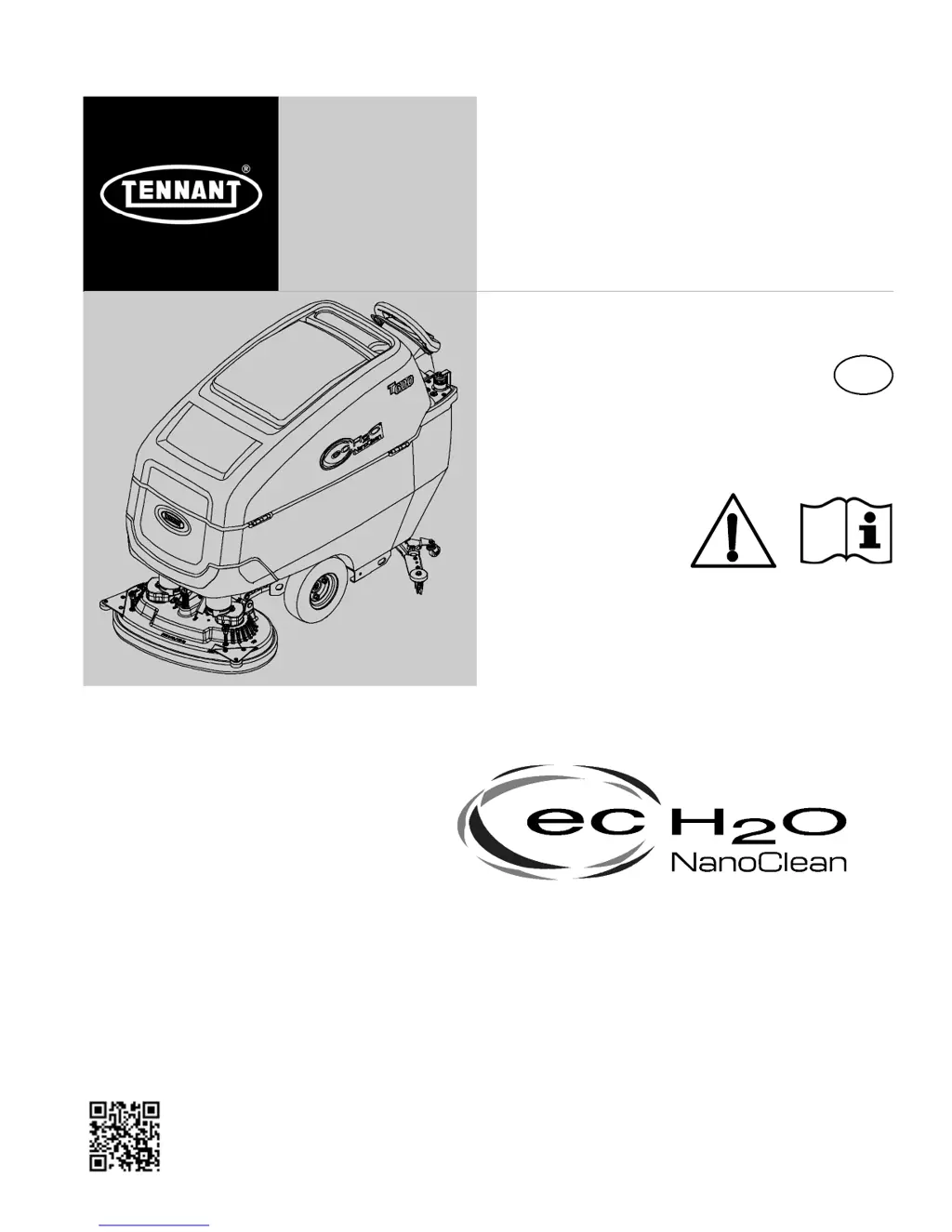
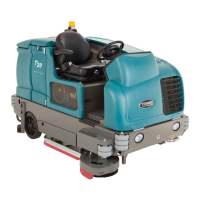
Tennant T600e - User Manual

Tennant T600e
75 pages
Print Icon
To Next Page IconTo Next Page
Loading...
T600e/T600
R
9016600
Rev. 01 (03-2018)
Walk-Behind Floor Scrubber
*9016600*
For the latest Parts manuals and other
language Operator manuals, visit:
www.tennantco.com/manuals
English EN
Operator Manual
Hygenic
®
Fully Cleanable Recovery Tank
TennantTrue
®
Parts
IRIS
®
a Tennant Technology
Pro-Panel
®
Controls
Insta-Fit Adapter
Smart-Fill Automatic Battery Watering
North America / International

Table of Contents

Other manuals for Tennant T600e

Questions and Answers

  • N
    Nicole GuzmanSep 10, 2025
    How to fix Tennant T600e Scrubber on-board battery charger that will not operate?
    • N
      Nicholas BrownSep 10, 2025
      If the on-board battery charger of your Tennant Scrubber won't operate, first check the plug connection to the power supply. If that's not the issue, the batteries might be over-discharged and need replacing. For a battery charger fault, refer to SERVICE INDICATOR CODES.
  • G
    Gerald SmithAug 22, 2025
    What to do if my Tennant T600e Scrubber has poor water pickup?
    • M
      Megan FrancoAug 23, 2025
      If your Tennant Scrubber isn't picking up water effectively, several factors could be the cause. Start by draining the recovery tank, as it might be full or have excessive foam. Check the drain hose cap and ensure it's secure; if not, replace it, and make sure the flow control valve is closed. Inspect the squeegee blades for wear and rotate or replace them if needed. Also, check for clogs in the drip trap and squeegee assembly, cleaning them as necessary. Ensure the vacuum hose connection is secure, and flush the vacuum hose to remove any blockages. Inspect the vacuum hose for damage and replace if needed. Clean the float shut-off screen in the recovery tank and ensure the recovery tank lid is completely closed and the seals are intact; replace if defective.
  • D
    Daniel KelleyAug 25, 2025
    Why won't my Tennant Scrubber start?
    • J
      Jesse VelasquezAug 25, 2025
      If your Tennant Scrubber isn't starting, check the following: * Ensure the emergency shut-off button is not activated by turning the button to reset it. * Recharge the batteries if they are discharged. * Tighten any loose battery cables. * Replace faulty batteries if necessary. * Reset the circuit breaker if it has tripped.
  • J
    Jennifer MillerAug 26, 2025
    How to improve the scrubbing performance of my Tennant T600e?
    • D
      David ParkerAug 27, 2025
      To enhance your Tennant Scrubber's scrubbing, start by removing any debris caught in the brush or pad. Replace the brush or pad if it's worn. Adjust the brush pressure to the appropriate level. Ensure you are using the correct brush or pad type for your specific application. If the battery charge is low, recharge the batteries.
  • B
    Brittany WilliamsAug 27, 2025
    What to do if my Tennant T600e has little or no solution flow?
    • C
      Cynthia KerrAug 27, 2025
      If your Tennant Scrubber has little to no solution flow, first, refill the solution tank if it's empty. If the tank isn't empty, increase the solution flow rate. Clean the solution tank filter if it's clogged. Finally, flush the solution supply line to clear any blockages.
  • M
    Mr. Robert DrakeAug 29, 2025
    What to do if the on-board battery charger of my Tennant T600e Scrubber will not operate?
    • M
      meganarmstrongAug 29, 2025
      If the on-board battery charger of your Tennant Scrubber isn't working, begin by checking the plug connection to the power supply. Replace the batteries if they are over discharged. Replace the charger if it is faulty. Replace the power supply cord if it is faulty.
  • R
    robertsmithSep 18, 2025
    What to do if the Severe Environment tank on my Tennant T600e Scrubber does not dispense detergent?
    • S
      Stacy Johnson PhDSep 18, 2025
      If the Severe Environment tank on your Tennant Scrubber isn't dispensing detergent, start by refilling the tank.
  • J
    Jessica JohnsonSep 12, 2025
    Why is there little or no solution flow in my Tennant T600e Scrubber?
    • C
      Curtis MartinSep 12, 2025
      If your Tennant Scrubber has little to no solution flow, it may be due to an empty solution tank; refill the solution tank. Alternatively, the solution flow rate may be set too low; increase the solution flow rate.
  • P
    phillipthomasSep 8, 2025
    Why does my Tennant T600e have a short run time?
    • J
      Jason HerreraSep 8, 2025
      If your Tennant Scrubber has a short run time, the issue could be due to a low battery charge, so try charging the batteries. Alternatively, the battery might be defective or at the end of its life, in which case you should replace it.
  • M
    Matthew WilliamsSep 5, 2025
    What to do if my Tennant T600e Scrubber will not operate?
    • L
      Laura WilliamsSep 5, 2025
      If your Tennant Scrubber won't operate, there might be several reasons: * The emergency shut-off button might be activated. To solve this, turn the button to reset it. * The batteries could be discharged, so you should recharge them. * There might be loose battery cables; ensure you tighten them. * The batteries could be faulty, requiring replacement. * A circuit breaker might have tripped; try resetting it.

Summary

Introduction

Intended Use

Machine Data

Serial Number Label Location

Indicates the location of the serial number label on the machine.

Uncrating Machine

Safety

Important Safety Instructions

Crucial warnings and guidelines for safe operation and servicing.

Safety Labels

Highlights safety labels found on the machine and their meanings.

Maintenance

Maintenance Chart

Details specific maintenance tasks based on usage intervals.

Machine Maintenance

Details specific maintenance tasks based on usage intervals.

Yellow Touch Points

After Daily Use

Operation

Machine Components

Identifies and describes the various parts of the machine.

Scrub Head Types

Control Panel Components

T600 e Control Panel Model

Describes the control panel for the T600e model.

T600 Pro-Membrane Control Panel Model

Describes the control panel for the Pro-Membrane model.

T600 Pro-Panel Controls Model

Machine Symbols

T600 Pro-Panel Symbols

Explains symbols specific to the T600 Pro-Panel controls.

Installing Batteries

How the Machine Works

Brush and Pad Information

Machine Setup

Installing Squeegee Assembly

Instructions for mounting the squeegee assembly onto the machine.

Installing and Removing Disk Brushes;Pads (Disk Scrub Head Model)

Installing Orbital Pads (Orbital Scrub Head Model)

Installing Cylindrical Brushes (Cylindrical Brush Scrub Head Model)

Filling Solution Tank

Using Solution Tank Auto-Fill (Option)

Filling Severe Environment Detergent Tank (T600 ec-H2 O Model Option)

ec-H2 O Water Conditioning Cartridge Replacement

Filling Automatic Battery Watering Tank (Option)

Accessory Rails

Control Panel Operation

T600 e Control Panel

Details operation of specific buttons on the T600e control panel.

Solution Flow Button

ec-H2 O Indicator (Option)

Service Indicator

Battery Discharge Indicator

Automatic Battery Watering Indicator (Option)

T600 Pro-Membrane Control Panel

1-Step Button

Operation of the one-step activation button for scrubbing.

Brush Pressure Button

How to adjust brush pressure using the control panel button.

Solution Flow Button

Quiet-Mode Button

Severe Environment Button (ec-H2 O Model Option)

Preset Zone Control Buttons

ec-H2 O Indicator (Option)

Service Indicator

Battery Discharge Indicator

Automatic Battery Watering Indicator (Option)

Spray Nozzle Indicator (T600 Option)

T600 Pro-Panel Controls

Home Screen

Description of the Pro-Panel home screen and its user modes.

Help Button

Function of the help button for accessing system information.

Login Screen

Details the login screen functionality for supervisor and operator modes.

ec-H2 O Indicator (Option)

1-Step Button

Brush Pressure Button

Solution Flow Button

Severe Environment Button (ec-H2 O Model Option)

Maximum Scrub Speed Button

Quiet-Mode Button

Spray Nozzle Indicator (T600 Option)

Battery Discharge Indicator

Video Tutorial Button (Operator Mode Home Screen)

Preset Zone Control Buttons

Service Indicator Button

Fault Screens

Machine Settings Button

Machine Operation

Pre-Operation Check List

A checklist of tasks to perform before operating the machine.

Operating Machine

Step-by-step instructions for starting and operating the machine.

Double Scrubbing

Emergency Shut-Off Button

Operating Spray Nozzle (T600 Option)

While Operating Machine

Circuit Breaker Panel

Hour Meter

Draining Tanks

Draining Recovery Tank

Steps to drain and clean the recovery tank after each use.

Draining Solution Tank

Service Indicator Codes

T600 e Model Service Indicator Codes

Service codes specific to the T600e model's indicator lights.

T600 Model Service Indicator Codes

T600 e;T600 On-Board Battery Charger Service Indicator Codes

T600 e;T600 ec-H2 O System Service Indicator Codes - Option

Machine Maintenance

Yellow Touch Points

Highlights easy-to-find yellow touch points for simple service items.

After Daily Use

Daily cleaning and checks required after each use.

After Every 50 Hours of Use

After Every 100 Hours of Use

Electric Motors

Belts (Cylindrical Brush Model)

Batteries

Maintenance-Free Batteries

Specific maintenance requirements for maintenance-free batteries.

Flooded (Wet) Lead-Acid Batteries

Maintenance for flooded lead-acid batteries, including watering.

Checking Connections; Cleaning

Procedures for checking battery connections and cleaning terminals.

Charging Batteries

Battery Charger Settings

Off-Board Battery Charger

Specific instructions for off-board battery chargers.

Off-Board Battery Charger Settings

Detailed steps for configuring off-board charger settings.

On-Board Battery Charger

Selecting Battery Type (T600 Pro-Panel model)

How to select the correct battery type for the Pro-Panel model.

HydroLink Battery Watering System (Trojan Battery OPTION)

Automatic Battery Watering System (Trojan Battery OPTION)

Battery Compartment Drain Hose

Squeegee Blade Replacement

ec-H2 O Water Conditioning Cartridge Replacement

Machine Jacking

Pushing and Transporting Machine

Pushing Machine

How to safely push the machine if it becomes disabled.

Transporting Machine

Guidelines for safely loading and transporting the machine.

Storing Machine

Freeze Protection

Troubleshooting

Specifications

General Machine Dimensions;Capacities;Performance

Detailed table of machine dimensions, capacities, and performance metrics.

Machine Dimensions

Disk Model

Dimensional data specific to the disk scrub head models.

Cylindrical Brush Model

Orbital Pad Model

Supervisor Controls

T600 e Model

Supervisor control modes and setup for the T600e model.

Entering the Supervisor Control Modes

Steps to access and navigate supervisor control modes on the T600e.

T600 Pro-Membrane Control Panel Model

Entering the Supervisor Control Modes

How to enter supervisor control modes on Pro-Membrane models.

T600 Pro-Panel Controls Model

Entering the Supervisor Mode

Steps to access the supervisor mode on the Pro-Panel control system.

To Add;Edit User Profiles

Enabling the Login Screen

Disabling the Login Screen

Changing the Factory-Assigned Supervisor Login Code

Tennant T600e Specifications

General IconGeneral
Power SourceBattery
Machine TypeWalk-behind
Battery Voltage24 V
Sound Level67 dBA
Battery TypeLead-acid
Machine Height43 in / 1, 090 mm

Related product manuals