EasyManua.ls Logo

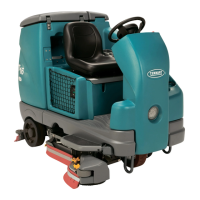
Tennant T16 - User Manual

Tennant T16
82 pages
Print Icon
To Next Page IconTo Next Page
Loading...
T1
6
*9008142*
www.tennantco.com
Rider Scrubbe
r
Operator Manua
l
900814
2
Rev. 02 (12-2011
)
N
orth America / International
The Safe Scrubbing Alternative
Hygenic Fully Cleanable Tanks
ES Extended Scrub System
(Battery
)
Home
Find...
Go To..

Table of Contents

Other manuals for Tennant T16

Questions and Answers

  • B
    Brian GentryAug 19, 2025
    What to do if Tennant Scrubber vacuum fan will not turn on?
    • S
      Sara CaseySep 12, 2025
      If the Tennant Scrubber's vacuum fan won't turn on, it might be because the recovery tank is full; drain the recovery tank. Another reason could be foam filling the recovery tank; empty the recovery tank. You may also need to use less detergent or change the type of detergent, or use a defoamer.
  • A
    allen77Aug 21, 2025
    How to troubleshoot little or no solution flow in Tennant T16?
    • G
      Gabriel MillsAug 21, 2025
      If there's little to no solution flow to the floor with your Tennant Scrubber, first check if the solution tank is empty and fill it if needed. Ensure the solution flow is turned on. If the problem persists, the solution supply lines might be plugged, so flush them. Additionally, the solution solenoid could be clogged or stuck, requiring cleaning or replacement.
  • J
    Joshua WilliamsAug 23, 2025
    How to fix trailing water with Tennant T16?
    • C
      Catherine OliverAug 23, 2025
      If the Tennant Scrubber leaves water behind, it could be due to several reasons. The squeegee blades might be worn and need rotating or replacing. The squeegee may be out of adjustment and require adjustment. A clogged vacuum hose can also cause this, so try flushing it. Check the vacuum fan inlet filter; if it's dirty, clean it. Debris on the squeegee can also hinder water pickup, so remove any obstructions. Ensure the vacuum hose is properly connected and undamaged; reconnect or replace if necessary. Make sure the tank cover is completely closed, checking for obstructions. Finally, inspect the recovery tank seals for tears and replace them if needed.
  • T
    Thomas PierceAug 26, 2025
    What to do if there is little or no solution flow in Tennant T16 Scrubber?
    • L
      luis97Aug 26, 2025
      If your Tennant Scrubber isn't dispensing enough solution, the solution tank might be empty, so refill it. Make sure the solution flow is turned on. The solution supply lines could be plugged, requiring you to flush them. Additionally, the solution solenoid might be clogged or stuck, so try cleaning or replacing it.
  • A
    Andrew MartinAug 28, 2025
    Why vacuum fan will not turn on in Tennant T16?
    • T
      Teresa KochAug 28, 2025
      If the vacuum fan on your Tennant Scrubber won't turn on, it might be because the recovery tank is full; drain it. Foam filling the recovery tank can also cause this, so empty the tank. You might need to use less detergent or switch to a different kind, or use a defoamer.
  • N
    nicolesantosAug 30, 2025
    How to improve scrubbing performance of Tennant Scrubber?
    • V
      Veronica MelendezAug 30, 2025
      If your Tennant Scrubber isn't scrubbing well, start by removing any debris caught on the scrub brushes. If that doesn't help, the scrub brushes may be worn and need replacement. Check for excessive brush pressure and reduce it if necessary. Uneven brush pressure can also cause poor performance, so level the scrub head. If you have a cylindrical scrub head, broken brush drive belts could be the issue, so replace them. Lastly, low battery charge can affect performance, so charge the batteries until the charger turns off automatically.
  • M
    Misty YoungSep 1, 2025
    What to do if FaST System does not operate in Tennant T16 Scrubber?
    • R
      Rachel NguyenSep 1, 2025
      If the FaST system on your Tennant Scrubber isn't working, first check if the FaST button is turned on and turn it on if it's off. See if the FaST circuit breaker has tripped, and if so, determine the cause and reset it. A clogged FaST PAK supply hose or connector could be the issue; soak them in warm water and clean. Ensure the FaST PAK carton isn't empty or disconnected, and replace or connect it as needed. The system might not be primed, so operate it for 5 to 10 minutes to prime it. Also, a clogged flow control orifice/screen could be the problem; remove and clean it.
  • K
    Kevin RichardsonSep 3, 2025
    How to improve sweeping performance of Tennant T16 Scrubber?
    • A
      Alexis VelasquezSep 3, 2025
      If the Pre-Sweep function on your Tennant Scrubber isn't sweeping well, the brush bristles might be worn, so replace the brush. Debris caught in the brush drive mechanism can also cause this, so remove any obstructions. Check if the hopper is full and empty it if needed. A full vacuum debris bag can also reduce performance, so replace it. Inspect the recirculation skirt for damage and replace it if necessary.
  • J
    jasonphillipsSep 5, 2025
    What to do if ES System does not operate in Tennant T16 Scrubber?
    • M
      Matthew PattersonSep 5, 2025
      If the ES system on your Tennant Scrubber isn't operating, make sure the ES button is turned on. Check the ES sensor in the tank; it might be dirty or not in the correct position, so clean or reposition it. A clogged ES pump filter can also cause this, so clean the ES filter. Also, check the water levels in the tanks: the water level in the recovery tank might be too low, so fill it about half full, and the water level in the solution tank might be too low, so fill the solution tank.
  • F
    francisjamieSep 7, 2025
    Why is ec?H2O warning light blinking red on Tennant T16?
    • A
      ashley74Sep 7, 2025
      If the ec?H2O warning light is blinking red on your Tennant Scrubber, there may be mineral buildup in the module. Flush the module.

Summary

Safety Precautions

General Operating Safety Rules

Rules and warnings for operating the machine safely, covering training, condition, and environment.

Servicing and Maintenance Safety

Safety guidelines for servicing the machine, including avoiding moving parts and using proper tools.

Loading and Unloading Safety

Precautions for safely loading and unloading the machine onto vehicles.

Machine Components

Controls and Instruments

Steering Wheel and Touch Panel

Identification of steering wheel controls and the main touch panel interface.

Pedals and Switches

Location and function of pedals and various switches for machine operation.

Touch Panel Controls

Touch Panel Indicator Functions

Detailed description of indicators, buttons, and their functions on the touch panel.

Operation of Controls

Key Indicators: Battery, Recovery, Solution, Hour Meter

Explains the function of the battery discharge, recovery tank, solution tank, and hour meter indicators.

Power and Lighting Controls

Machine Operation Controls

Display and Mode Controls

How to adjust LCD contrast and access configuration/diagnostic modes.

Propel and Directional Controls

Using the propel pedal for movement and the directional switch for forward/reverse.

Scrubbing Controls

Vacuum Fan and Squeegee Operation

How to activate the vacuum fan and lower/raise the squeegee using a button.

Solution Flow On;Off

Instructions for controlling the flow of cleaning solution to the scrub head.

How the Machine Works

Brush and Pad Information

Brush and Pad Types and Applications

Details on different types of brushes and pads and their suitability for various cleaning tasks.

While Operating the Machine

Safe Operation Practices

Guidance on driving, turning, overlapping paths, and inclines for safe operation.

Pre-Operation Checklist

Machine Inspection Steps

A list of checks to perform before starting the machine for safe and effective operation.

Starting the Machine

Initial Startup Procedures

Steps to safely start the machine, including seat adjustment and key switch operation.

Filling the Solution Tank

Conventional Scrubbing Mode

Solution Tank Preparation

How to fill the solution tank with water and detergent for conventional scrubbing.

ES (Extended Scrub) Mode

ES Mode Solution and Detergent Fill

Instructions for filling the solution and recovery tanks for ES mode operation.

Setting Machine Modes and Flows

Scrub Mode and Solution Flow Settings

How to select scrub modes and adjust solution flow levels for optimal cleaning.

Brush Pressure Adjustment

How to set brush pressure based on cleaning conditions and brush wear.

Scrubbing Operation

Initiating and Controlling Scrubbing

Steps to start, control, and stop the scrubbing process using various buttons and pedals.

Double Scrubbing Technique

Stopping Scrubbing

Draining and Cleaning the Recovery Tank

Recovery Tank Maintenance Procedures

Step-by-step guide for draining and cleaning the recovery tank.

Draining and Cleaning the Solution Tank (ES Machines Only)

Stopping the Machine

Fault Indicators and Troubleshooting

Interpreting Fault Codes and Remedies

Explains visual indicators, LCD fault codes, audible alarms, and their remedies.

Warning Codes

Machine Troubleshooting

Troubleshooting Water Pickup and Solution Flow

Common issues like trailing water and lack of solution, with causes and remedies.

Troubleshooting Poor Scrubbing and Sweeping

Solutions for poor scrubbing performance and sweeping issues, including debris and brush problems.

System Troubleshooting

ES, FaST, and ec-H2 O System Faults

Faults related to ES, FaST, and ec-H2O systems, including indicator lights and component failures.

Maintenance Schedule and Procedures

Daily Maintenance Tasks and Checks

List of essential daily checks and cleaning procedures for machine components.

Scheduled Maintenance Intervals

Battery Maintenance and Care

Charging the Batteries (Off-Board)

Charging the Batteries (On-Board)

Electrical System Components

Scrub Brush and Pad Maintenance

Replacing Disk Scrub Pads

Cylindrical Brush Maintenance

Side Brush Maintenance (Option)

FaST System Maintenance

ec-H2 O Module Flush Procedure

Rear Squeegee Blade Maintenance

Leveling the Rear Squeegee

Adjusting Rear Squeegee Blade Deflection

Side Squeegee Blade Maintenance

Pushing, Towing, and Transporting

Freeze Protection (Non ec-H2 O)

Preparing for Operation (Non ec-H2 O)

Freeze Protection (With ec-H2 O)

Priming the ec-H2 O System

Machine Specifications

Tennant T16 Specifications

General IconGeneral
Power SourceBattery
Brush Down PressureUp to 200 lb / 91 kg
Cleaning Path Width36 in / 900 mm
Battery Voltage36 V
Travel Speed3.5 mph

Related product manuals