EasyManua.ls Logo

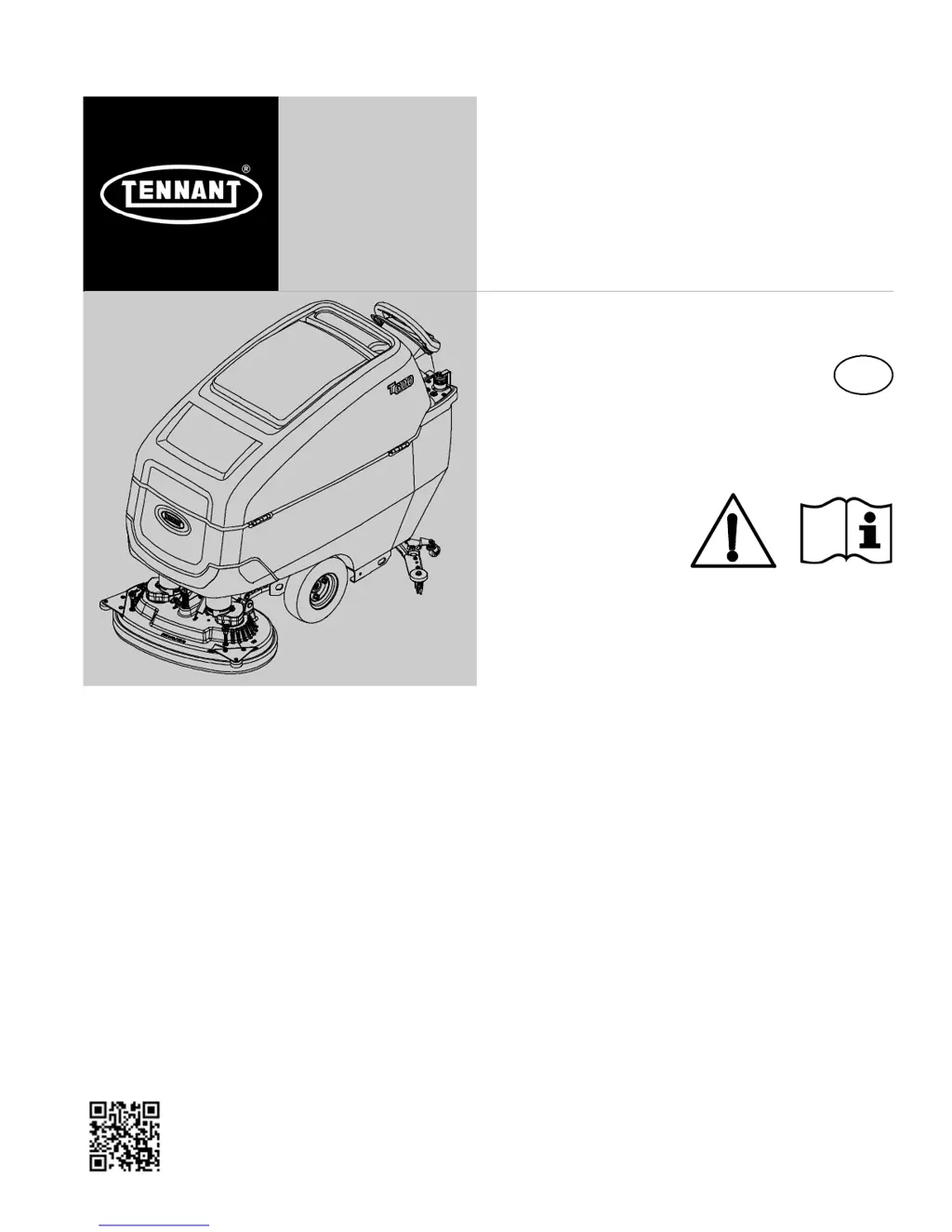
Tennant T600 EE - User Manual

Tennant T600 EE
41 pages
Print Icon
To Next Page IconTo Next Page
Loading...
T600 EE
9016606
Rev. 00 (04-2018)
Walk-Behind Floor Scrubber
*9016606*
For the latest Parts manuals and other
language Operator manuals, visit:
www.tennantco.com/manuals
English EN
Operator Manual
Hygenic
®
Fully Cleanable Recovery Tank
TennantTrue
®
Parts
Insta-Fit Adapter
North America / International

Table of Contents

Questions and Answers

  • M
    Ms. Rebecca DanielsJul 31, 2025
    What to do if the vacuum motor of my Tennant T600 EE won't turn on?
    • D
      Derrick ChambersJul 31, 2025
      If the vacuum motor on your Tennant Scrubber won't operate, lower the squeegee assembly to the floor if it is raised. Reset the circuit breaker if it has tripped.
  • A
    Amy MillsAug 8, 2025
    How to troubleshoot a Tennant Scrubber that won't start?
    • P
      Patricia IbarraAug 8, 2025
      If your Tennant Scrubber won't operate, start by checking if the emergency shut-off button is activated and turn the button to reset it. Ensure the batteries are charged by recharging them, and tighten any loose battery cables. If the batteries are discharged, recharge them. Reset the circuit breaker if it has tripped. If these steps don't resolve the issue, it may be due to a machine fault, requiring you to consult the SERVICE INDICATOR CODES.
  • J
    Jasmine WoodwardAug 13, 2025
    How to improve the scrubbing performance of my Tennant T600 EE Scrubber?
    • D
      Dana StewartAug 14, 2025
      If your Tennant Scrubber's scrubbing performance is poor, start by removing any debris caught in the brush/pad. Replace the brush/pad if it is worn. Adjust the brush pressure to the correct level. Ensure you are using the correct brush/pad type for your specific application. Recharge the batteries if the charge is low.
  • J
    Jessica WhitakerAug 17, 2025
    What to do if my Tennant T600 EE has no solution flow?
    • C
      carl56Aug 17, 2025
      If your Tennant Scrubber has little or no solution flow, first, refill the solution tank if it is empty. Increase the solution flow rate if it is set too low. Clean the solution tank filter if it is clogged, and flush the solution supply line if it is plugged.
  • E
    Eric CaldwellAug 22, 2025
    Why does my Tennant T600 EE have a short run time?
    • W
      williamswilliamAug 22, 2025
      If your Tennant Scrubber has a short run time, charge the batteries. If that doesn't help, replace the batteries if they are defective or at the end of their life. Lower the brush pressure if it is set too high.
  • S
    susan67Aug 26, 2025
    How do I fix the auto-fill on my Tennant T600 EE's solution tank?
    • J
      Joshua BrownAug 26, 2025
      If the solution tank auto-fill on your Tennant Scrubber isn't working right, make sure the coupler is properly connected. Also, ensure the machine is on a level surface.
  • D
    Destiny GilbertNov 4, 2025
    Why is my Tennant T600 EE leaving water behind?
    • M
      Mark Gray Jr.Nov 4, 2025
      If you're experiencing poor water pickup with your Tennant Scrubber, several issues could be the cause. First, the recovery tank might be full or have excessive foam buildup, in which case you should drain the recovery tank. Check for a loose drain hose cap or open flow control valve on the drain hose; replace the cap or close the valve. Inspect the squeegee blades for wear and rotate or replace them. Adjust the squeegee blade height if the deflection is incorrect. Also, check for clogs in the drip trap or the squeegee assembly itself and remove any obstructions. Ensure the vacuum hose connection is secure and flush the vacuum hose to clear any clogs. If the vacuum hose is damaged, replace it. Clean the float shut-off screen in the recovery tank and make sure the recovery tank lid is compl...

Summary

Introduction and Machine Setup

Intended Use of the T600 EE

Details the commercial applications and environments for the floor scrubber.

Machine Data and Identification

Fields to record machine model, serial number, and installation date.

Uncrating Machine Instructions

Instructions for safely removing the machine from its packaging.

Environmental Protection Guidelines

Guide on proper disposal of packaging and machine components.

Safety Precautions and Labels

Important Safety Instructions

Critical safety warnings and precautions for machine operation and service.

Safety Labels Explained

Identifies and explains the various safety labels found on the machine.

Operation Guide

Machine Components Overview

Identifies and lists the major parts of the T600 EE floor scrubber.

Control Panel and Symbols

Details control panel buttons, indicators, and machine symbols.

Battery Installation and Machine Operation

Guide to battery installation, machine function, and brush/pad selection.

Machine Setup and Filling

Instructions for setting up the squeegee, brushes, pads, and filling the solution tank.

Accessory Rails and Control Panel Use

Information on accessory rails and detailed control panel operation.

Preset Zone Controls and Indicators

Using preset zone controls, battery discharge, and service indicators.

Machine Operation Procedures

Covers pre-operation checks, operating the machine, and double scrubbing.

Emergency Shut-off and Circuit Breakers

Details the emergency shut-off button and circuit breaker panel.

Operating Tips and Tank Draining

While operating tips, hour meter, and recovery/solution tank draining procedures.

Service Indicator Codes for Troubleshooting

Explains fault codes indicated by the service indicator for troubleshooting.

Maintenance Procedures

Maintenance Chart and Machine Care

A schedule detailing daily, weekly, and periodic maintenance tasks.

Daily and Weekly Maintenance Tasks

Essential daily and weekly cleaning and maintenance tasks for the machine.

Periodic Maintenance Intervals

Maintenance tasks for 50, 100, and 200 hours of operation, plus electric motors.

Battery Maintenance and Charging

Comprehensive guide on battery types, maintenance, checking connections, and charging.

Battery Charger Settings and Watering System

Guide to charger settings and using the HydroLink battery watering system.

Hose, Blade, and Jacking Procedures

Procedures for battery drain hose, squeegee blade replacement, and machine jacking.

Transporting, Storing, and Freeze Protection

Guidelines for transporting, storing, and protecting the machine from freezing.

Troubleshooting Common Issues

A guide to diagnosing and resolving common machine problems.

Specifications

General Machine Specifications

Key technical specifications including dimensions, capacities, and performance metrics.

Machine Dimensions Diagram

Detailed diagrams and measurements of the machine's physical size.

Supervisor Controls

Using Supervisor Controls

Instructions for supervisors to program machine settings and manage operator access.

Tennant T600 EE Specifications

General IconGeneral
ModelT600 EE
TypeWalk-behind
Power SourceBattery
Battery Voltage24 V
Recovery Tank Capacity30 gal
Brush Speed200 rpm
Estimated Run Time4 hours
Machine TypeWalk-behind

Related product manuals