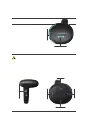
1. Battery level
2. PAS levels
3. Assisted pushing
4. Headlight on/off
5. Error codes
2.2. Buttons
3.1 Turning the controller on/off
When the controller is off, you can press and hold the Power button
to turn it on. When the controller is on, you can press and hold the
Power button to turn off the controller.
Staying idle for 10 minutes will turn off the controller automatically.
When the controller is off, it will not consume battery power and
has
3.2 Bluetooth connection
When the controller is on, the third power indicator will blink blue,
indicating that the controller is searching for a Bluetooth connection.
After 5 seconds, if the controller does not connect to your phone, it
enters the main interface. If the controller connects to your phone,
the third power indicator remains
blue and the controller enters the
main interface 3 seconds later.
In the main interface, you can view the Bluetooth connection status
by pressing and holding the Down button. The third power indicator
blinks blue if not connected; it stays blue if connected.
1. Pay attention to safety during operation, and do not remove the
modules when operating them.
2. Avoid bumping the modules.
3. Do not change the background parameters of the controller
arbitrarily, otherwise normal riding may be affected.
4. Please contact TENWAYS customer service if the modules do
not work properly.
02.



 To Next Page