03.
CONTROLLER
OPERATIONS
3.5 Assistance mode settings
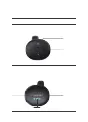
Press the Up or Down buttons to switch e-bike assistance modes,
no assistance, PAS 1 provides the lowest assistance, and PAS 3 provides
the highest assistance. PAS 0 is the default when the controller is
turned on.
3.6 Battery level
The power indicator displays the battery percentage. When the
the battery is very low and requires recharging immediately.
Battery percentage indicators: Lower than 10%
blinks. 10%29% 74%The
100%
The three
power indicators remain lit.
Error codes
When the ebike electronic control system malfunctions, the controller
uses blinking indicators to show corresponding error codes. The error
Up button
Down button
75%
100%
10%29%
30%74%
025 Controller operations
INTERACTION BETWEEN THE SMART
CONNECT MODULE AND APP



 To Next Page