c
d
2
a
b
c
d
02
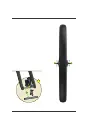
Loosen the nuts on both sides of the front
hub and remove the protective sheets
from the brake clamps. Insert the front
hub bearing in the opening at the front
fork while making sure that the brake
disc is in the middle of the brake clamps.
Tighten the nuts on both sides of the hub
with No.15 Wrench torque: 2230 Nm.
03
Push the body of the bike back and forth
and press the brakes to check if the front
wheel wobbles. If yes, repeat step 2 and
04
Turn the front wheel by hand and check
if there are any signs of friction.
05
If yes, please follow the steps below to
make adjustments:
1. Use the No.5 Hex Key to slightly loosen
the mounting screws of the brake
clamps to make sure that they can
move slightly.
2. Press the front brake for 3 to 5
times.
3. Hold the front brake and tighten
the
mounting screws of the
brake clamps.
4. Turn the front wheel by hand
and listen for the sound of
friction.
5. If there is f riction, loosen
the brake clamps’ mounting
screws.
6. Manually adjust the brake
clamps’ positioning to center
of the disc, and then retighten
the screws.
Tools needed: No.15 Wrench and No.5 Hex Key
Tools needed: No.15 Wrench and No.5 Hex Key
011 Install the front wheel
03.
INSTALL THE
FRONT WHEEL



 To Next Page