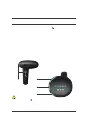
Power Boost Button
3.3 Assisted Pushing mode and POWER BOOST mode
The e-bike will enter Assisted Pushing if the assistance mode is
at
Gear 0 and you press and hold the Power Boost [ ] Button for
2 seconds. The
e-bike moves steadily at a speed equal to or less than
6 km/h, and the
To activate the boost function, press and hold the Power Boost
Button. For this to work, the following conditions must be met: the
ebike is not in Gear 0, the speed is greater than 6km/h, the battery
SOC is greater than 30%, the controller temperature is below 100°C,
and the motor temperature is below 75°C.
When activating the power boost function: 1. Only the third gear
indicator blinks when the conditions for boost are not met.
2.
The
three gear
indicators blink at the same time when the boost function is
successfully activated.
3.4 Turning the headlight on/off
Press the Light button on the controller to turn the headlight and
the in-frame rear light on/off. The mudguard tail light is powered by
a separate battery. You can press the button on top of the light to
turn
it on/off.
Note:
Assisted Pushing
[ ]
can only be
used
when you're pushing the ebike.
Note:
Please turn it on when riding.
The Second
gear indicator
The
gear indicator
The third
gear indicator
023 Controller operations
03.
CONTROLLER
OPERATIONS
INTERACTION BETWEEN THE SMART
CONNECT MODULE AND APP



 To Next Page