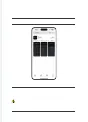
1.1 Download the TENWAYS app from a mobile app store.
1.2 Open the app to log in or register a new account.
If you have already registered an account on the app or on the
TENWAYS website, you can log in directly.
If you have not registered any account, follow the instructions on
the website to
register a new account.
INTERACTION BETWEEN THE SMART
CONNECT MODULE AND APP
Note:
We will continue to update the TENWAYS app. Please check the
.
Connect to the TENWAYS app 028
01.
CONNECT TO
THE TENWAYS APP



 To Next Page