31
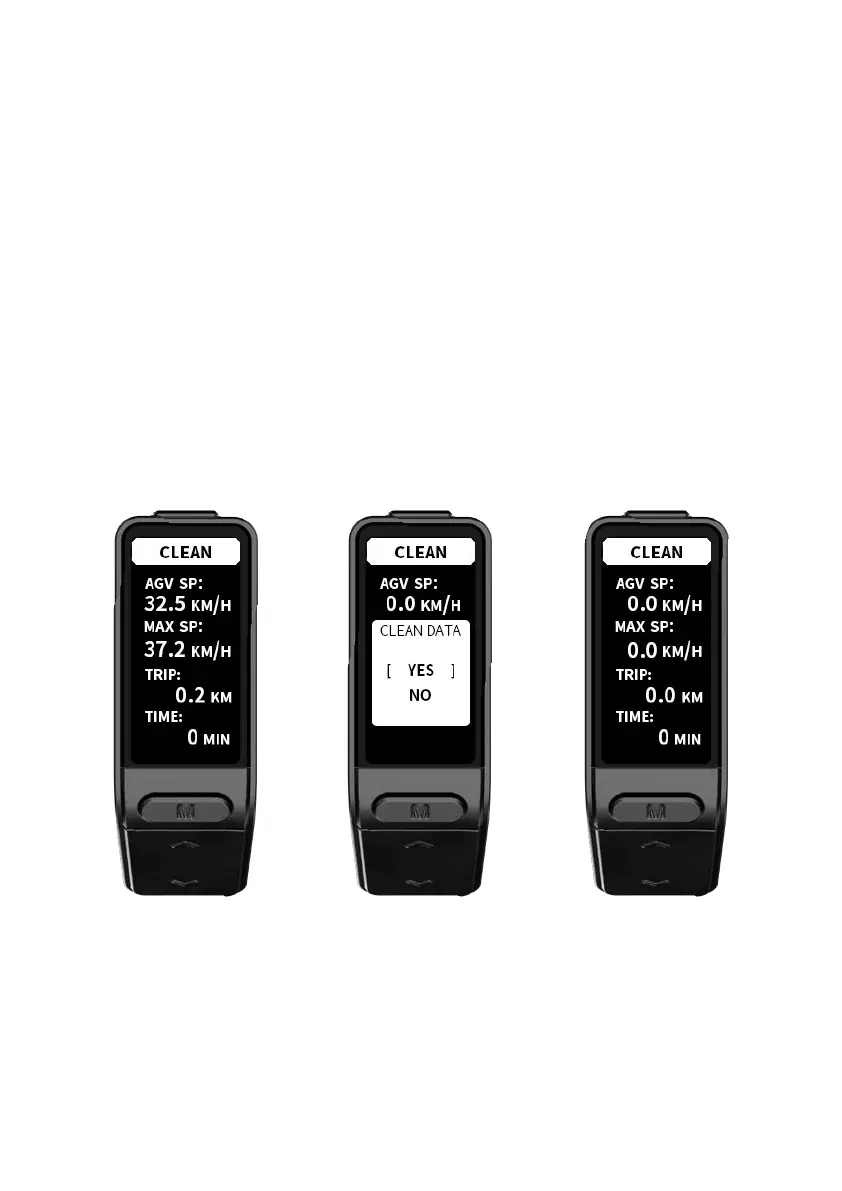
Within 20 seconds after the display is powered on, long press Function button for 3
seconds to enter the data clean interface; short press Function button , then press
Up button / Down button to select an option in the confirmation window, short press
Function button again to clean data for TRIP, TRIP TIME, AVG, and MAX, and then return
to the main interface. The display will return to the main interface without cleaning any
data if no operations are made within 5 seconds.
The above data will not be cleaned when you power down or shut down the display
normally.
5. Data clean



 To Next Page