(1)
(1)
(3)
(3)
(4)
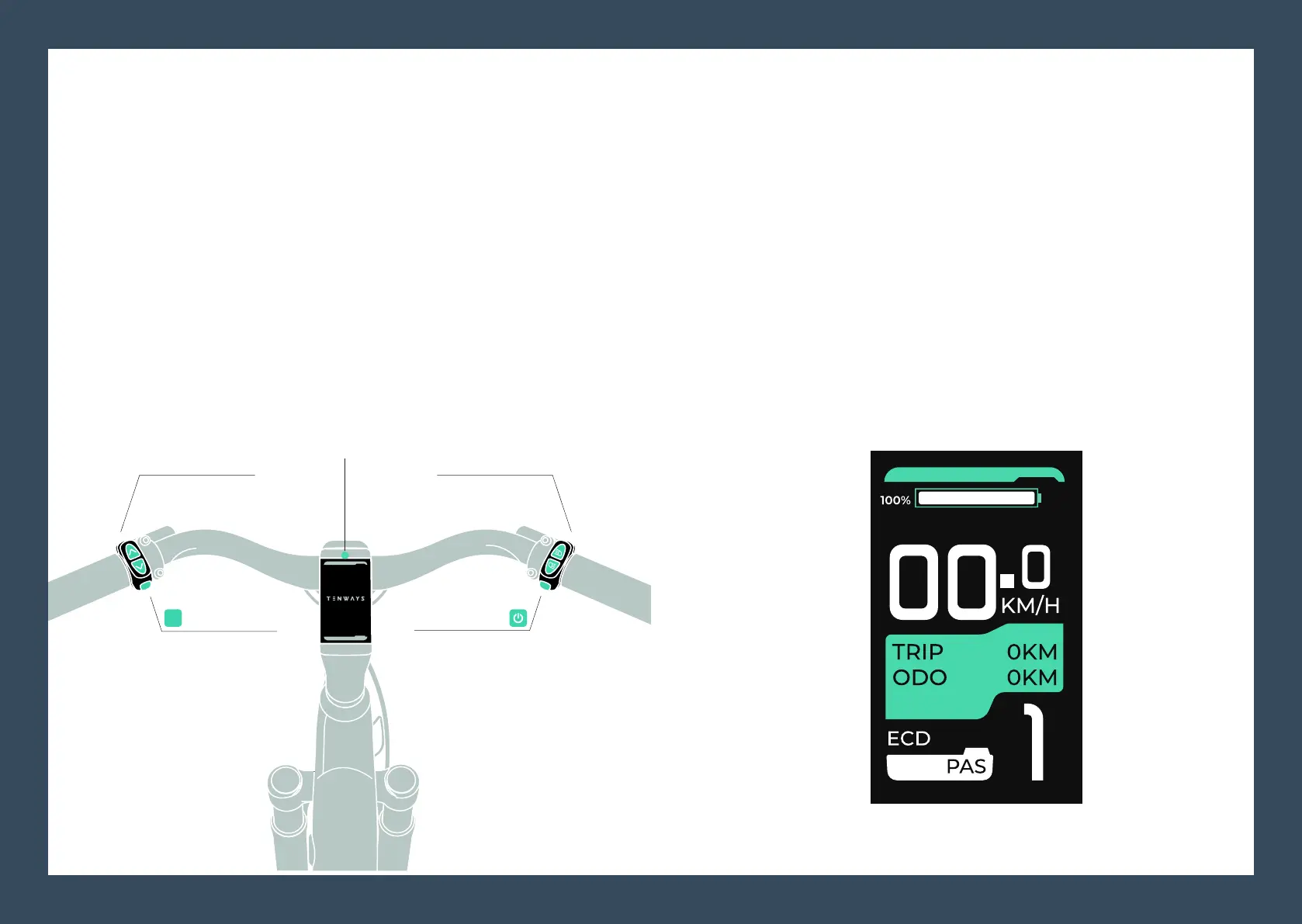
You can press and hold the On/Off button to turn on the panel. The panel displays the real-time speed by default after it is
turned on.
The panel will be turned off if you long press the On/Off button again
when it is on.
The battery percentage is displayed at the top.
The e-bike will automatically shut down if it is not used for more than
ten minutes.
M Botton
Speed Up
Speed Down
ON / OFF
Left-turn Indicator
Right-turn Indicator
Display panel
(2)
(2)
The default passcode is 0000.
You can press the M button 5 times to enter the operation interface.
The PAS level is shown at the lower right corner of the panel
display, while TRIP (a specic distance in kilometers your e-bike
has traveled) and ODO (the total number of kilometers your
e-bike has traveled) are shown at the middle position.
Panel operations
How to turn on the panel. Panel display interface
11
M
14 15



 To Next Page