10 | P a g e
3D LUT SETTINGS
3D LUT Presets – Use this menu to select from COLR’s look presets. Looks can be managed from COLR’s web UI.
3D LUT Mode – Select from full screen or split screen. When split screen is selected, the original/colored regions can be
shifted using the joystick.
Input/Output Signal Range – Independently configure the SDI input and output signal ranges between legal and extended.
NETWORK MODE
Wi-Fi Mode – Select between Access point and Client Wi-Fi modes.
Ethernet Mode – Select between DHCP Client, Static IP, and Camera Link IP address modes, or disable the Ethernet to
reduce power consumption.
OTHER MENUS
Display Settings – Contains various options for adjusting COLR’s front panel display behavior.
Reset All Settings – Performs a full factory reset, but does not modify 3D LUT presets.
About Device – Displays COLR’s serial number.
LIVEGRADE INTEGRATION
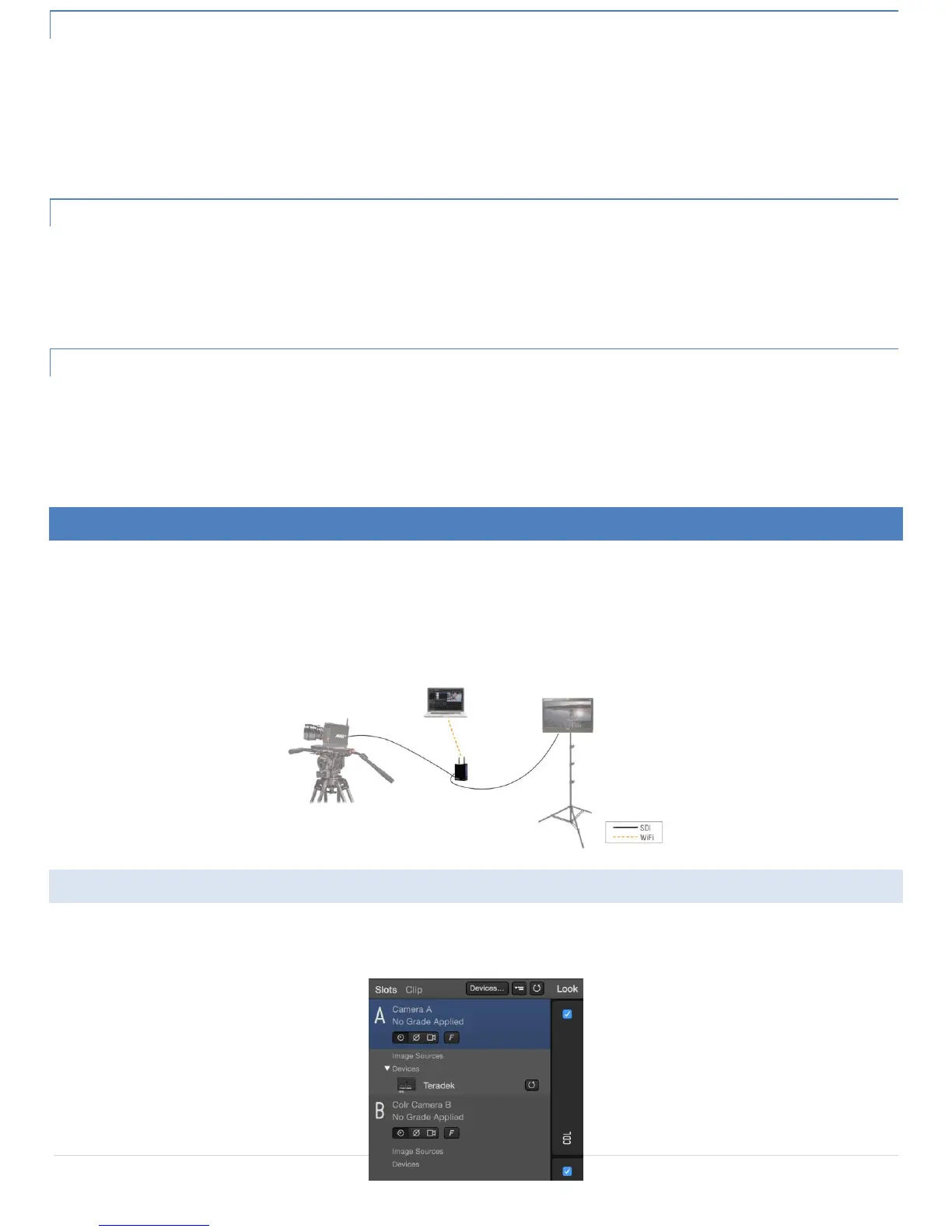
LiveGrade is an application developed by Pomfort for on-set look creation and color management. LiveGrade has integrated support
for remote control of multiple COLR devices. Use the following instructions to prepare LiveGrade for use with COLR. For the most up-
to-date information about COLR’s functionality with LiveGrade, consult their guide:
http://kb.pomfort.com/livegrade/hd-sdi_devices/teradek-colr-support-in-livegrade/
ADDING COLR TO LIVEGRADE
To use COLR with LiveGrade, you will first need to connect your LiveGrade-equipped computer to COLR via Wi-Fi, Ethernet, or USB.
1. Click Devices… next to the Slots menu.


 To Next Page