14
10. Demos:
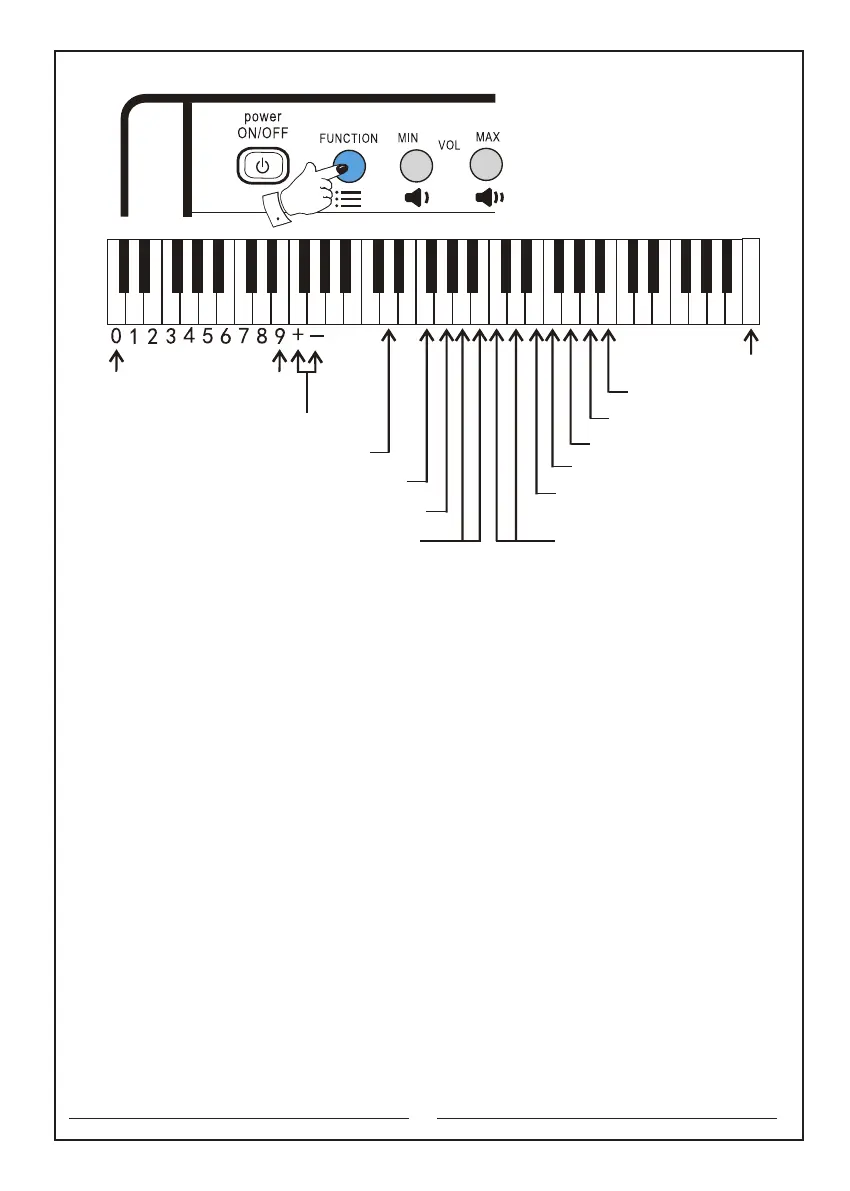
10.1 Demand singing: first press and hold the ‘Function’ selector, and then press
‘Demand singing’ button to play the current song. Press and hold the ‘Function’
selector, and then press ‘Demand singing’ button again to stop playing. Press again
to start the next song. If you choose a certain song, the instrument will loop the song.
Then release the ‘Function’ button to use.
Note: first press and hold the ‘Function’ selector, and then press ‘Demand singing’
button once to play a song. Press again to stop. Press one more time to play the next
song. In this way, you can select each song saved in this instrument.
10.2 Continuous singing: first press and hold the ‘Function’ selector, and then press
‘Continuous singing’ button to play the current song. When it is finished, the
instrument will play the next song. All songs will be played in a loop. It will stop
playing until the "Continuous singing" button is pressed again.
Note: to cancel ‘Demand singing’ or ‘Continuous singing’, first press and hold the
‘Function’ selector, and then press ‘"Demand singing" or "Continuous singing"’ button.
10.3 In the ‘Demand singing’ or ‘Continuous singing’ mode, it will automatically enter
the song selection mode. You can also select the song you want through the numeric
keyboard. First press and hold the ‘Function’ selector, enter the number of the demo
directly, and then release the ‘Function’ selector.
10.4 See contents of demos in Appendix 3.
"+" or "-" key
The Number keyboard
Metronome key
Start/Stop key
Insert key
Synchro key
Fingered chord key
Single finger chord key
Rhythm key
Programming key
Play key
"+" or "-" button to change
the playback speed
Increase or Decrease
button of the tempo
C D E F G A B c d e f g a b c1 d1 e1 f1 g1 a1 b1 c2 d2 e2 f2 g2 a2 b2 c3 d3 e3 f3 g3 a3 b3 c4



 To Next Page