6
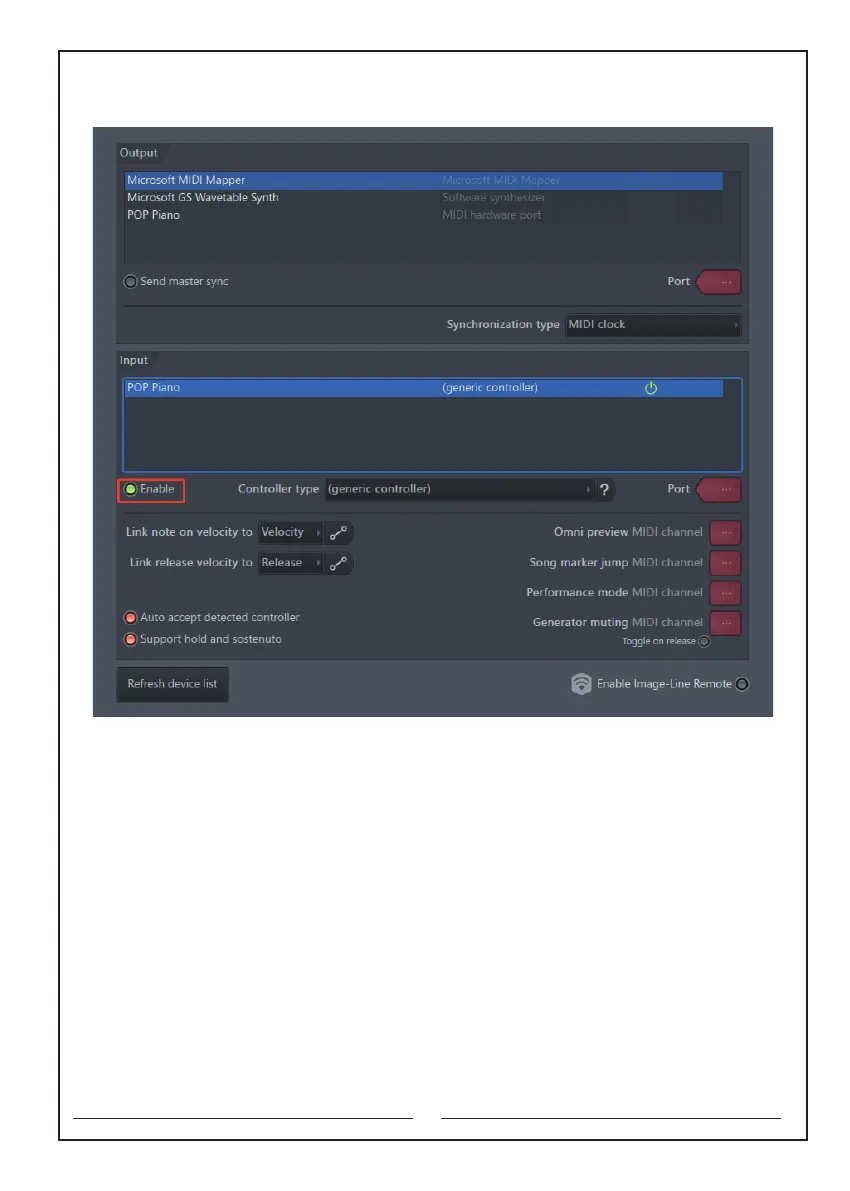
3. Select ENABLE to use the MIDI function (as shown below)
E.g. How to use the software “Cakewalk” with MIDI function?
Download the software Cakewalk on your computer, and then find the Edit in the
menu bar and select Setting - MIDI - Equipment. After entering the name of the
piano “POP Piano”, you can connect the piano with your computer, and use the
MIDI function. If your computer is Windows 10 system, after turning on the software,
it will pop-up window to ask you if you would like to connect it.
Note: this electronic piano is not equipped with any computer cable and MIDI editing
software. Users need to buy it by themselves.
If the computer cannot read the sound of the keyboard, please check
whether the cable is plugged in completely. If it still cannot be read, please
contact us in time and inform us of the computer system and software
name you are using.



 To Next Page