13
Is the control panel giving useful information to work?
Yes! It shows on the display all data related to the lifted load
and the boom position
PANEL MONITORING
-Main Working Data Reading on the display
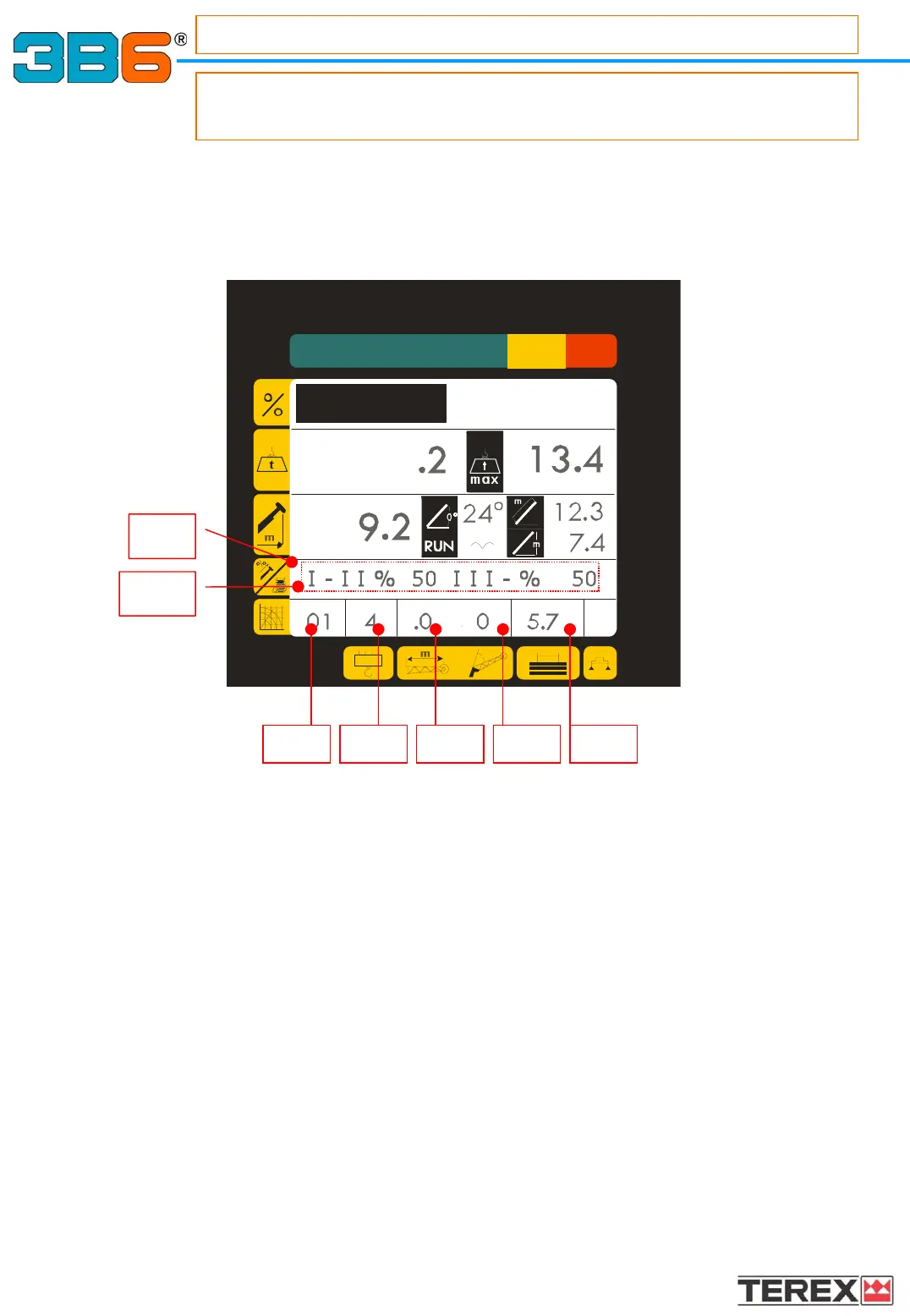
1.8) WRITTEN TEXT
The following information are displayed : the % of boom length or boom sections, the
stowed jib, alarms and warning messages, operating mode during selection procedures.
This written message appears after the operating mode has been selected.
(Please refer to “SWITCHING THE MACHINE ON section on ” Pag.10 and “SELECTING
THE OPERATING MODE ”section on Pag.16)
1.8a) BOOM SINGLE ELEMENT EXTENSION PERCENTAGE
(0% = element completely closed; 100% = element completely extended).
1.9a) OPERATING MODE SELECTED CODE: Corresponds to the load charts table which
must be selected related to the crane configuration.
1.9b) PART OF LINES manually selectable.
1.9c) JIB LENGTH : Corresponds to the jib’s extension related to the table chart selected
1.9d) JIB OFFSET : Corresponds to the jib’s offset referred to the table chart selected
1.9e) COUNTERWEIGHT VALUE : Indicates the counterweight value referred to the table
chart selected
1.8a
1.9a 1.9b 1.9c 1.9d 1.9e
1.8



 To Next Page