14
Is the control panel giving useful information to work?
Yes! It shows on the display all data related to the lifted load
and the boom position through graphic.
PANEL MONITORING
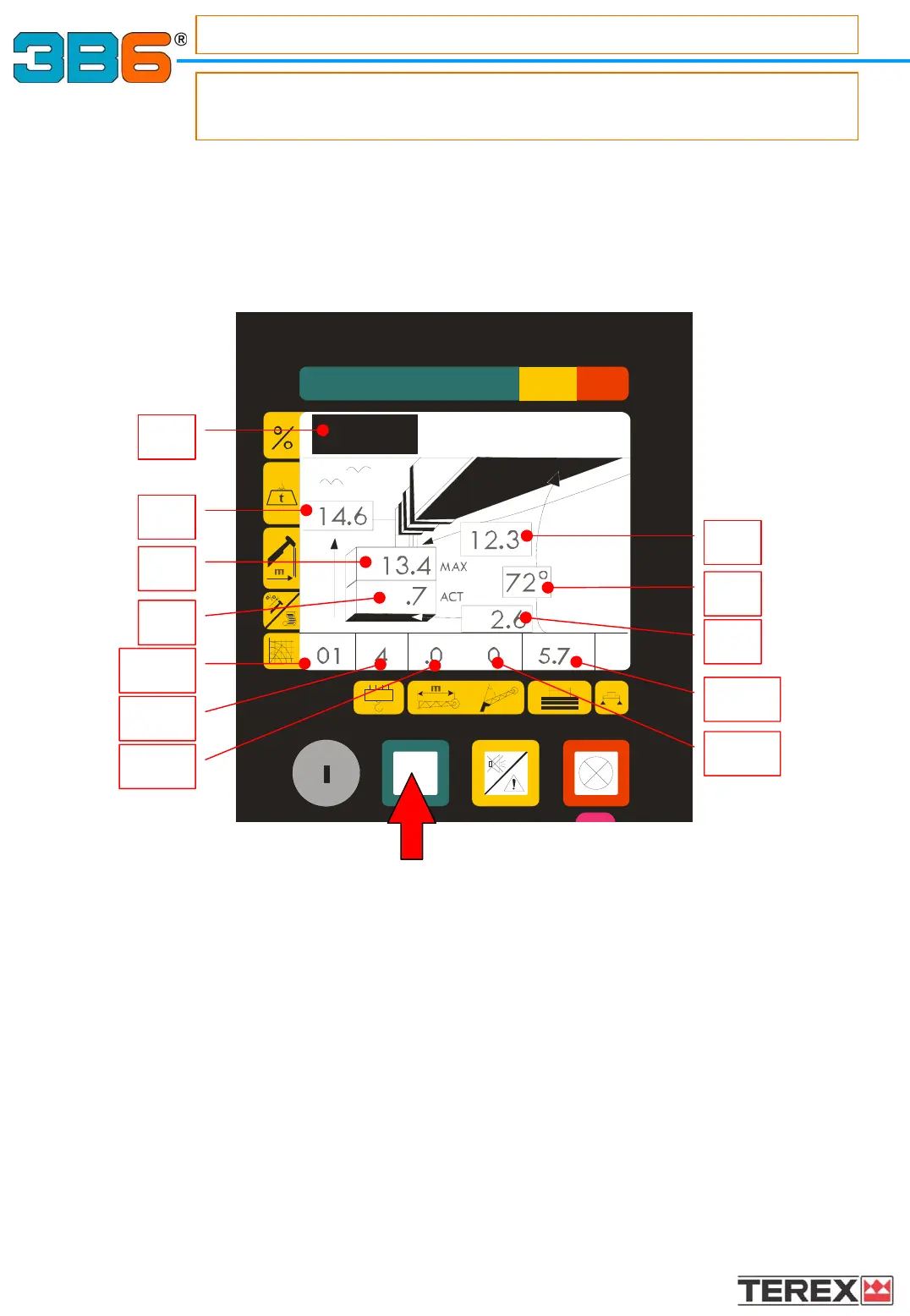
- Main working data reading through graphics
By pressing the green button, it’s possible to visualize the working data through graphics.
1.1) LCD bar showing the percentage of the load lifted at this moment.
1.2) LIFTED LOAD Reading in “Tonnes” or “Lbs”, with a decimal point
1.3) MAXIMUM ADMITTED LOAD
According to the selected load table Reading in “Tonnes” or “Lbs”, with a decimal point
1.4) WORKING RADIUS Reading in “Metres” or “Feet”, with a decimal point
1.5) MAIN BOOM ANGLE Reading in “Degrees”
1.6) BOOM LENGTH. Reading in “Metres” or “Feet”, with a decimal point
1.7) HEIGHT FROM GROUND Reading in “Metres” or “Feet”, with a decimal point
1.9a) OPERATING MODE SELECTED CODE :
Corresponds to the load charts table which must be selected related to the crane configuration.
1.9b) PART OF LINES manually selectable.
1.9c) JIB LENGTH : Corresponds to the jib’s extension related to the table chart selected
1.9d) JIB ANGLE : Corresponds to the jib’s angle referred to the table chart selected
1.9e) COUNTERWEIGHT VALUE : Indicates the counterweight value referred to the table chart
selected
1.6
1.5
1.7
1.3
1.2
1.4
1.1
1.9a
1.9b
1.9c
1.9e
1.9d



 To Next Page