16
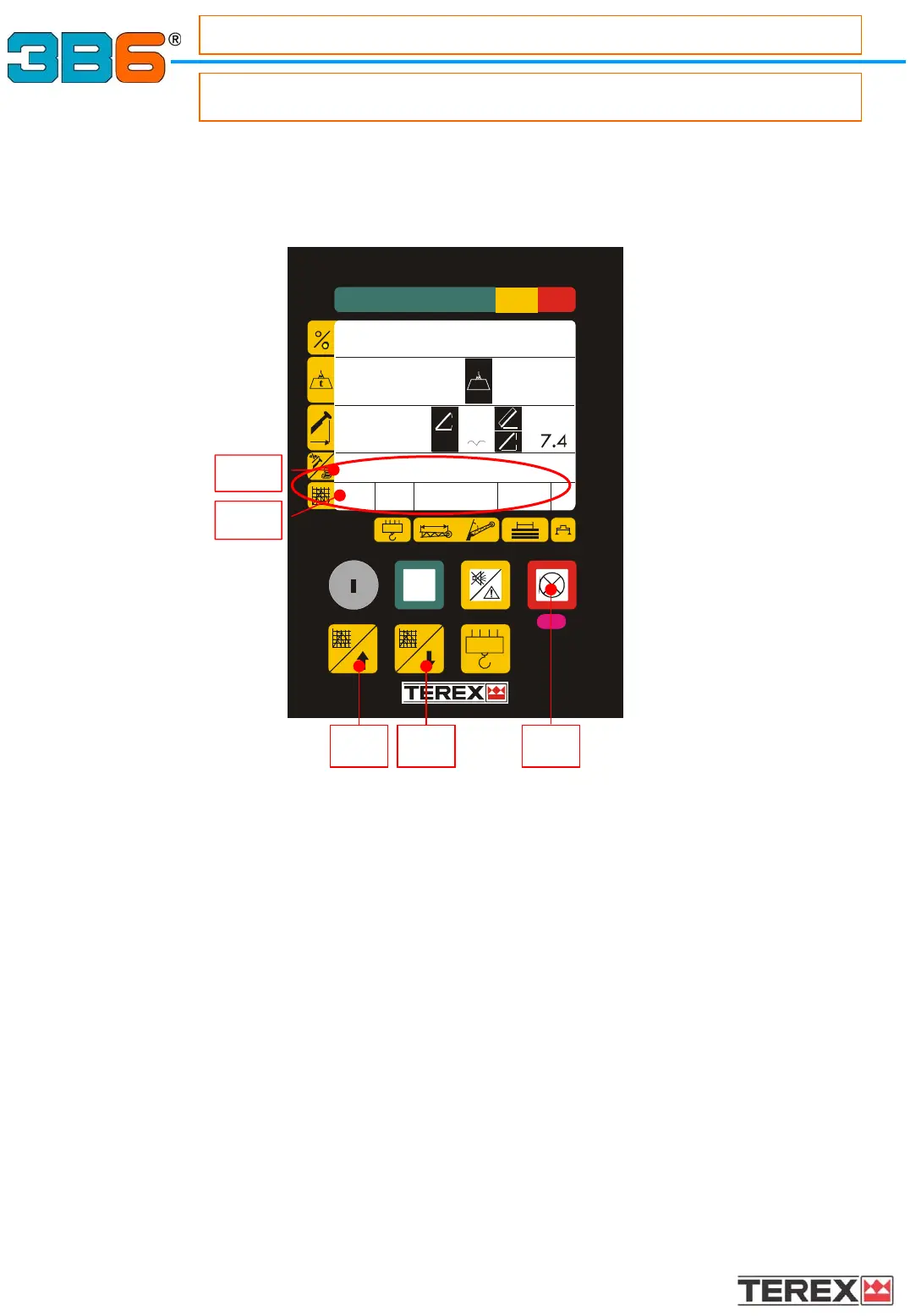
To change the crane operating mode, please refer to the following instructions:
• Press the button 8 or 9, on the display appears the description (zone1.8)
and the code (zone1-9a) of the operating mode used.
• Press once again the button 8 (to increase) or 9 (to decrease) until the display will
show the description (Zone 1.8) and the code (Zone 1.9a) of the correct operating
mode.
Please refer to the load charts table supplied by the manufacturer for the Operating
Mode list.
• Press the red button (7) to confirm the selection
NOTE :It’s not possible to change an Operating Mode when a load is applied.
SELECTING THE OPERATING MODE
SELECTING THE OPERATING MODE
- Operating mode set
How to select the Operating Mode ?
Simply pushing two buttons on the control panel.
m
m
ma x
RU N
0°
12.3
13.4
.2
9.2
24°
m
m
t
MAIN BOOM 4 SEC.
01 4 .0 0 5.7
8 9 7
1.8
1.9a



 To Next Page