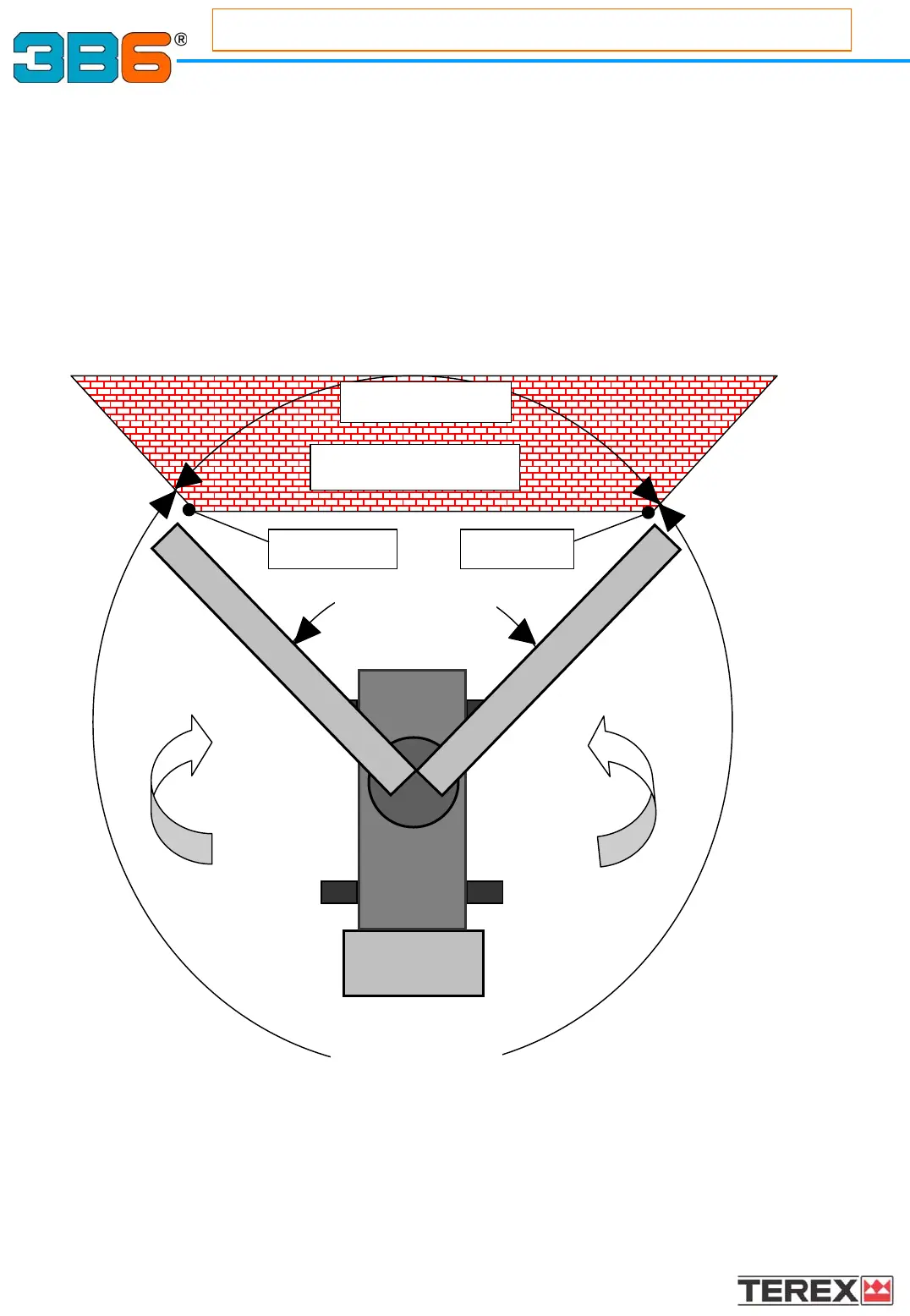
WALL limit setting.
MEGAMAC HC calculates working area limitation using “virtual wall” concept. It stops the
movement according to a “virtual wall” delimited by 2 preset points
In order to enable “virtual wall” limitation, 2 input points are required by the self learning
procedure: MEGAMAC will automatically limit lowering, lifting telescoping and rotating
movements according to “virtual wall” operation.
Working Area Limiting Link: (option)
Working Area Limiting Link: (option)
i.s.a.a.c. (interactive space advanced automatic control)
To set working area limits:
1)Select point number 1
2)Rotate the turret clockwise
3)Select point number 2
We have defined a “restricted” area, which will not allow the boom to move
while the turret brake stops the movement.
External area to the wall is allowed.
CW
CCW
1st SET
2nd SET
Restricted area
Restricted area
VIRTUAL WALL
Admitted area
25
Appendix



 To Next Page