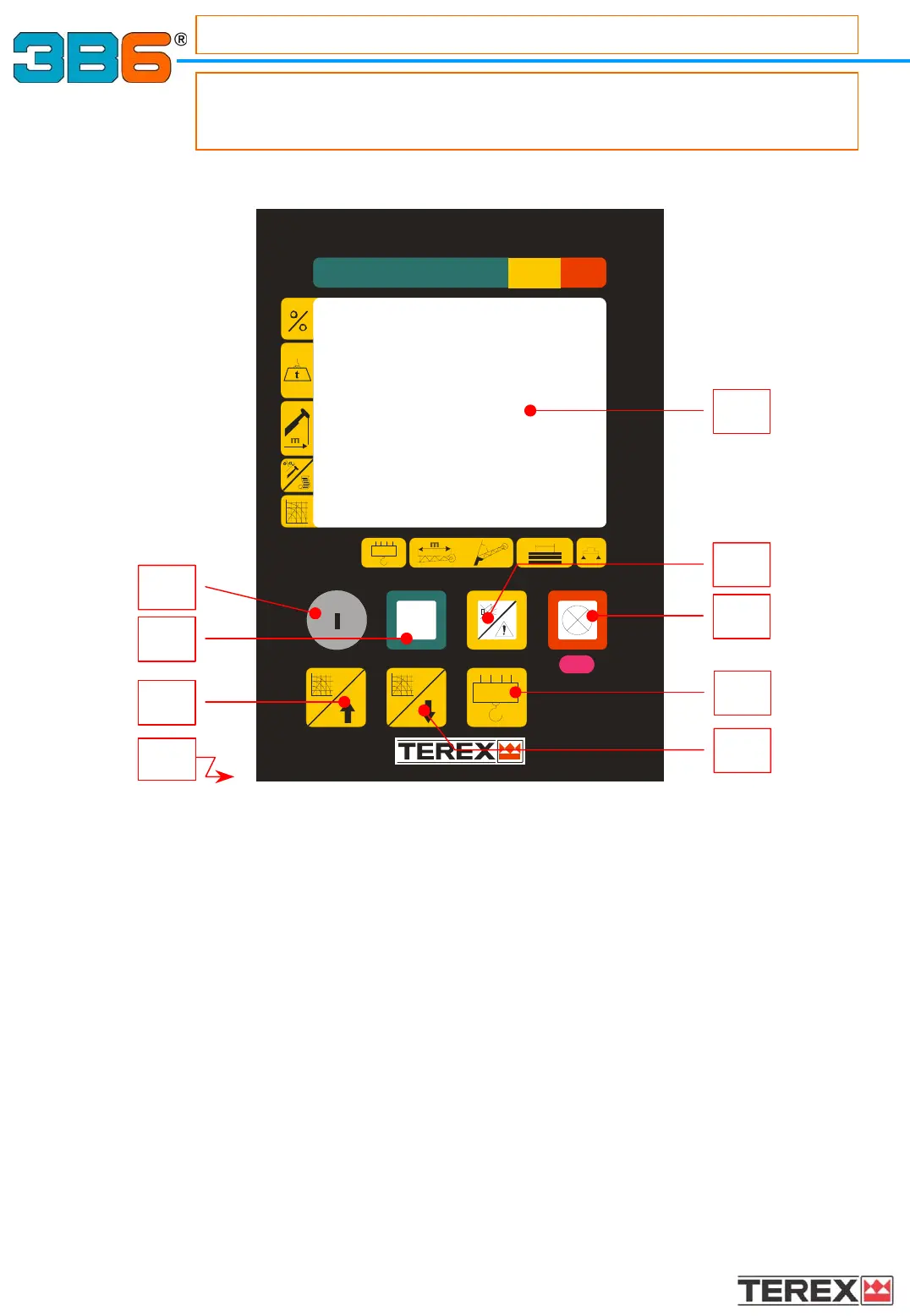
What’s the need of the control panel?
It gives to the operator all information in order to work in safe
conditions and allows proper setting .
CONTROL PANEL DESCRIPTION
CONTROL PANEL DESCRIPTION
9
1 Working data display;
5 GREEN Button/lamp : if pressed, it allows the operator to scroll the pages
lit = safety
6 AMBER Button/lamp :The lamp lit indicates that the load has reached the pre-alarm
condition. Pressing the button, the buzzer will stop.
7 RED Button/lamp :The lamp lit indicates that the load has reached the maximum load
allowed and the shut of
f has been performed;
The flashing light indicates that the machine is in shut down
procedures and the by pass key is activated.
The button can also used to confirm a selection.
8 Operating mode selection key: press to increase operating mode value;
9 Operating mode selection key: press to decrease operating mode value;
10 Rope number ( tackle ) selection key: press as many times as necessary to obtain the required
value in order to achieve a correct load reading;
11 Key to exclude the manoeuvre block
Note : The function of the unstable key with return spring consists on disable the automatic alarm
function of the safety system.
Only the authorised staff can use the key to by-pass the safety system. In case of improper use,
the safety equipment and the crane manufacture
r are relieved of any responsibility.
12
Buzzer ( positioned on the rear panel ) :
Intermittent beeping = prealarm condition;
Continuous beeping = alarm condition ( shut off movements).
1
7
10
6
9
5
8
11
12



 To Next Page