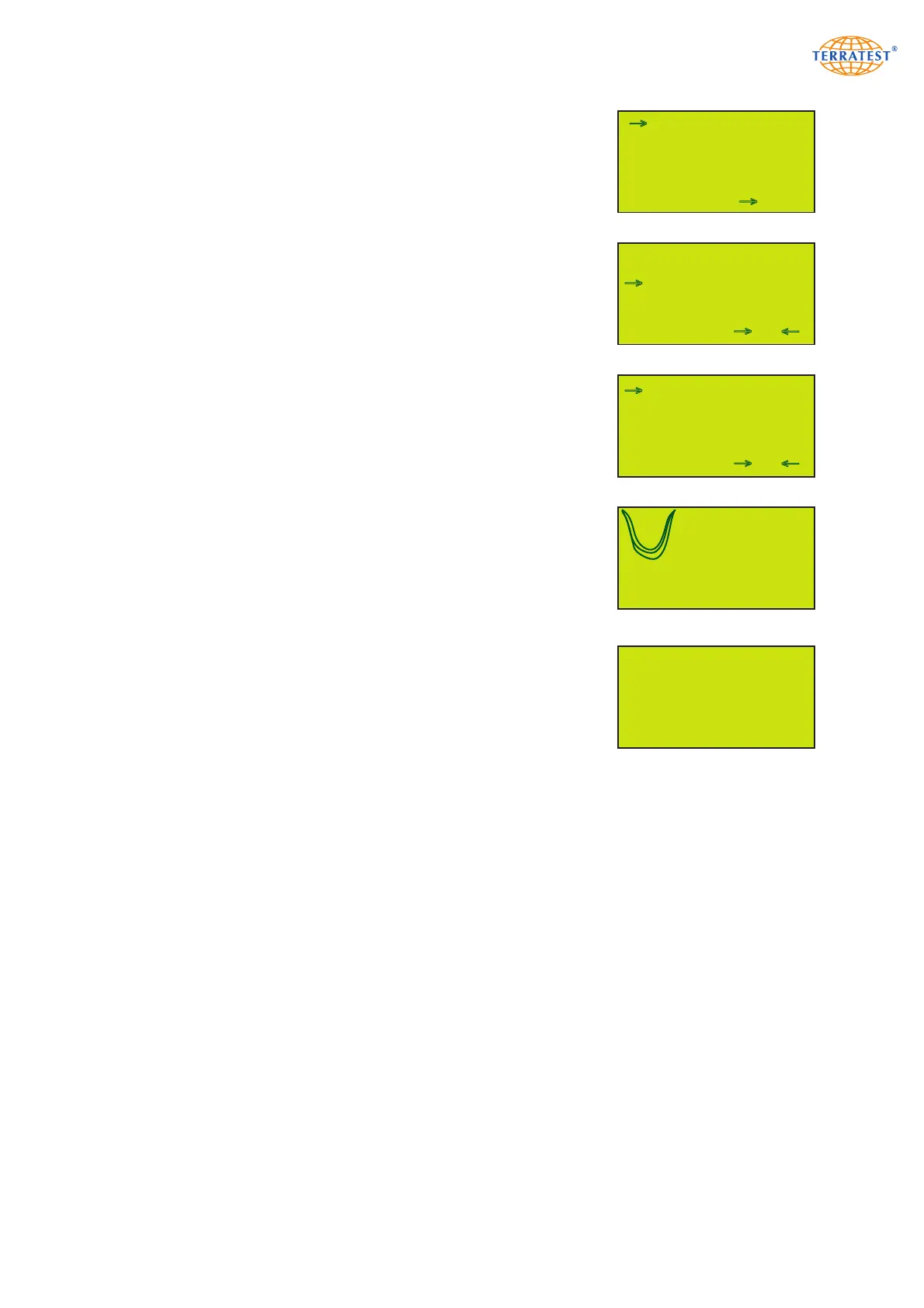
MAIN MENU
47
7.2 Subsequent Printing of Test Data
Turn on the device by pressing the ‘START’ button. Then enter the ‘MAIN
MENU’ by pressing the ‘SELECT’ button. Use the ‘SELECT’ button to
move the arrow and select ‘USB STICK’ from the menu. Press the
‘START’ button (SET) to enter the test data list. You will then be for-
warded to the folder list, named after the date on which the respec-
tive test was performed. Move the arrow with the ‘START’ and
‘SELECT’ buttons to the folder of your choice. Open the folder with the
‘PRINT’ button and enter the test data list.
All tests with their consecutive data record number, date and Evd value
will be shown on the display. Move the arrow with the ‘START’ and
‘SELECT’ buttons to select the data record which you would like to print.
Upon pressing the ‘PRINT’ button (SHOW) the test data of the selected
test will be shown. Press the ‘PRINT’ button again to print the corres-
ponding test protocol.
Pressing the ‘RESET/OFF’ button (EXIT) will direct you to the ‘TEST DATA
LIST’. Press the ‘RESET/OFF’ button (EXIT) again to return to the ‘MAIN
MENU’. Press the ‘RESET/OFF’ button (EXIT) again to return to the ‘STA-
TUS REQUEST’. Pressing the ‘START’ button will start the test procedure.
If no test data is saved on the medium, ‘USB-STICK IS EMPTY’ will appe-
ar on the screen for a few seconds; the screen will then return automati-
cally to the ‘MAIN MENU’.
USB STICK
LANGUAGE
GPS / TIME
INTERNAL MEMORY
SERVICE
EXIT SET
→
→
EXIT SELECT
→
13-06-19
13-06-20
13-07-31
→
FOLDER LIST
→
EXIT SHOW
→
001 31/07/13 44,9
002 31/07/13 46,1
003 31/07/13 48,0
004 31/07/13 48,2
005 31/07/13 49,2
→
TEST DATA LIST
→
USB-STICK IS EMPTY!
s4=0,366mm
s5=0,364mm
s6=0,364mm
44,9 MN/m
2
s/v=2,277 ms
EXIT PRINT 2/127 NEXT


 To Next Page