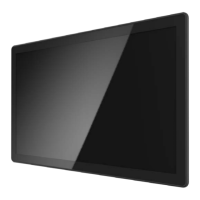
The APM-10 is a 10-inch touchscreen LCD monitor designed for commercial applications, including point-of-sales, point-of-information, point-of-service, and interactive signage. It features a stylish, thin cable management bracket for organized cabling.
Function Description:
The APM-10 functions as a touch LCD monitor, providing an interactive display interface. It connects to a host computer via various video signal connectors (VGA, DisplayPort, HDMI) and a USB connection for touch functionality. An On-Screen Display (OSD) remote key is provided for adjusting monitor settings.
Important Technical Specifications:
LCD Touch Panel:
- Size: 10" TFT LCD
- Brightness: 500 cd/m² (Non-touch screen), 425 cd/m² (P-CAP)
- Number of Pixels: 1280(H) x 800(V)
- Touch Type: P-CAP / 10 points
Environment:
- Compliance: IPX0
- Operating Temperature: 0°C ~ 50°C
- Storage Temperature: -20°C ~ 60°C
- Operating Humidity: 20% ~ 80% RH, non-condensing
Physical:
- Mounting: VESA 100 mm x 100 mm
- Dimension (W x H x D): 260.67mm x 183.37mm x 39.4 mm
- Net Weight: 1.4 kg
- Gross Weight: 2.4 kg
Interface Connectors:
The monitor includes a power connector, a VGA video signal connector, DisplayPort (1.1a), and HDMI (1.3a) connectors.
- VGA Connector (D-type 15-pin female): Supports Red, Green, Blue video signals, DDC ground, analog signal grounds, +5V input for VESA DDC2B, Signal ground, SDA, Horizontal signal, Vertical signal, and SCL.
- DisplayPort (1.1a): Features ML_Lane Data (0, 1, 2, 3), Signal ground, AUX_CH (p/n) for Auxiliary Channel, Hot Plug, DP PWR Return, and DP PWR.
- HDMI (1.3a): Includes TMDS Data (2+, 2 Shield, 2-, 1+, 1 Shield, 1-, 0+, 0 Shield, 0-), TMDS Clock (Shield, -, +), CEC, Reserved, SCL, SDA, DDC/CEC Ground, +5V Power, and Hot Plug Detect.
- USB: For touch screen functionality.
- RJ45: For OSD remote key connection.
- Audio: Audio output.
- DC Jack: Power input.
Timing Table Chart (Examples):
- 640x480 60 Hz: H-Freq. 31.47 KHz, Band Width 25.175 MHz, H/V Polarity: -/-
- 800x600 60 Hz: H-Freq. 37.88 KHz, Band Width 40 MHz, H/V Polarity: +/+
- 1024x768 60 Hz: H-Freq. 48.363 KHz, Band Width 65 MHz, H/V Polarity: -/-
- 1280x800 60 Hz: H-Freq. 49.702 KHz, Band Width 83.5 MHz, H/V Polarity: -/+
- Note: If input H-display >1280 pixel or V-display>800 lines or V-Sync >60Hz, OSD will display "out of range" warning.
EDID Data:
- DP/HDMI: Provides a display communications channel conforming to VESA DDC2B hardware requirements, containing a 256-byte EDID file.
- VGA: Provides a display communications channel conforming to VESA DDC2B hardware requirements, containing a 128-byte EDID file.
Usage Features:
Mounting:
- VESA Mount: Conforms to the "VESA Flat Display Mounting Interface Standard" (100 mm x 100 mm). Requires four M4 screws with proper length (8 mm to 18 mm from back cover surface to screw hole bottom). The mounting stand must support at least 7.67 lbs (3.48 Kg).
- Wall Mount: Supports mounting to wooden or concrete walls using 8 screws and two bracket sets. Can be mounted in landscape (left/right sides or top/bottom sides) or portrait orientation (left/right sides or top/bottom sides).
- Face Up Installation: Involves installing brackets on the customer's cabinet, then assembling the APM-10 into the cabinet and inserting screws.
On-Screen Display (OSD) Controls:
The OSD remote key provides the following functions:
- Menu (E): Appears/disappears OSD menu, returns to main item.
- Up (▲): Selects main item up, adjusts value up (Brightness).
- Down (▼): Selects main item down, adjusts value down (Contrast).
- Enter (↵): Selects sub-item function.
- Power (ن): Power On/Off.
- Contrast: Monitor luminance level control (Default: 50).
- Brightness: Monitor backlight level control (Default: 100).
- Auto Adjust: Fine-tunes image to full screen automatically.
- Left/Right: Moves screen image horizontal position.
- Up/Down: Moves screen image vertical position.
- Horizontal size: Adjusts screen image horizontal dot clock.
- Fine: Adjusts screen image pixel phase.
- OSD Left/Right: Moves OSD menu horizontal position (Default: 50).
- OSD Up/Down: Moves OSD menu vertical position (Default: 50).
- OSD Time out: Sets OSD auto-disappear time (Default: 15 seconds).
- OSD Language: Selects OSD menu language (English, French, Japanese, Deutsch, Spanish, Italian, Traditional Chinese, Simplified Chinese) (Default: English).
- Factory Reset: Restores factory default values.
- RGB: Color temperature selection (9300K, 6500K, 5500K, 7500K, User) (Default: USER).
- Lock: Press "Menu" key, then press and hold "Menu" again until OSD disappears. While still holding "Menu", press "Power" once. "Lock/Unlock" menu appears for 3 seconds. Use "Enter" to select OSD or Power setting, then "Up" or "Down" to set to "Lock". Releasing "Up" or "Down" saves the setting.
- OSD Lock: All buttons except "power" are disabled.
- Power Lock: Power key is disabled, preventing monitor shutdown via the key.
- Unlock: Press and hold "Menu", then press "Power" simultaneously. "Lock/Unlock" menu appears for 3 seconds. Use "Enter" to select OSD or Power setting, then "Up" or "Down" to set to "Unlock". Releasing "Up" or "Down" saves the setting.
Maintenance Features:
Precautions:
- Safety: Do not expose the product to moisture to prevent fire or shock hazards. Do not open or disassemble the product to avoid electric shock.
- Cleaning: Turn off the product before cleaning. Use a soft cloth moistened with mild detergent to clean the product housing. Do not use abrasive cleaners, waxes, or solvents.
- Power: Use only the qualified power adapter provided with the device. Disconnect the power plug from the AC outlet if the product will not be used for an extended period.
- Environment: Do not operate the product in extremely hot, cold, or humid environments, areas susceptible to excessive dust and dirt, or near appliances generating strong magnetic fields.
Power Supply Warning:
The product is intended to be supplied by a Listed Power Adapter or DC power source, rated 12Vdc, 1.0A minimum, with a Tma (maximum ambient temperature) of 50°C minimum, and an altitude of operation of 3048m minimum. Contact TES for assistance with purchasing the power source if needed.
Restricted Substances Marking (RoHS Compliance):
The device includes a declaration of the presence condition of restricted substances, indicating compliance with environmental regulations.
- "Exceeding 0.1 wt%" or "exceeding 0.01 wt %" indicates the percentage content of the restricted substance exceeds the reference percentage value.
- "o" indicates the percentage content of the restricted substance does not exceed the reference value.
- "-" indicates the restricted substance corresponds to an exemption.
The table lists components like Plastic Parts, Metal Parts, Cable, LCD Panel, Touch Panel, PCBA, and Software, and their compliance status for Lead (Pb), Mercury (Hg), Cadmium (Cd), Hexavalent chromium (Cr+6), Polybrominated biphenyls (PBB), and Polybrominated diphenyl ethers (PBDE).

 Need help?

 To Next Page
 General