Instrument ddescription
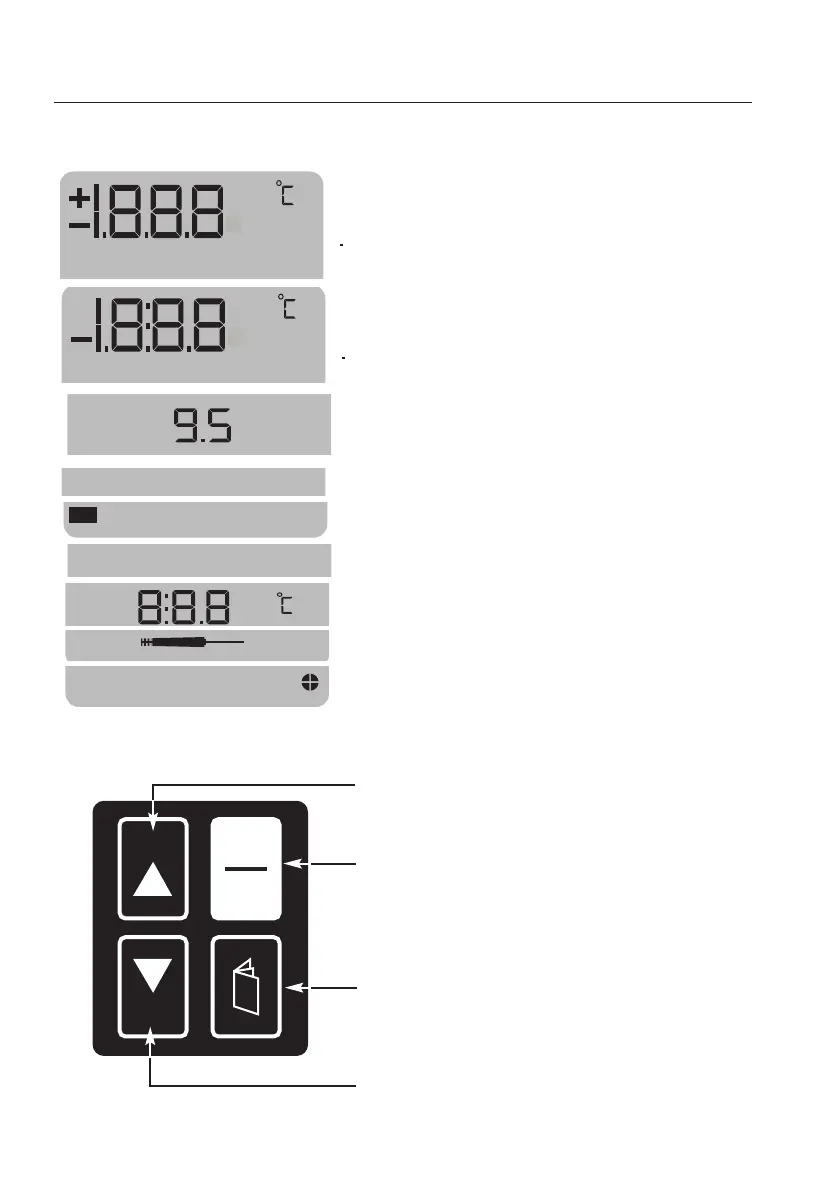
Display //keyboard
4
1st line
Display of measured value (µS/cm, mS/cm, NaCl
mg/l - °C/°F for measurements with temperature
probe) and menu.
2nd line
Display of temperature value
Battery control
When instrument is switched on: battery voltage
During use of instrument: low battery warning
"HOLD" function activated
Calibration menu activated
"Cell constant" calibration menu
Temperature coefficient
Measurement with temperature probe
Auto off function
HOLD
key (hold measured values or set values
with manual input function)
ON/OFF
key
PAGE
key
(call up individual menus)
SELECT
key (select menus or set values with
manual input function)
SELECT
HOLD
I
0
NaCl mg/l
mmS/cm
at
Hold
Cal
%/



 To Next Page