7
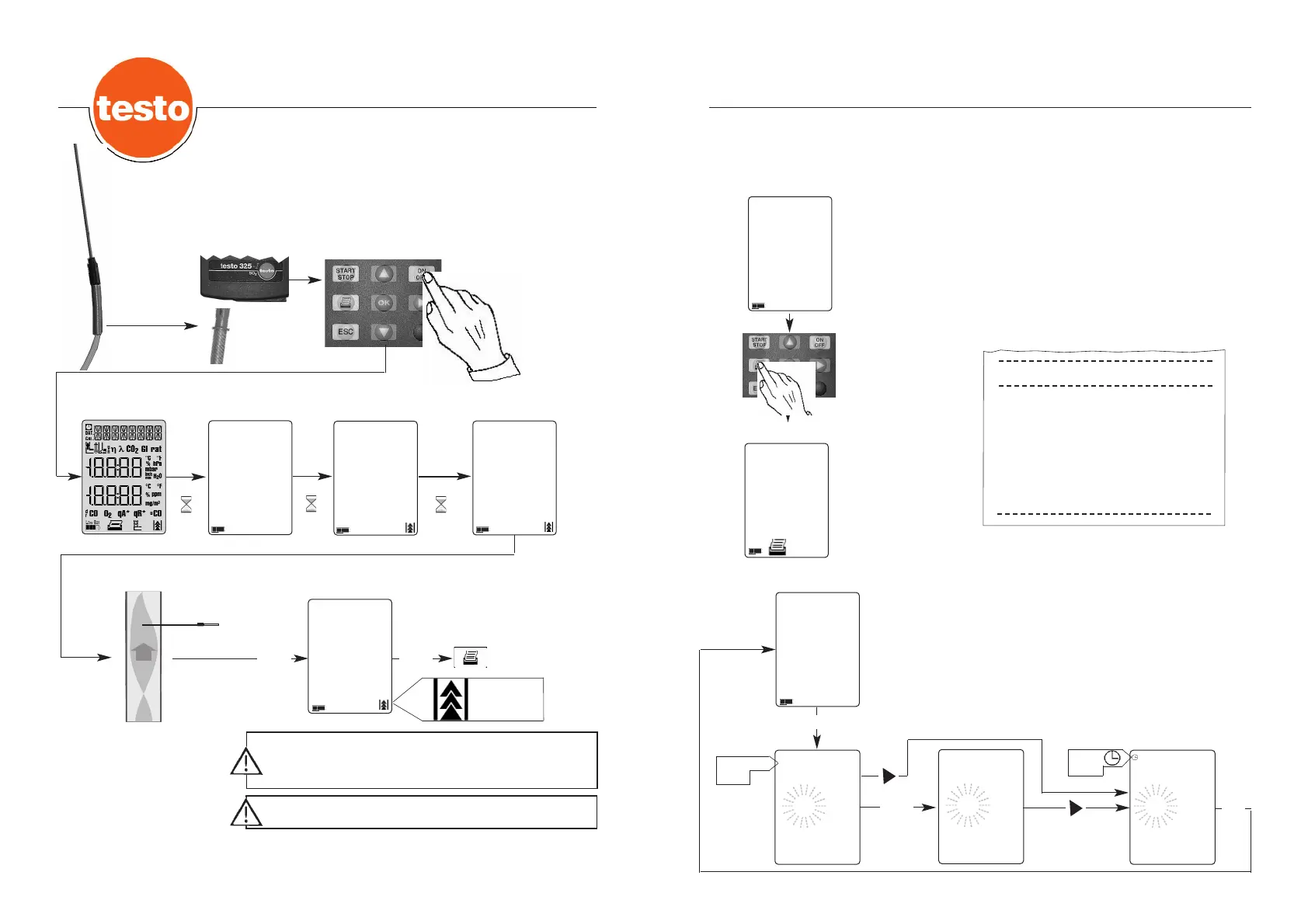
The measured value is printed out with
- Date/time
- Unit of measurement
(For date/time setting, see reference unit)
From the measuring menu, printout of the measured values can
be triggered with the Print button. Printout is only possible
when the pump is stationary. Cancel the printing procedure with
the ESC button.
testo 325-I
07.09.1999 10:19:35
SO2 1225 ppm
Date/time
Measured value
Measurement example
Printout of measured results
START
STOP
Measuring menu
ppm
225
SO2
Measuring menu
ppm
225
SO2
Measuring menu
ppm
225
SO2
Activate the set-point with the OK button.
Change the setting field with the right button.
Increase the value with the up button, decrease the value with
the down button.
The OK button confirms the settings and takes you to the
measuring menu.
The ESC button takes you back to the main menu, without
adopting the settings.
15.03
1999
03.15
1999
14:15
Setting field
flashes
Change
over to
US format
Time
symbol
Date
symbol
Setting the date/time
OK
OK
DDAATT
DAT
6
Measurement example
Flue gas measurement
Example: testo 325-I SO
2
3 sec.
3 sec.
60 sec.
V 110
6.0
43
START
STOP
ppm
0
SO2
Flush the measuring cells with fresh air after each
measurement (pump start/stop) until the CO/NO/SO
2
content is below 50 ppm.
Ensure that gas paths are dry when measuring SO
2
.
Connect
probe
Self-test
Measuring menu
Measuring menu
Printout
Pump
running.
Battery capacity
Zeroing phase
Switch on
testo 325-I



 To Next Page