Seite/Page: 7 / 8
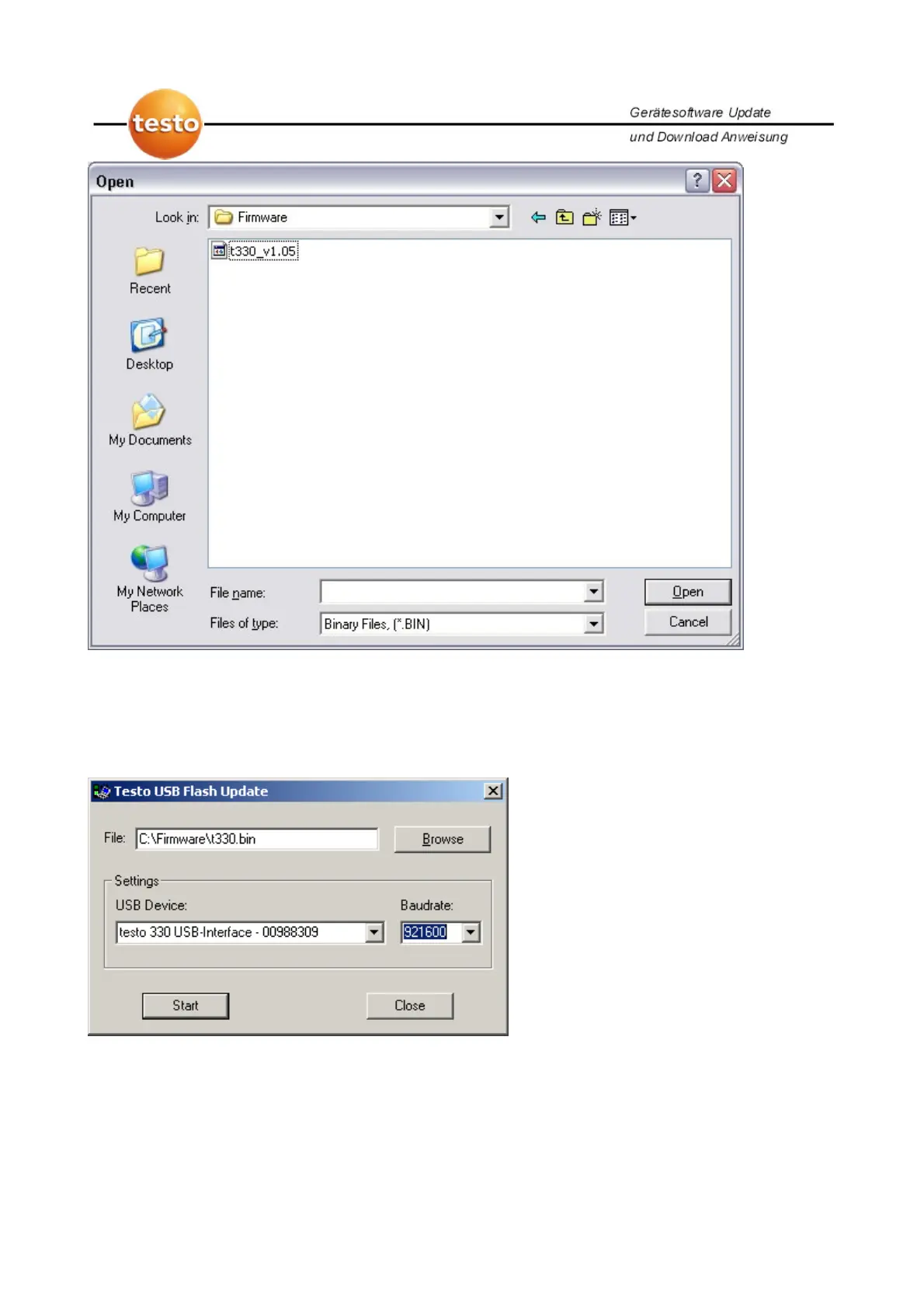
Go to the directory where you have extracted the binary file and the firmware for the t-
330. Select the binary file (e.g. t330.bin) and press open.
The following window appears:
In the USB Device box, be sure you have selected the correct measuring instrument
and set the baud rate to 921600. Click on start to start the download. If the download
fails, you’ll get an error message. In which case, please repeat the previous steps.



 To Next Page