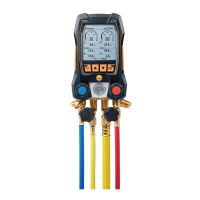
5 First steps
13
5 [Set] selectable via the left multi-function key
6 Evaporation temperature / acc. to temperature sensor A /
superheating
7 Chosen refrigerant
8 Battery status indication/rech. batt. charge indication
Making settings
1. Press [Set].
- The configuration menu is opened.
2. Select function and set parameters:
Key functions
Representation Explanation
[▲] or [▼]
Choose function/setting
[Ok]
Activate function or confirm parameter/setting
[ESC]
Exit the configuration menu
Adjustable parameters
Refrigerant: Select the refrigerant from the list:
Representation Explanation
R... Refrigerant number of refrigerant acc. to
ISO 817
T... Special Testo designation for certain
refrigerants
---
no refrigerant selected.
With the software testo Easy Kool you can feed additional
refrigerants into the instrument, see separate operating
instructions.
Efficiency calc.: Select the procedure (COP heat pump) and enter
the required parameters (may vary in dependence on selected
procedure). The inputs have an effect on the measuring mode
efficiency calc.
See also Performing the measurement, page 19.
See also Basis of calculation COP, page 30.
Temperature unit: Select the desired unit.
Pressure unit: Select the desired unit.
Vacuum unit: Set pressure unit for vacuum.
Pressure mode: Depending on the chosen unit for pressure:
Change between absolute and relative pressure displays.
Shop for Data Logging products online at: www.DataLoggerStore.com 1.877.766.5412



 To Next Page